
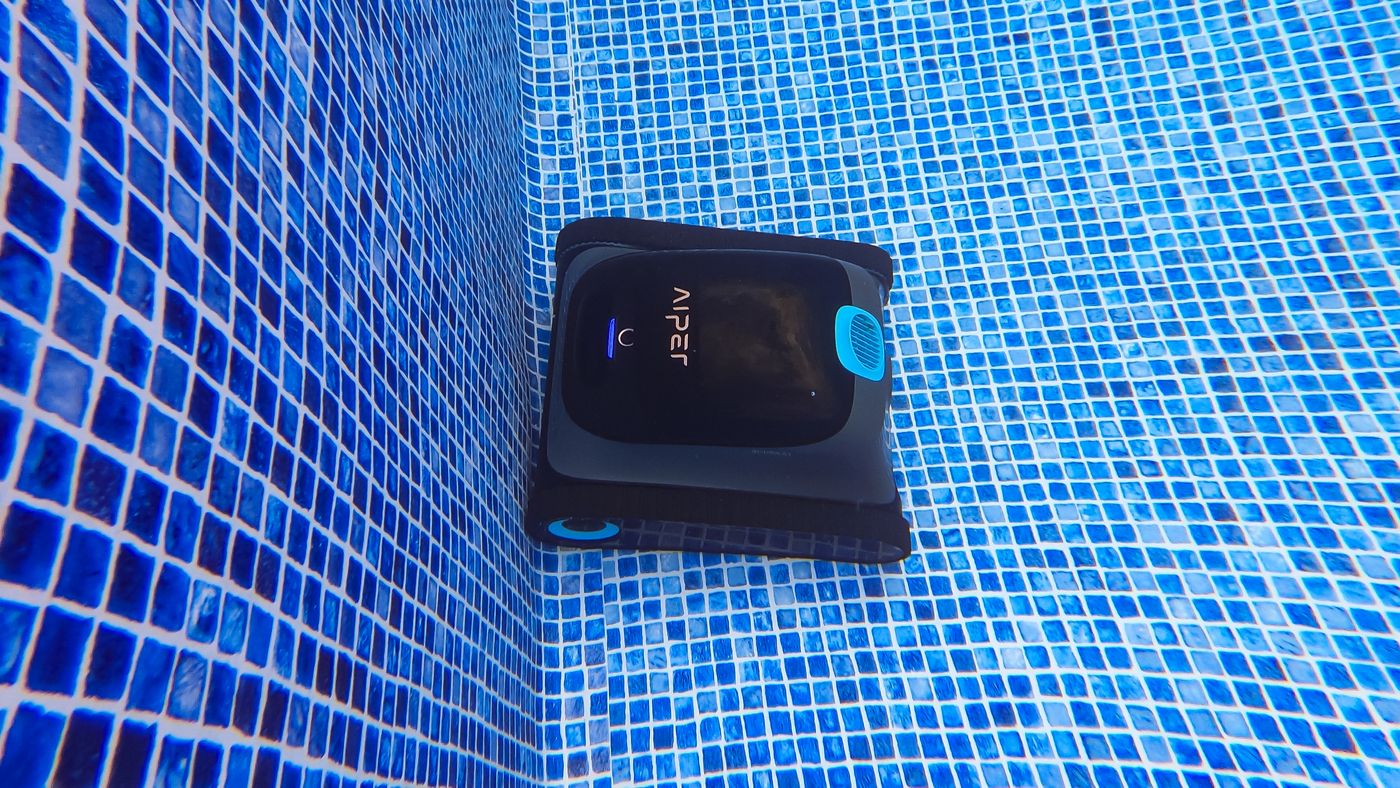
The short answer
Most Aiper Scuba S1 problems trace back to three things: a filter sealed with fine debris, a battery that is not fully charged, or air trapped in the body. Rinse the filter until the water runs clear, charge until the light shows full, and let the air out before the next run.
This is the troubleshooting home for the Aiper Scuba S1. It is a cordless, battery-powered robot that cleans the floor and walls. Below are the 13 problems owners run into most, each with the checks we would make first and the point where it stops being a do-it-yourself fix.
Safety first: take the Scuba S1 out of the water and switch it off before you open the filter, touch the brushes, or reach near the impeller. Never charge it while it is wet at the charging contacts, and never open the sealed battery or motor housing.
Scuba S1 Quick Checks First
Run through these before you chase a specific symptom. Between them they clear up most of what goes wrong with a Aiper Scuba S1.
- Charge it all the way. Leave the Scuba S1 on charge until the light shows full, not just until it turns on. A partial charge causes short runs, weak climbing, and robots that stop in the middle of the pool.
- Rinse the filter until the water runs clear. A filter that looks clean can still be sealed with fine dust. Most pickup, climbing, and early-shutoff complaints end here.
- Let the air out. Hold the robot under the surface and rock it until the bubbles stop before you let go. Trapped air makes it float, tip, and lose grip.
- Rinse and dry the charging contacts. Pool water left on the charging port or contacts corrodes them. Rinse with fresh water and dry them before every charge.
- Check the water. Algae, very cold water, and chemistry far out of range all make a robot slip. Fix the water before you blame the machine.
Aiper Scuba S1 at a glance
- Type
- Cordless, battery powered
- Cleans
- Floor and walls
- Filter
- One top-loading filter basket
- Battery
- Up to 150 minutes rated in the manual for the S1 we tested, 4-hour charge, 7800 mAh
- App
- No app
- Built for
- In-ground pools up to 1,600 sq ft, water 1.6 to 10 ft deep
- Weight
- 25.6 lb per our comparison table
- Warranty
- 24 months

Scuba S1 Won’t Turn On or Shuts Itself Off
- No LED when you hold the button
- Turns on, then switches off about a minute later on the deck
- Dead after storage
- Button tapped instead of held for 2 seconds
- Not put in the water within about a minute
- Flat battery
- Controller locked up
- Battery damaged by long storage
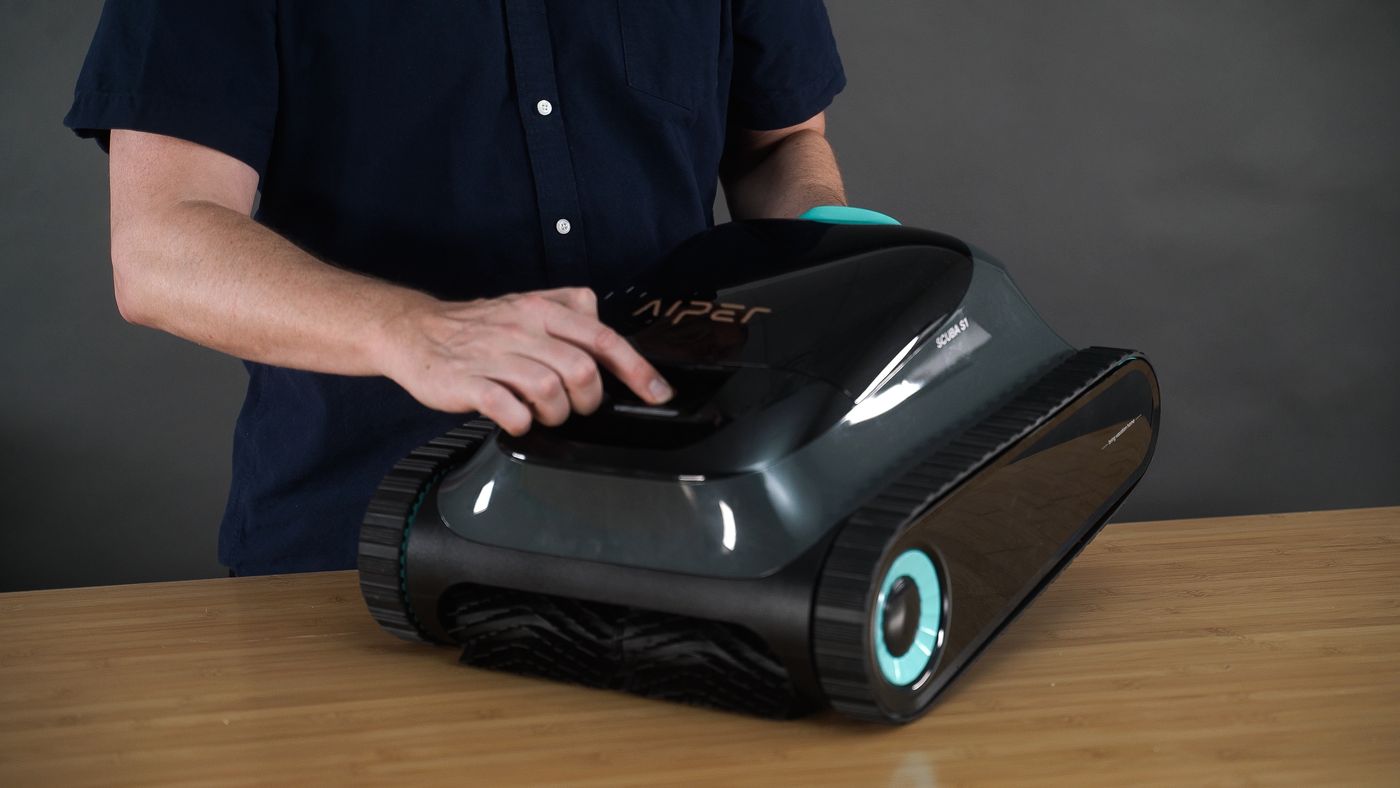
- Hold the button for 2 seconds. A short press only changes the mode. On and off both need a two-second hold.
- Put it in the pool within a minute. About 30 seconds after power-on the S1 starts checking for water by pulsing the pump every 10 seconds. After three checks with no water it shuts down. Switch it on at the pool edge and lower it straight in, front facing up.
- Charge until the LED is solid blue. Open the port cover, dry the port and plug in. The LED pulses while it charges and stays on when it is full, which takes about 4 hours.
- Try a 10-second reset. Aiper's support guide for the S1 says to hold the power button for 10 seconds to reset the controller, then press normally to start. Do this out of the water after a full charge.
Stop and call support if: a full charge and the 10-second reset do not bring it back. Aiper asks for the serial number and whether the LED responds when you hold the button.
Scuba S1 Won’t Charge
- LED does not pulse when you plug in
- Pulses red for hours and never moves to yellow or blue
- Shows full, then dies within minutes
- Wet or dirty charging port
- Faulty charger or cable, or a dead outlet
- Battery discharged too deeply in storage
- Worn battery
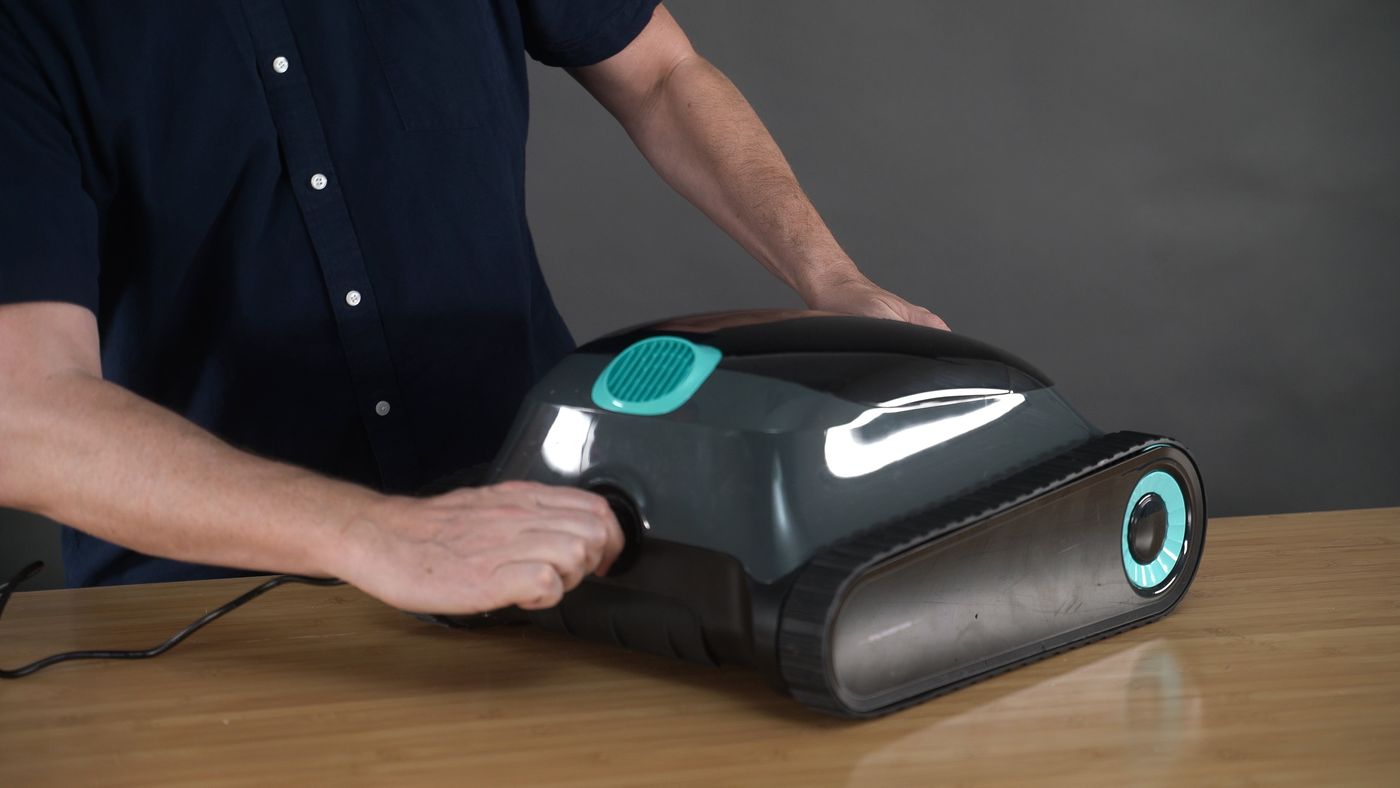
- Dry the port. Take off the charging port cover and look for water. Aiper says to wipe the port dry before every charge. Clean any grime off the contacts with a dry cloth.
- Check power at the wall. Plug the charger into an outlet you know works, then into the robot. The LED on the robot should start pulsing. If it does not, reseat both ends.
- Watch the color. Pulsing red is under 15%, yellow is 15-50%, blue is over 50%. It is done when the LED stays solid blue. A color that never climbs points to the charger or the battery.
- Charge cool, uncovered and switched off. Power the robot off first. Keep it out of direct sun and do not cover it. Use only the Aiper charger supplied with it.
- Do not expect a reset to fix it. Aiper's own guide says a software reset cannot cure a charging fault. If a dry port and a good outlet do not help, the charger or battery needs replacing.
Stop and call support if: it will not charge with a dry, clean port on a known-good outlet, or it reaches full and drains within minutes.
Scuba S1 Stops Before the Pool Is Clean
- Parks at the wall with a red LED long before 150 minutes
- Does the walls, then quits before finishing the floor
- Stops with the red LED flashing fast
- Battery ran down; real runtime is well under the rating
- Auto mode spends the first half of the battery on the walls
- Blocked filter basket or a stalled motor (flashing red)
- Eco mode selected by mistake
- Read the LED. Solid red and parked means low battery. Rapid flashing red means a fault such as a blocked basket or stalled motor.
- Check which mode it is in. Eco only cleans the floor for 45 minutes once every 48 hours over a week. If it stops after 45 minutes, it is probably in Eco. Press the button to step back to Auto or Floor.
- Use Floor mode for a dirty floor. Auto works the walls until the battery is at half, then the floor. If the floor is what matters, pick Floor mode so the whole charge goes there.
- Empty the basket. Lift the top shell, pull the basket out, open it and rinse it. A packed basket is the first cause the manual lists for a fault.
- Recharge fully between runs. Wait for solid blue. We found it faded as the charge dropped, so starting on a partial charge makes the whole run weak.
Stop and call support if: it shuts down within minutes on a full charge with a clean basket, or the flashing red light keeps returning.
Scuba S1 Powers On but Won’t Move
- LED on, robot sitting still on the floor
- Tracks twitch but it does not travel
- One track turning and the other not
- Hair, string or leaves wound around a track wheel or the roller
- A track off its wheels
- Controller locked up
- Failed drive motor
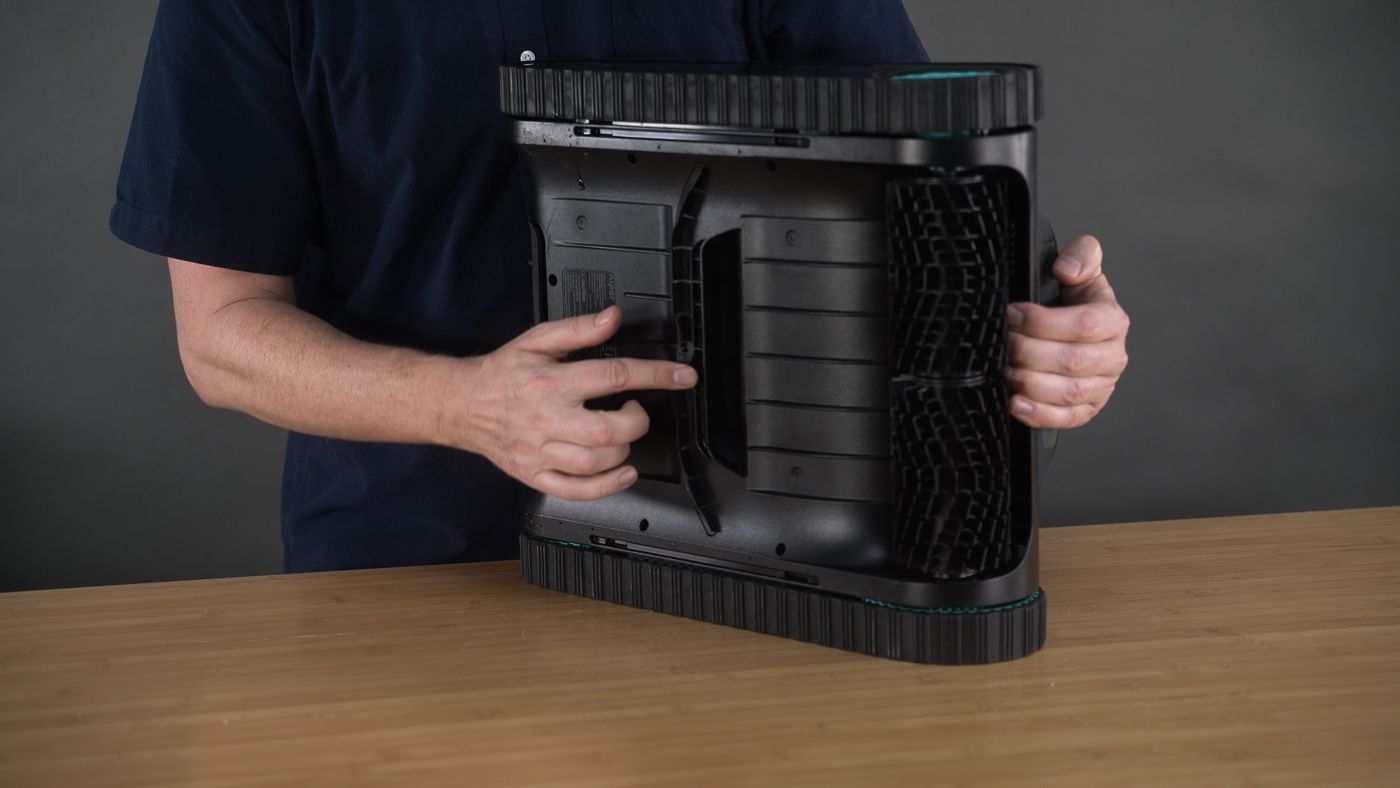
- Take it out and switch it off. Hold the button for two seconds and set the robot on a towel.
- Clear the tracks and roller. Check both tracks and the roller brush for anything wrapped around them and pull it clear. Aiper's guide points to the rear wheel housings in particular, where small stones and stems pack in around the axle.
- Turn each track by hand. Both sides should move with the same light resistance. One side that is locked or spins with no resistance is a drive problem, not a jam you can clear.
- Recharge, then reset. Charge to solid blue, then hold the power button for 10 seconds, which Aiper's guide describes as a controller reset. Put it back in the water and watch the tracks.
Stop and call support if: the tracks are clean, the battery is full, the reset is done and it still will not drive. Aiper asks for a short video of it powering on without moving.
Scuba S1 Spinning in Place or Circling
- Turns on the spot instead of driving a pattern
- Drifts in a wide circle, always the same way
- One track dragging because of debris
- Roller brush binding on one side
- Weak drive motor on one side
- Navigation fault
- Clean both tracks and the roller. Switch it off and clear hair, string and leaves from both tracks and the brush roller. A partial jam on one side is the most common cause.
- Compare the two sides. Turn each track by hand. They should feel the same. Note which way it circles in the pool, because that tells you which side is slow.
- Recharge and reset. Charge it fully, hold the power button for 10 seconds to reset the controller, then run it again in Auto.
- Watch one full minute. If it now drives a path, a partial jam or a temporary lock was the cause. If it circles the same way again, stop running it.
Stop and call support if: it still circles after cleaning, a full charge and a reset. Aiper wants the serial number, a short video and the direction it turns.
Scuba S1 Won’t Climb Walls
- Stays on the floor for the whole run
- Climbs a foot or two and slides back
- Climbed at the start of the cycle but not later
- Floor mode or Eco mode selected
- Battery partly used; Auto only climbs in the first half of the charge
- Slippery wall surface or algae film
- Clogged basket reducing suction
- Worn tracks or brush belts
- Pick Auto or Wall mode. Press the button to step through the modes. Floor and Eco never climb. Wall mode cleans only the walls in an up-and-down pattern.
- Start on a full charge. Charge to solid blue first. Auto does the walls while the battery is above half, and we saw the robot lose power as it ran. Aiper's guide says the same: low charge cuts both suction and climbing.
- Empty the basket. The pump's suction is what holds the robot against the wall. A full basket weakens that grip.
- Brush the walls. A slick film of algae or sunscreen gives the tracks nothing to bite. Brush the walls and balance the water, then try again.
- Check the tracks and brush belts. Look for tracks worn smooth or brush belts with flattened fins. Both are replaceable; see Worn Tracks or Brushes.
Stop and call support if: it will not climb at all on a full charge in Wall mode with a clean basket and good tracks.
Scuba S1 Not Picking Up Debris
- Sand and silt still on the floor after a run
- Debris left along its path
- Weak water flow from the top outlet
- Full or blocked filter basket
- Torn basket mesh
- Fine debris passing the standard mesh
- Debris caught in the pump outlet fan
- Low charge

- Empty and rinse the basket. Lift the top shell, pull the basket up by its handle, press the lid latch and lift the lid handle to open it. Hose it out and check the mesh for tears. Aiper's guide suggests every two or three cycles; we would do it every run.
- Clear the pump outlet. Lift the top shell, remove the screws and the drain cover, and pull out anything tangled in the fan blades. Refit the cover and screws.
- Run it on a full charge. Suction dropped as the battery ran down in our testing. Start from solid blue.
- Deal with fines another way. Silt and sand slipped through the standard mesh for us. Aiper offers a 3-micron MicroMesh filter for the current S1 through its accessory store or a support ticket; otherwise vacuum fines to waste.
Stop and call support if: there is little or no flow from the outlet with a clean basket and a clear fan, or the red LED flashes.
Scuba S1 Gets Stuck
- Hangs up on steps, a ladder or a raised drain cover
- Climbs to the waterline, drops and repeats on the same wall
- Wedges in a corner
- Debris in a rear track wheel or around the roller
- Ladder gaps and tight corners
- Raised main drain cover
- Slippery wall section
- Pool pump running
- Clean the drive first. Aiper says a stuck S1 is usually debris in the rear drive wheel or a tangle on the roller. Switch it off, turn it over, pick out stones and stems around the axles and check each track turns freely.
- Turn the pool pump off. Aiper's manual says not to run the robot and the pool filter at the same time. Suction at the drain can hold it in place.
- Move what it catches on. Lift out a removable ladder and clear toys and hoses. Aiper suggests ladder bumpers or a guard where the gap behind a ladder keeps trapping it.
- Switch to Auto for odd shapes. Aiper recommends Auto rather than Floor mode in irregular pools. If it loops on one slippery wall, brush that wall and reset the robot with a 10-second hold of the button.
Stop and call support if: it stalls repeatedly in open water with clean tracks, or one track stops turning.
Scuba S1 Misses Spots
- Same area dirty after every cycle
- Corner steps left untouched
- Works back and forth in one small area
- Pattern does not suit the pool shape
- Battery runs out before it gets there
- Return jets pushing it off course
- Navigation needing a reset
- Drop it in near the missed area. Aiper's guide suggests starting the cycle close to the spot it keeps missing, and running a second cycle in Floor mode there if needed.
- Use Auto in irregular pools. Floor mode runs a fixed S-pattern that can skip corners in pools that are not rectangular. Auto adapts better, although it still missed spots for us in complex shapes.
- Reset if it shuttles in one place. Take it out, hold the power button for 10 seconds, then restart it in Auto.
- Aim the return jets down or away. A strong return can push the robot off the same strip every time. Turn the pump off while it runs, or redirect the eyeball fitting.
- Brush the steps. It did not clean our corner steps well. Brush them onto the floor before the run.
Stop and call support if: coverage stays poor after several runs with a reset. Aiper asks for the serial number so it can review the unit.
Scuba S1 Flashing Red Light
- Red LED flashing rapidly
- Robot stopped or will not start a cycle
- Filter basket blocked
- Motor stalled by debris
- Electrical leakage or another internal fault
- Do not confuse it with low battery. A steady red LED is only a battery under 15%. Rapid flashing red is the S1's fault signal.
- Empty the basket. Take it out, open it and wash it. It is the first cause the manual lists.
- Free the motors. Clear the tracks and roller, then lift the top shell, remove the drain cover screws and pull debris out of the fan blades.
- Check the water outlet. Aiper's guide for a jam with no visible blockage says to look at the spray from the top outlet with the robot running at the surface. Weak or missing flow points to the pump.
- Stop if it keeps flashing. The manual also lists electrical leakage. If the light returns with a clean robot, leave it out of the pool and do not charge it.
Stop and call support if: the red light flashes again after the basket, tracks, roller and pump outlet are all clear. Do not open the sealed drive unit; Aiper says that voids the warranty.
Scuba S1 Hard to Get Out of the Pool
- Awkward to catch with the hook
- Heavy and pouring water on the way up
- Parked at the far wall
- Cordless design, so there is nothing to pull
- Robot full of water when lifted
- Battery low, so it parked wherever the nearest wall was
- Wait for it to park. When the battery is low the S1 stops cleaning and settles at the pool wall. In Auto that is meant to happen at about 15%.
- Use the hook on a pole. The retrieval hook fits a standard pool pole, which is not included. Hook the robot's handle and bring it up slowly. We found this step awkward, so take your time.
- Drain it at the surface. Hold it by the handle at the waterline and let the stored water run out before you lift it onto the deck.
- Switch it off before you open it. Hold the button for two seconds, then lift the top shell and pull the basket.
Stop and call support if: the hook or the handle is cracked.
Scuba S1 Short Battery Life
- Parks after about an hour
- LED already yellow at the start
- Runtime dropping over the season
- Real-world runtime is well under the rating
- Wall climbing uses more power than floor cleaning
- Unplugged before solid blue
- Battery wear or storage with a flat pack
- Know what is normal. Aiper rates the S1 we tested at up to 150 minutes, but owners commonly report 60 to 70. An hour or so in Auto is not unusual.
- Charge to solid blue. Pulsing blue only means more than half. Leave it until the LED stops pulsing.
- Choose the mode for the job. Floor mode avoids the power cost of climbing. Use it when the walls are clean and the floor is not.
- Store it the way Aiper asks. Clean it, dry it, box it somewhere cool, and top it up to 40-60% every two months. Aiper's battery guide warns that a fully drained pack can drop too low to recharge.
Stop and call support if: a full charge gives only a few minutes of running, or the battery will not take a charge after storage.
Scuba S1 Worn Tracks or Brushes
- Tracks worn smooth, cracked or slipping off
- Brush fins flattened or torn
- Poor climbing even on a full charge
- Normal wear, faster on rough plaster
- Grit packed into the track wheels
- Chemical damage from badly balanced water
- Replace a track. Take off the side cover plate, remove the screws and guide sleeves from the wheels, and pull the wheels and track off together. Mesh the teeth of the new track with both wheels and slide the assembly back onto the shaft sleeves.
- Refit the guide sleeves. Line up the D-shaped opening in each white guide sleeve with the shaft, tighten the screws and clip the side cover back on.
- Replace a brush belt. Find the seam where the belt joins and pull the silicone buckles down out of their slot. Wrap the new belt around the roller, feed the buckles through the slot and pull them outward until they hold.
- Order through Aiper. Aiper's accessory store lists S1 debris baskets and filter sets. For tracks or brush belts that are not listed there, open a support ticket with the serial number.
Stop and call support if: a new track will not stay on, or a wheel shaft is bent or cracked.
Scuba S1 Lights and What They Mean
These are the indicator states listed in the official Aiper material for the Aiper Scuba S1. If what you see is not here, check the manual for your exact production run before acting on it.
Leave it on the charger. Allow about 4 hours from empty.
Unplug, close the port cover and run it.
Nothing to fix. On red it will stop cleaning and park at the wall soon.
Switch it off, empty and rinse the basket, clear the tracks, roller and pump outlet, then retry. If it keeps flashing with everything clean, stop using it and contact Aiper.
What We Saw Testing the Scuba S1
We ran the Aiper Scuba S1 in our own test pool for our Aiper Scuba S1 review. These are the things we ran into ourselves, so you can tell a quirk of the model from a real fault.
- Misses spots: Coverage was inconsistent, and worst in pools with more complicated shapes.
- Fine debris slips through: It caught small and medium debris, but silt and sand tended to pass through the standard mesh.
- Navigation was nothing special: After several weeks of watching it we did not see the structured pattern the WavePath marketing describes.
- Runtime below the rating: Aiper advertises up to 150 minutes; owners commonly report 60 to 70, and after testing it we understood the complaint.
- Corner steps: It did not do a good job on the corner steps in our pool.
- Fades during the cycle: In Auto mode it seemed to lose power and performance as the battery ran down, so the end of the run cleaned less thoroughly than the start.
- How Auto mode splits the run: Auto is meant to do the walls first until the battery reaches half, then the floor, then park itself at 15%.
- Awkward to hook out: Lifting it out with the hook was awkward, especially full of water.
When to Call Aiper Support
Stop troubleshooting and get the Scuba S1 looked at if any of these are true:
- The same fault comes back right after a full clean and a restart
- You see water inside a sealed compartment, or the robot has become noticeably heavier
- There is a burning smell, a melted connector, or visible corrosion on the electrical contacts
- The battery will not take a charge, or the runtime has dropped to a fraction of what it was
- A motor is silent or grinding with nothing blocking it
Before you call, write down the serial number, find your proof of purchase, and record a 20 to 30 second video of the problem. A clip of the robot failing, plus a clear shot of any light on the robot or charger, gets a warranty claim moving faster than any description.
- Support: Aiper support
- Phone: +1 (866) 850-0666 (Mon-Fri, 9 AM-6 PM Eastern, per Aiper's FAQ page)
- Email: service@aiper.com
- Manual: Aiper Scuba S1 user manual
- Warranty: 24 months
24-month warranty on the battery and motor from the purchase date. Aiper asks for the order number or proof of purchase and the serial number, and voids cover if the robot was altered or the sealed drive unit was opened. Claims go through aiper.com/us/process-a-warranty.
Aiper Scuba S1 Troubleshooting FAQ
What does a flashing red light mean on the Aiper Scuba S1?
A red LED flashing rapidly means a fault. Aiper's manual gives a blocked filter basket, a stalled motor and electrical leakage as examples. Empty the basket and clear the tracks, roller and pump outlet first. A steady red light is different; it just means the battery is under 15%.
Why does my Aiper Scuba S1 shut off right after I turn it on?
The S1 checks for water after it powers on by pulsing its pump every 10 seconds. If it has not detected water after three checks it shuts down. Put it in the pool within about a minute of switching it on.
How do I change cleaning modes on the Aiper Scuba S1?
It starts in Auto. A short press of the button steps through Auto, Floor, Wall and Eco. Eco is a low-use mode that cleans the floor for 45 minutes every 48 hours for a week, so it is the wrong choice for a normal full clean.
How long does the Aiper Scuba S1 battery last?
The manual for the S1 we tested says up to 150 minutes. Owners commonly report 60 to 70 minutes, and we found it lost power as the charge dropped. A full charge takes about 4 hours.
How do I reset the Aiper Scuba S1?
Aiper's troubleshooting guides say to take it out of the water and hold the power button for 10 seconds. That resets the controller and clears a temporary lock-up. It does not fix a charging or motor fault.
Does the Aiper Scuba S1 work with an app?
The manual for the S1 we tested describes button control only. Aiper's current S1 pairs with the Aiper app over Bluetooth by holding the power button for 5 seconds until the LED pulses blue. Either way, the link drops once the robot is underwater.
Still stuck after every check?
Go back to our review for how the Scuba S1 is supposed to behave, or contact Aiper with your serial number and a short video of the problem.