Free · no account · saved in your browser
Design your pool in 2D.
Start with the basics, then change the shape, size, features, and look. At the end, you'll get one clear summary to take to builders. Need an idea first? Browse 29 pool designs or compare 10 detailed examples.
More starting points
16 × 32 ft512 sq ft~18,200 gal
Your features appear here automatically. Drag to move one, or use the arrow keys for smaller moves. This is a rough plan, so dimensions and gallons are estimates.
Planning guide How to use your pool design Accuracy, recommendations, builder quotes, and common questions
What You Get From the Pool Designer
This free tool helps you settle the basic choices before you ask builders for prices. Start with a plain pool, watch the plan change, and keep only what suits your yard, budget, and routine.
At the end, you get one clean summary with your choices, the practical case for or against major upgrades, and a list of things to ask builders. Print it, save it as a PDF, or share the link.
The tool does not produce construction drawings. It gives you a consistent brief for builder meetings: what you want, what you are unsure about, and which details still need a professional answer.
How to Plan for the Way You Will Use the Pool
Think about who will use the pool in a normal week. Is it mainly for children, exercise, floating, entertaining, a spa, or some mix of those? Rank the top two uses. Let them drive the dimensions and depth before you choose finishes or water features.
Next, measure the part of the yard that could hold the entire project. Leave room for construction access, drainage, the required barrier and clearances, a useful deck, and the equipment pad. This tool cannot check those constraints for your property. If they are missing from the sketch, a builder may have to redraw it from scratch.
If you are unsure, start with a template and change one thing at a time. Watch what happens to swimming room, gallons, and complexity. You can save two versions and ask builders to price the difference.
For more context before choosing, browse the pool design library. When the concept is close, compare it with the detailed example pool plans to see how equipment, deck space, and project scope change with the layout.
How the Recommendations Work
The Pool Nerd tests pool equipment and publishes independent reviews and maintenance guides. The designer uses the same ownership-first approach:
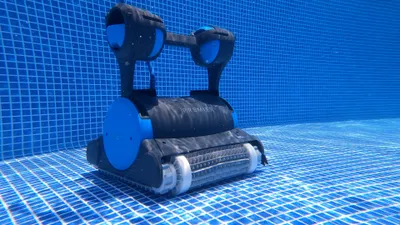
- Plan for ownership. The pump, filter, cleaner, cover, and equipment access will matter long after installation. Our guides to variable-speed pumps and robotic pool cleaners explain the testing behind those categories.
- Count the extra systems. Another pump, valve, actuator, heater, controller, or basin adds installation work and a future service point. The low-maintenance pool plan shows what a restrained setup looks like.
- Draw features at full size. Steps, shelves, benches, beach entries, and depth transitions all reduce open water. Their footprint should be obvious before you approve them.
- Read water-care labels literally. A salt system generates chlorine, while UV treats only the water passing through the unit. The saltwater versus chlorine guide explains the difference.
- Treat the badges as opinions. Pool Nerd Pick, Higher Maintenance, and Mostly Cosmetic are editorial judgments, not paid placements or survey results.
Some product links are affiliate links. Our recommendations remain editorial, and sometimes the recommendation is to spend less. The products are examples; your builder still needs to size the final equipment.
How to Compare Pool Builder Quotes
Give the same summary to every builder you are seriously considering. Ask each one to price that version first and list any changes separately. Now you are comparing the same pool instead of three vague proposals.
Do not compare only the total. Write down the exact equipment, quantities, finish allowance, deck size, access, drainage, utilities, electrical work, fence, permits, cleanup, schedule, payments, and warranties. A low quote may simply leave more of those items out.
Expect builders to challenge parts of the concept. Ask why, and distinguish a site constraint or safety requirement from a preference for the system that company usually installs. Revise the design after site visits, then issue the same revision to every bidder.
The pool-buying mistakes guide and pool cost guide cover the line items most likely to surprise first-time buyers.
Accuracy, Safety, and Tool Limits
The sketch, dimensions, gallons, feature placement, complexity rating, and equipment ideas are estimates. The tool cannot see your survey, setbacks, access, soil, groundwater, weather, drainage, structure, plumbing, utilities, wiring, fence, or local rules.
Your builder, engineer, and licensed trades need to create the final plan from the actual property. That matters most around diving, suction outlets, electricity and bonding, gas, structure, retaining walls, automatic covers, and barriers. Nothing here is an instruction to build.
After construction, recalculate the volume from the finished dimensions before making a large chemical adjustment. The pool volume calculator can help, but test the water and dose gradually rather than treating any estimate as exact.
Pool Designer FAQ
Is the Pool Designer really free?
Yes. You can use every design step, save the design in this browser, print or save the summary as a PDF, and create a shareable link without an account or email address. Some equipment links are affiliate links, which may earn The Pool Nerd a commission at no added cost to you.
What does the Pool Designer give me?
You get a top-down pool sketch, estimated area and gallons, a clean list of your choices, our notes on the tradeoffs, and questions to take to builders. Think of it as a well-organized wish list—not a construction drawing or quote.
Can I use the summary to compare pool builder quotes?
Yes. Give every builder the same summary so they are pricing the same pool. Then compare the exact equipment, allowances, exclusions, site work, and warranties line by line. Each builder will still need to adapt the idea to your yard and local rules.
How accurate are the area and gallon estimates?
They are rough planning estimates for comparing ideas, not promised measurements. Shape assumptions, steps, ledges, benches, floor slopes, and the finished waterline can all change the result. Use the as-built dimensions for equipment sizing and chemical doses.
Does the Pool Designer produce construction drawings?
No. The tool cannot see your survey, soil, groundwater, utilities, drainage, setbacks, structure, plumbing, wiring, fence, or local rules. Your builder, engineer, and licensed trades still need to create the construction and permit plans.
Can I save a design and come back later?
Yes. We save the current design in your browser. Use the share link if you want to open it on another device or send it to someone. The link contains your pool choices, so do not put private information in it.
Does the Pool Designer work on a phone or tablet?
Yes. The steps, templates, and summary work on modern phones, tablets, and desktop browsers. A larger screen is more comfortable when arranging items on the plan, but it is not required.
Does a saltwater pool count as chlorine-free?
No. A salt system makes chlorine from the salt in the water. You still have a chlorine pool and still need to test it; you just are not pouring in chlorine as often.
Why does the tool favor simple shapes and equipment?
Because you will live with the pool long after construction ends. We look at swimming room, energy use, cleaning, service access, and the number of parts that may need repair. Complicated choices remain available, but the extra upkeep should be visible before you buy them.

Disclaimer: Use this as a clear starting point for builder conversations. The dimensions, gallons, equipment, and costs are estimates—not construction, engineering, electrical, plumbing, or permit drawings. Your builder and licensed professionals still need to create the final plan for your property.
Three ways to plan
Start with an idea. Leave with a builder brief.
Browse designs, test your choices in the 2D tool, and compare the closest example plans. Everything here is free and works without an account.
Pool Designs
See 29 shapes and layouts, with the space, cost, and upkeep tradeoffs called out.
Compare designs → Step 2 · ConfigurePool Designer
Choose the dimensions, features, finishes, and equipment, then save a summary.
Current step Step 3 · PlanPool Plans
Compare 10 examples with equipment, plumbing, electrical, and deck notes.
Compare example plans →More from The Pool Nerd