
The short answer
Most Aiper Scuba S1 Pro problems trace back to three things: a filter sealed with fine debris, a battery that is not fully charged, or air trapped in the body. Rinse the filter until the water runs clear, charge until the light shows full, and let the air out before the next run.
This is the troubleshooting home for the Aiper Scuba S1 Pro. It is a cordless, battery-powered robot that cleans the floor, walls and waterline. Below are the 13 problems owners run into most, each with the checks we would make first and the point where it stops being a do-it-yourself fix.
Safety first: take the Scuba S1 Pro out of the water and switch it off before you open the filter, touch the brushes, or reach near the impeller. Never charge it while it is wet at the charging contacts, and never open the sealed battery or motor housing.
Scuba S1 Pro Quick Checks First
Run through these before you chase a specific symptom. Between them they clear up most of what goes wrong with a Aiper Scuba S1 Pro.
- Charge it all the way. Leave the Scuba S1 Pro on charge until the light shows full, not just until it turns on. A partial charge causes short runs, weak climbing, and robots that stop in the middle of the pool.
- Rinse the filter until the water runs clear. A filter that looks clean can still be sealed with fine dust. Most pickup, climbing, and early-shutoff complaints end here.
- Let the air out. Hold the robot under the surface and rock it until the bubbles stop before you let go. Trapped air makes it float, tip, and lose grip.
- Rinse it and seat it squarely on the charger. Rinse the Scuba S1 Pro with fresh water after every run, dry the charging area, and make sure it sits fully in place on the charger. A robot that is a little off will look docked and never fill.
- Check the water. Algae, very cold water, and chemistry far out of range all make a robot slip. Fix the water before you blame the machine.
Aiper Scuba S1 Pro at a glance
- Type
- Cordless, battery powered
- Cleans
- Floor, walls and waterline
- Filter
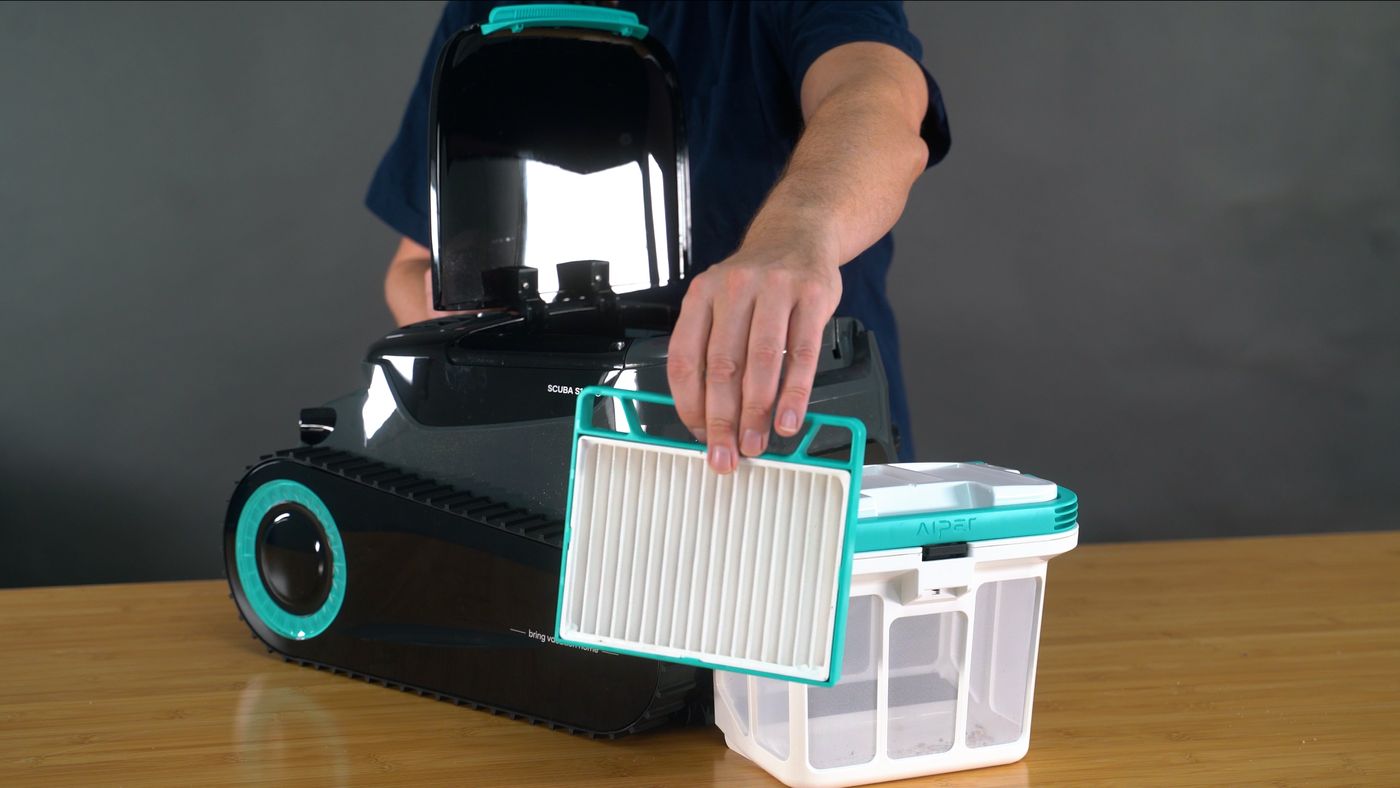
- Top-loading 5 L filter basket with a removable MicroMesh ultra-fine liner held in by a rubber strip with four tabs marked A to D
- Battery
- Up to 180 minutes rated, 4-hour charge, 7800 mAh
- App
- Aiper app, set up over Bluetooth on a 2.4 GHz Wi-Fi network
- Built for
- In-ground pools up to 2,150 sq ft, up to 10 ft deep
- Weight
- About 25 lb dry
- Warranty
- 2 years per our comparison table
Scuba S1 Pro Won’t Turn On or Shuts Itself Off
- No LED when you hold the button
- Turns on, pulses the pump, then switches off on the deck
- Dead after storage
- Button tapped instead of held for 2 seconds
- Not put in the water within a minute of switching on
- Flat battery
- Battery damaged by long storage
- Hold the button for 2 seconds. A short press changes the mode. A two-second hold turns the robot on or off.
- Put it in the pool within a minute. Once a mode is selected, the S1 Pro runs the pump for one second, three times, ten seconds apart, to check that it is in water. If it finds none it shuts itself down. Switch it on at the pool edge and lower it in, front facing up. It starts cleaning within about ten seconds of reaching the floor.
- Charge until the LED is solid blue. Open the port cover, dry the port and plug in the charger. The LED pulses while it charges and goes solid when it is full, about 4 hours from empty.
- Check the color at start-up. A red LED when you switch on means the battery is under 15%. It will not run a useful cycle until it is recharged.
Stop and call support if: there is no LED at all after four hours on the charger, or it shuts off underwater on a full charge.
Scuba S1 Pro Won’t Charge
- LED does not pulse when you plug in
- Pulses red for hours and never changes color
- Shows full, then dies quickly in the pool
- Water or dirt in the charging port
- Plug not seated, dead outlet or damaged charger
- Charging in direct sun or heat
- Worn or deeply discharged battery
- Dry the charging port. Take off the port cover and look for water. Aiper says to dry the port before every charge. Let the robot drain after the pool before you plug it in.
- Plug into the robot, then the wall. Push the charging cable into the port and then into a live outlet. The LED on the robot should start to pulse. If it does not, reseat both ends and try another outlet.
- Use only the original charger. The S1 Pro is specified for its own 29.4 V Aiper charger. Replace a damaged cable at once; do not repair it or use a substitute.
- Charge switched off, cool and uncovered. Power the robot off first. Keep it out of direct sunlight in a ventilated spot and do not cover it. We did not leave ours charging unattended.
- Watch the color climb. Red is under 15%, yellow is 16-50%, blue is above that, and solid blue is full. A color that never climbs points to the charger or the battery.
Stop and call support if: the LED never pulses with a dry port and a good outlet, or the battery will not get past red.
Scuba S1 Pro Stops Before the Pool Is Clean
- Sits at the wall with a solid red LED
- Stops after 45 minutes
- Stops with the red LED flashing fast
- Battery ran down (solid red)
- Eco mode selected
- Clogged basket or liner, or a blocked motor (flashing red)
- Pool pump running
- Read the LED. Solid red at the wall means the battery is low and the cycle has ended normally. Rapid flashing red is a fault.
- Check you are not in Eco. Eco cleans the floor for 45 minutes once every 48 hours for a week. Press the button to step back to Auto or Floor for a full clean.
- Empty the basket and rinse the liner. Lift the top cover, pull the basket out and open it. If the MicroMesh liner is fitted, rinse it inside and out. With heavy debris, Aiper says to run the basket without the liner.
- Run it with the pool pump off. Aiper says not to run the robot at the same time as the pool's filter system or other cleaners.
- Recharge fully. It seemed to lose power as the charge dropped in our testing. Start every run from solid blue.
Stop and call support if: it shuts down within minutes on a full charge, or the flashing red light returns with a clean robot.
Scuba S1 Pro Won’t Climb Walls or Reach the Waterline
- Stays on the floor all cycle
- Climbs partway and slides back
- Never cleans the waterline
- Floor or Eco mode selected
- Battery below half; Auto does the walls in the first half of the charge
- Full basket weakening suction
- Slick walls
- Worn tracks or brush belts
- Choose the right mode. Auto cleans the floor and walls. Waterline mode travels sideways along the waterline and drops down to get around corners and obstacles. Wall-only mode is in the Aiper app, not on the button. Floor and Eco never climb.
- Start on a full charge. Wait for solid blue. Climbing needs both suction and drive power, and both fell away as the battery ran down in our testing.
- Empty the basket. Pump suction is what holds the robot on the wall. A full basket or a clogged liner weakens it.
- Brush the walls and tile line. Algae film and sunscreen scum make the wall slippery. Brush them off and try again.
- Inspect tracks and brush belts. Look for tracks worn smooth and brush belts with flattened fins. Both are user-replaceable.
Stop and call support if: it will not climb at all in Waterline mode on a full charge with a clean basket.
Scuba S1 Pro Not Picking Up Debris
- Pushes dirt along instead of collecting it
- Leaves and twigs left after several cycles
- Cloudy water no better after a run
- Full basket
- MicroMesh liner clogged, or fitted when the pool is full of leaves
- Liner not seated, so water bypasses it
- Debris in the pump outlet fan
- Low charge
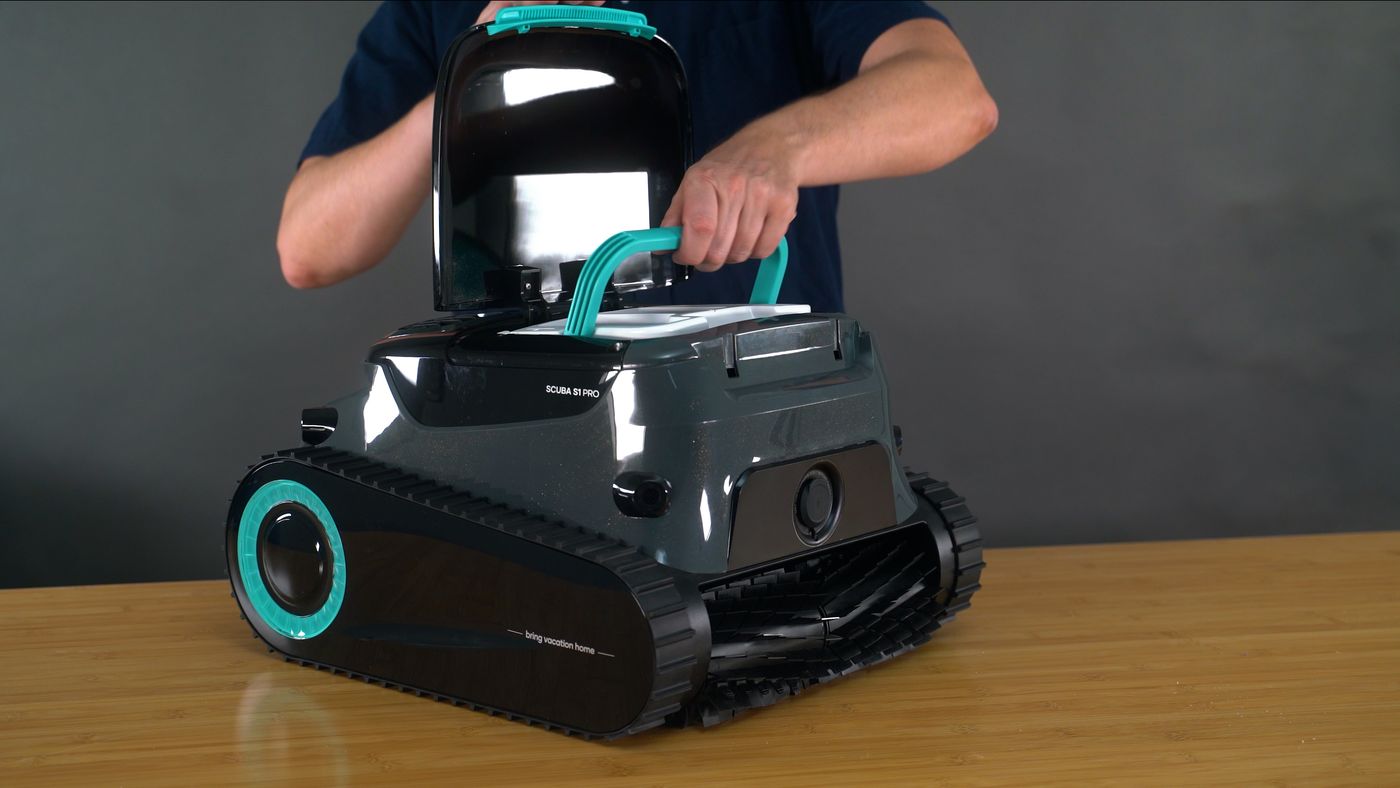
- Empty the basket every run. Lift the top cover, pull the basket up by its handle, press the latch on the lid and lift the lid handle. Empty it and hose it out.
- Match the filter to the mess. Aiper's rule: when there is little visible debris but the water is cloudy or has some algae, run the basket with the MicroMesh liner. When there is a lot of leaves, sand or hair, run the basket alone.
- Seat the liner on all four tabs. The liner's rubber strip has tabs marked A, B, C and D that sit in slots in the basket. Line up A and B, then pull each corner into its slot and check the strip is seated all the way round.
- Wash and replace the liner. Rinse it inside and out, by hand if needed; a pressure nozzle helps. Aiper treats it as a consumable to replace after about 30 uses.
- Clear the pump outlet. Lift the housing cover, remove the screws and the outlet cover, and pull out anything caught in the fan blades.
Stop and call support if: there is little flow from the outlet with a clean basket and a clear fan, or the red LED flashes.
Scuba S1 Pro Debris Falls Out When You Lift It
- A cloud of dirt drops back into the pool as the robot comes up
- Leaves trail out of the underside at the surface
- Debris sitting in the intake rather than in the basket
- Overfull basket
- Basket lid or liner not latched
- Robot tilted or lifted quickly
- Expect some of this. Our S1 Pro leaked debris back into the water every time we pulled it out. These steps reduce it; they did not stop it for us.
- Lift slowly and keep it level. Bring it up on the hook without tipping it, and hold it at the surface while the water drains. Tilting pours the intake's contents back out.
- Hold a leaf net under it. Slide a skimmer net under the robot as it breaks the surface and carry both to the deck together.
- Empty the basket before it is full. A packed basket leaves the next load sitting in the intake. In a dirty pool, pull the robot and empty it partway through.
- Check the basket is closed. Press the lid down until the latch clicks and make sure the liner's rubber strip is seated in all four slots before the basket goes back in.
Stop and call support if: the basket latch is broken or the lid will not stay shut.
Scuba S1 Pro Gets Stuck or Looks Confused
- Hesitates or stalls at steps
- Sits against one wall or in a corner
- Stops on the main drain
- Steps, ledges and tight corners
- Pool pump running and holding it on a drain
- Debris in the tracks or rollers
- Loose items in the pool
- Turn the pool pump off. Run the robot with circulation off, as Aiper instructs, so drain suction and return jets are not working against it.
- Clear the pool. Take out toys, floats, hoses and a removable ladder.
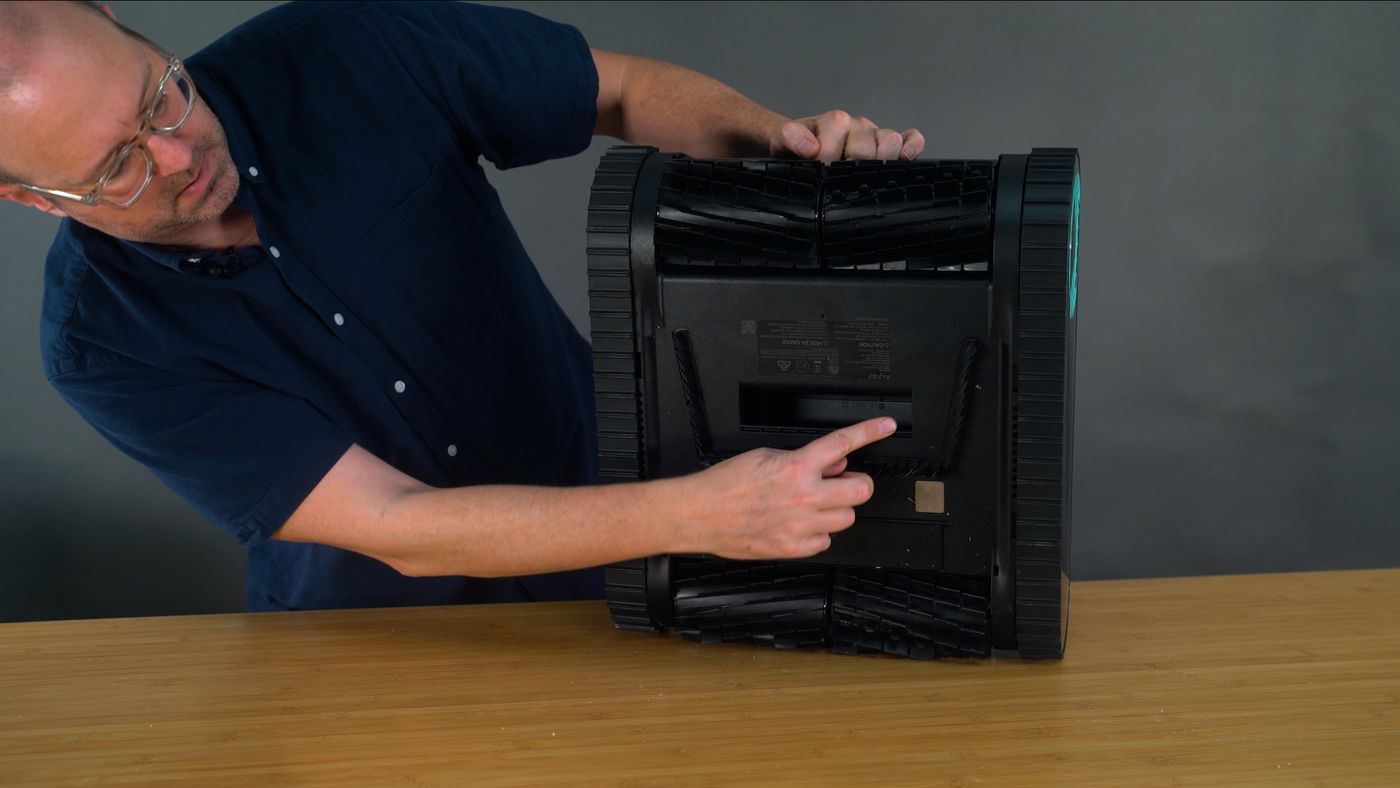
- Clean the tracks and rollers. Switch it off, turn it over and remove anything wound into the tracks or around either roller brush.
- Move it and restart. We had to reposition ours by hand several times. Hook it up, set it down in open water and let it carry on. The app cannot steer it once it is underwater.
Stop and call support if: one track stops turning, or it stalls in open water with the red LED flashing.
Scuba S1 Pro Misses Spots
- Corners and the waterline left dirty
- Shallow end skipped
- Wanders with no visible pattern
- Navigation that did not follow a clear pattern in our testing
- Battery runs out before coverage is complete
- Wrong mode for the area you care about
- Pump flow pushing it off line
- Pick a mode for the problem area. Use Floor mode for a dirty floor, since it runs an S-shaped route and does not spend battery on walls. Use Waterline mode for a scum line. Use Auto for general cleaning.
- Run a second, targeted cycle. After a full recharge, drop it in beside the area it missed and run the matching mode.
- Turn the pump off. Return jets can push the robot off the same strip on every pass.
- Brush corners and steps first. It left corners in our pool. Brush them toward open floor before you start it.
Stop and call support if: coverage has dropped suddenly along with a flashing red LED or one track not turning.
Scuba S1 Pro App Won’t Connect
- Robot not found when you add a device
- Pairing fails at the Wi-Fi step
- App shows the robot offline as soon as it is in the pool
- Robot is underwater (radio signals do not travel through water)
- Phone on a 5 GHz network
- Bluetooth off or phone too far away
- Robot switched off
- Do all app work on the deck. This is by design. Aiper's manual says some functions only work with the robot out of the water, and that the app loses the connection once it is submerged. We had no control at all once it was in the pool.
- Use a 2.4 GHz network. The S1 Pro does not support 5 GHz Wi-Fi. Connect your phone to the 2.4 GHz network where the robot is charged and set up.
- Turn Bluetooth on and stand close. Bluetooth must be on and the phone within about 6 m (20 ft) of the robot. Switch the robot on first.
- Add the device again. In the Aiper app tap the plus sign at the top right, choose to add a device and follow the prompts. Pick your mode before you put it in the water; Wall-only mode can only be selected in the app.
Stop and call support if: it will not pair on the deck with Bluetooth on and a 2.4 GHz network.
Scuba S1 Pro Hard to Get Out of the Pool
- Hook slips off as you lift
- Hook creaks or flexes under the weight
- Robot too heavy to swing onto the deck
- About 25 lb dry, more full of water
- Lifted before it drained
- Hook not properly on the handle
- Wait for it to park. On a low battery it stops and drives to the nearest wall with the LED solid red. Retrieve it there.
- Seat the hook on the handle. Fit the hook to a standard pool pole and get it fully under the robot's handle before you take the weight. Ours slipped when it was only half on.
- Raise it slowly to the surface. Underwater the robot is light. The load arrives when it leaves the water, and that is when we heard the hook's plastic cracking. Stop at the surface.
- Take over by hand and drain it. Grab the handle yourself, hold the robot at the waterline until the water has run out, then lift with your legs. Do not hoist the full weight on the hook and pole.
Stop and call support if: the hook is cracked or bent. Ask Aiper for a replacement before the next lift.
Scuba S1 Pro Short Battery Life
- Parks well before 180 minutes
- LED yellow at the start of a run
- Runtime falling through the season
- Wall and waterline work drains the pack faster than floor cleaning
- Unplugged before solid blue
- Clogged basket or liner
- Battery wear or poor storage
- Charge to solid blue. Pulsing blue only means more than half. Give it the full 4 hours.
- Use Floor mode when the walls are clean. Climbing uses the most power. A floor-only run stretches the charge.
- Keep the basket and liner clean. A blocked filter makes the pump work harder for the whole cycle.
- Store it properly. Clean and dry it, keep it somewhere cool and ventilated, and top it up to 40-60% every two months. Never charge it in direct sun.
Stop and call support if: a full charge gives only a fraction of the rated time. The battery is not user-replaceable; Aiper says to contact its service team.
Scuba S1 Pro Flashing Red Light
- Red LED flashing rapidly
- Robot stopped or will not start a cycle
- Filter clogged
- Motor blocked by debris
- Electrical leakage or another internal fault
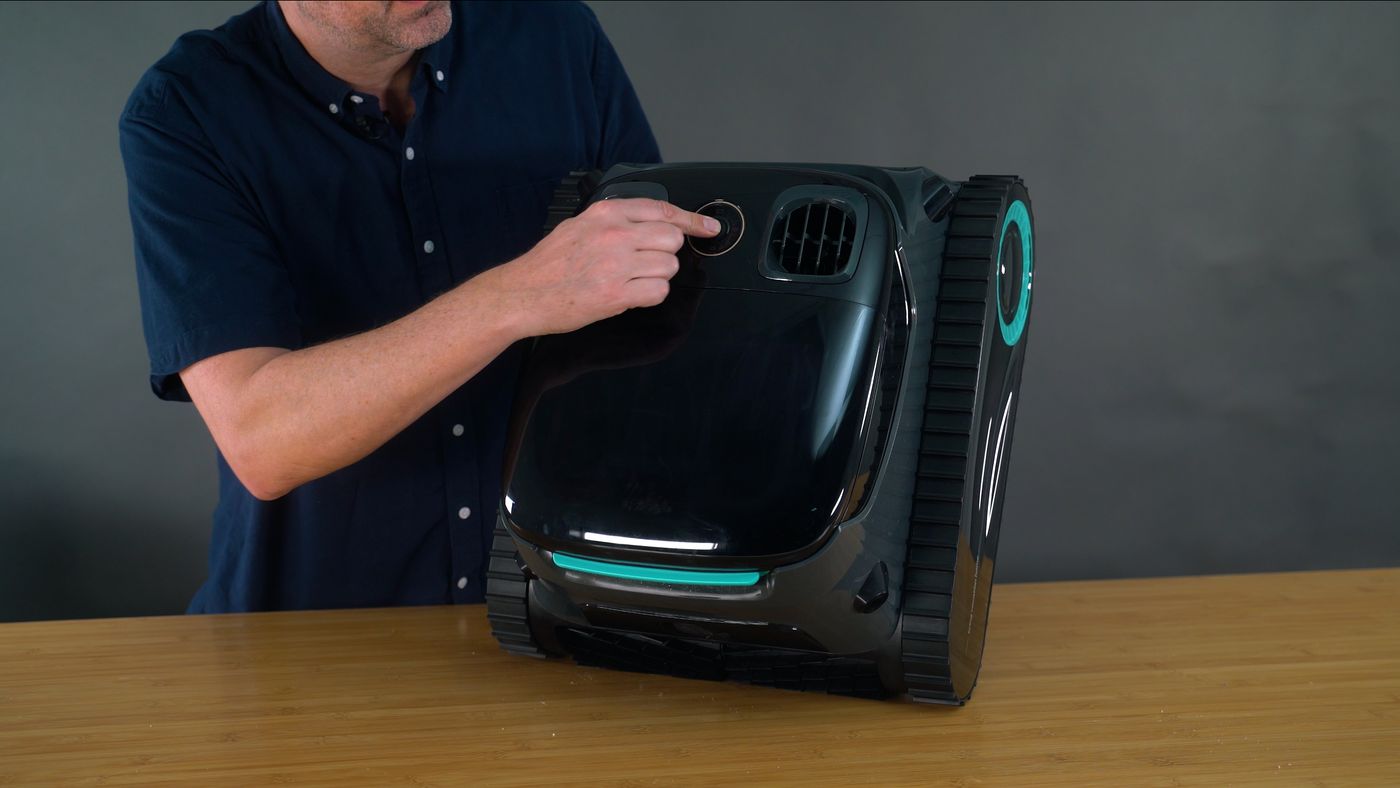
- Separate it from low battery. Steady red is a battery under 15%. Rapid flashing red is the fault signal.
- Clean the basket and liner. Empty the basket, take the liner off its four tabs and rinse both thoroughly.
- Clear the pump outlet. Lift the housing cover, undo the screws on the outlet cover and remove anything wrapped in the fan blades. Refit the cover and screws.
- Clear the tracks and rollers. Remove hair, string and twigs from both tracks and both roller brushes, then turn them by hand to check they move.
- Stop if it returns. The manual also lists electrical leakage as a cause. If the light comes back with a clean robot, keep it out of the pool and off the charger.
Stop and call support if: the light flashes again after the filter, pump outlet, tracks and rollers are all clear. Only Aiper's technicians should open the sealed drive unit.
Scuba S1 Pro Worn Tracks or Brushes
- Tracks smooth, cracked or coming off
- Brush belt fins flattened or torn
- Climbing getting worse
- Normal wear, faster on rough surfaces
- Grit packed into the track wheels
- Unbalanced water chemistry
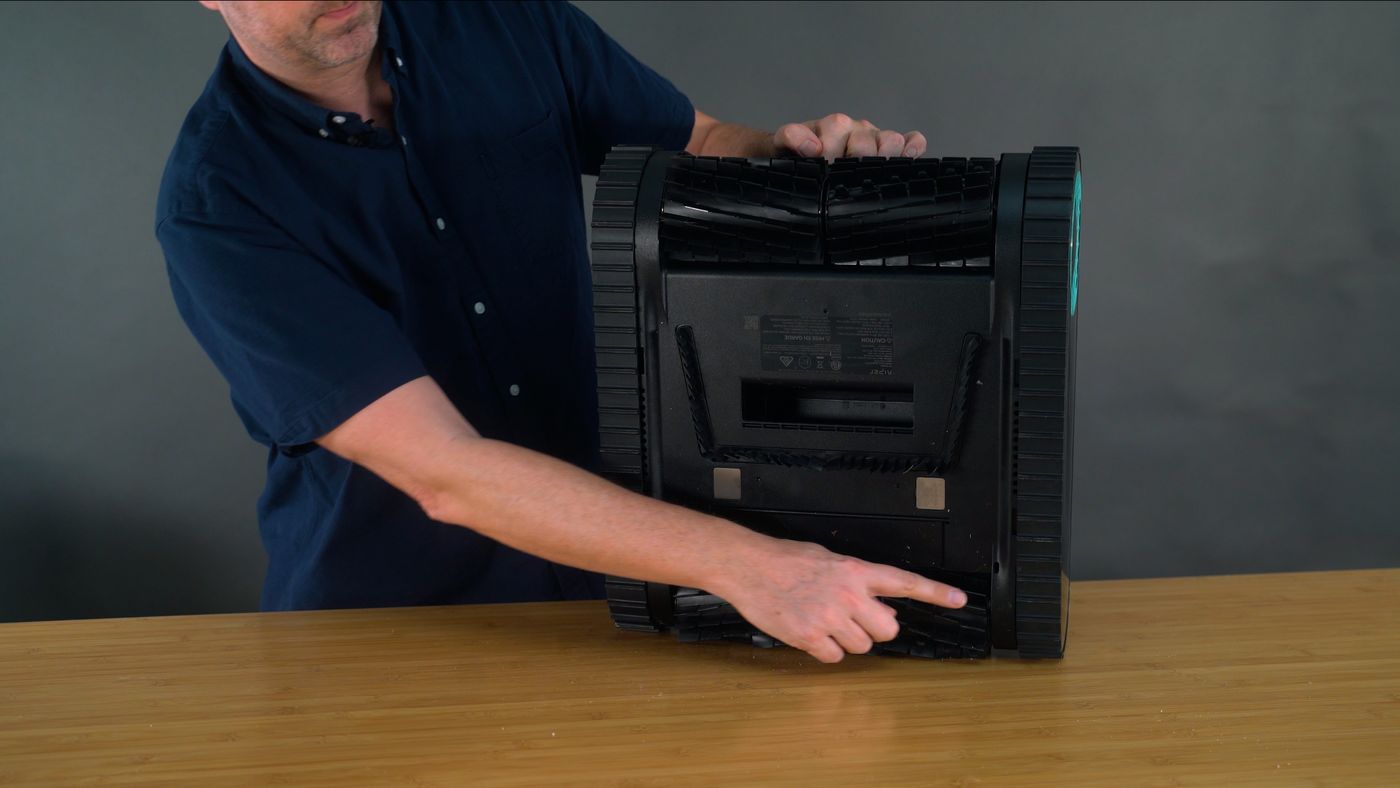
- Replace a track. Remove the side cover, take out the screws and guide sleeves on the wheels, and pull the wheels and track off together. Mesh the new track's teeth with both wheels and slide them back onto the shaft sleeves as one piece.
- Refit sleeves and cover. Line up the D-shaped opening in each guide sleeve with the shaft, tighten the screws and clip the side cover back on.
- Replace a brush belt. On the roller you are changing, pull the silicone buckles down out of their slot and unwrap the belt. Fit the new belt, push the buckles through the slot and pull them outward until they lock.
- Keep the water in range. Aiper specifies pH 7.0-7.4, chlorine up to 4 ppm, salt up to 5,000 ppm and water between 50 and 95 F. Damage from use outside those limits is not covered.
Stop and call support if: a new track will not stay on, or a wheel or shaft is cracked.
Scuba S1 Pro Lights and What They Mean
These are the indicator states listed in the official Aiper material for the Aiper Scuba S1 Pro. If what you see is not here, check the manual for your exact production run before acting on it.
Leave it on the charger. Allow about 4 hours from empty.
Unplug, close the port cover and run it.
Nothing to fix. On solid red it ends the cycle and heads for the wall.
Switch it off, empty the basket and rinse the liner, clear the tracks, rollers and pump outlet, then retry. If it keeps flashing with everything clean, stop using it and contact Aiper.
What We Saw Testing the Scuba S1 Pro
We ran the Aiper Scuba S1 Pro in our own test pool for our Aiper Scuba S1 Pro review. These are the things we ran into ourselves, so you can tell a quirk of the model from a real fault.
- Missed corners and waterline: It missed significant parts of the pool, mainly the corners and along the waterline.
- Heavy to lift: At about 25 lb dry, and heavier full of water, pulling it out was hard work.
- Hook slipped and creaked: The included hook often slipped off, and we heard its plastic cracking under the load as the robot came out of the water.
- Debris leaked on the way out: Every time we lifted it out, some debris leaked back into the pool, apparently from the intake.
- Random-looking navigation: In our 8x20 pool it moved in what looked like random patterns with no clear cleaning logic.
- App stops at the waterline: The app only worked with the robot out of the pool. Once it was in the water we had no control or monitoring.
- Pushed dirt around: Suction was weak enough that it often pushed dirt along instead of collecting it, and leaves and twigs were left after several cycles.
- Had to be repositioned: Large areas were left untouched, especially the waterline and shallow end, and we had to move the robot by hand several times.
When to Call Aiper Support
Stop troubleshooting and get the Scuba S1 Pro looked at if any of these are true:
- The same fault comes back right after a full clean and a restart
- You see water inside a sealed compartment, or the robot has become noticeably heavier
- There is a burning smell, a melted connector, or visible corrosion on the electrical contacts
- The battery will not take a charge, or the runtime has dropped to a fraction of what it was
- A motor is silent or grinding with nothing blocking it
Before you call, write down the serial number, find your proof of purchase, and record a 20 to 30 second video of the problem. A clip of the robot failing, plus a clear shot of any light on the robot or charger, gets a warranty claim moving faster than any description.
- Support: Aiper support
- Phone: +1 (866) 850-0666 (Mon-Fri, 9 AM-6 PM Eastern, per Aiper's FAQ page)
- Email: service@aiper.com
- Manual: Aiper Scuba S1 Pro user manual
- Warranty: 2 years per our comparison table
The warranty covers manufacturing defects in the battery and motor. Aiper asks for the order number or proof of purchase and voids cover if the robot was altered, misused or opened by anyone unauthorized. The battery is not user-replaceable. Claims go through aiper.com/us/process-a-warranty.
Aiper Scuba S1 Pro Troubleshooting FAQ
Why does the Aiper Scuba S1 Pro app stop working when the robot is in the pool?
It is designed that way. Aiper's manual says the app loses its connection once the robot is underwater, and that matched our testing. Choose the mode and any settings on the deck before you put it in.
What does a flashing red light mean on the Aiper Scuba S1 Pro?
A red LED flashing rapidly is a fault. The manual gives a clogged filter, a blocked motor and electrical leakage as examples. Clean the basket, liner, pump outlet, tracks and rollers. A steady red light only means the battery is under 15%.
How long does the Aiper Scuba S1 Pro take to charge?
About 4 hours for up to 180 minutes of rated runtime. The LED pulses red, then yellow, then blue as it fills, and goes solid blue when it is full.
How do I change modes on the Aiper Scuba S1 Pro?
It starts in Auto. A short press of the button steps through Auto, Floor, Waterline and Eco. Wall-only mode is selected in the Aiper app while the robot is out of the water.
Why does debris fall out of my Aiper Scuba S1 Pro when I lift it?
We saw this on every lift in our testing; debris came back out of the intake. Lift slowly and level, hold a leaf net underneath, and empty the basket before it is packed.
When should I use the MicroMesh ultra-fine filter on the Scuba S1 Pro?
Aiper says to fit it when there is little visible debris but the water is cloudy or has some algae, and to run the basket alone when there is a lot of leaves or sand. Replace the liner after about 30 uses.
Still stuck after every check?
Go back to our review for how the Scuba S1 Pro is supposed to behave, or contact Aiper with your serial number and a short video of the problem.