
The short answer
Most Aiper Seagull 600 problems trace back to three things: a filter sealed with fine debris, a battery that is not fully charged, or air trapped in the body. Rinse the filter until the water runs clear, charge until the light shows full, and let the air out before the next run.
This is the troubleshooting home for the Aiper Seagull 600. It is a cordless, battery-powered robot that cleans the floor only. Below are the 11 problems owners run into most, each with the checks we would make first and the point where it stops being a do-it-yourself fix.
Safety first: take the Seagull 600 out of the water and switch it off before you open the filter, touch the brushes, or reach near the impeller. Never charge it while it is wet at the charging contacts, and never open the sealed battery or motor housing.
Seagull 600 Quick Checks First
Run through these before you chase a specific symptom. Between them they clear up most of what goes wrong with a Aiper Seagull 600.
- Charge it all the way. Leave the Seagull 600 on charge until the light shows full, not just until it turns on. A partial charge causes short runs, weak climbing, and robots that stop in the middle of the pool.
- Rinse the filter until the water runs clear. A filter that looks clean can still be sealed with fine dust. Most pickup, climbing, and early-shutoff complaints end here.
- Let the air out. Hold the robot under the surface and rock it until the bubbles stop before you let go. Trapped air makes it float, tip, and lose grip.
- Rinse and dry the charging contacts. Pool water left on the charging port or contacts corrodes them. Rinse with fresh water and dry them before every charge.
- Check the water. Algae, very cold water, and chemistry far out of range all make a robot slip. Fix the water before you blame the machine.
Aiper Seagull 600 at a glance
- Type
- Cordless, battery powered
- Cleans
- Floor only
- Filter
- One flat filter tray between the top cover and the chassis
- Battery
- Rated around 50 minutes per charge
- App
- No app
- Built for
- Flat-floored pools up to 538 sq ft, maximum water depth 8.2 ft
- Weight
- 7.28 lb
- Warranty
- 12 months, battery and motor only
Seagull 600 Won’t Turn On
- No buzzer and no movement when you press the power button
- Buzzes on the deck but does nothing once it is in the water
- Flat battery
- Battery left uncharged in storage
- Faulty drive unit
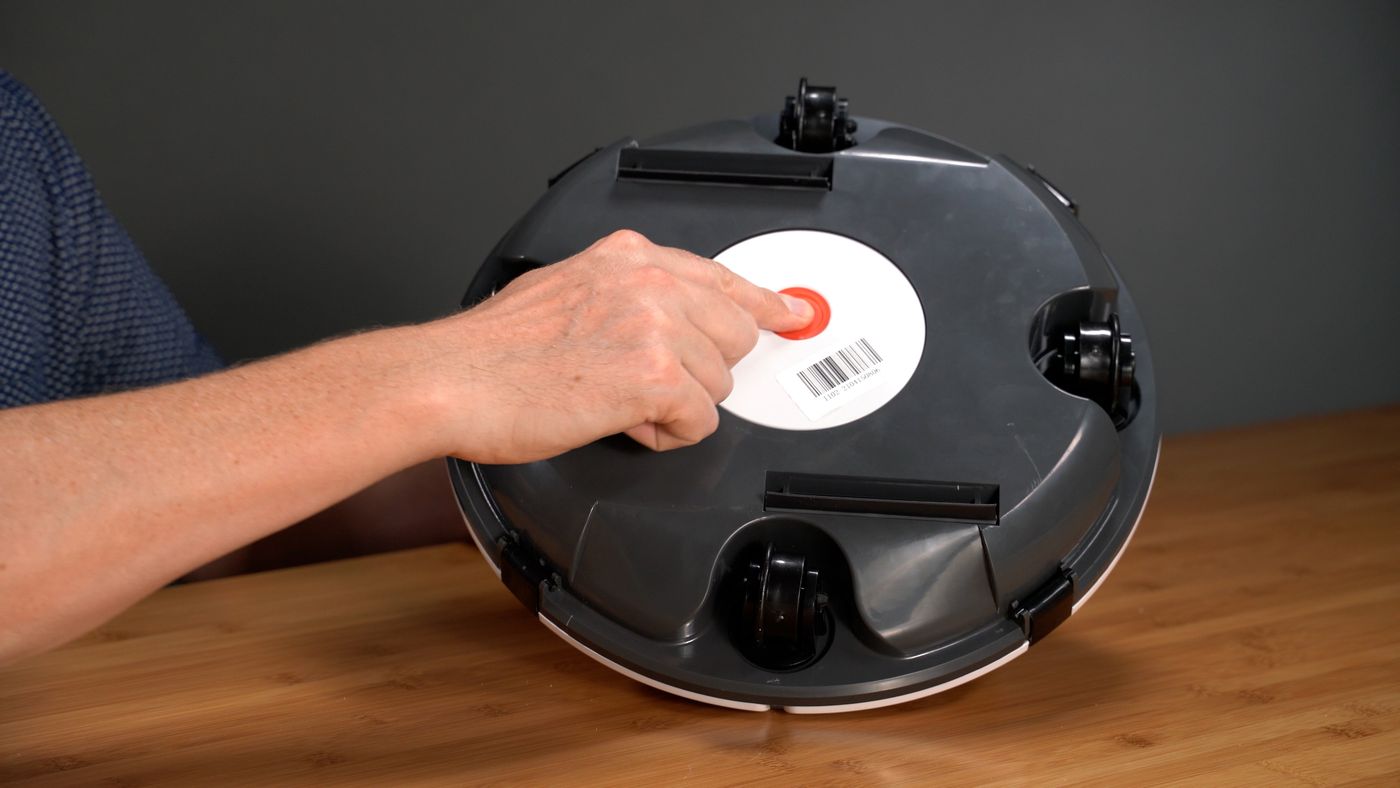
- Find the button and listen for the buzzer. On our unit the power button is the red button in the center of the underside. A working Seagull 600 buzzes as soon as it is on and out of the water. No buzz means no power.
- Do Aiper's charger test. Plug in the charger and switch the robot on. If it buzzes, switch it back off and let it charge for at least an hour (it only charges properly when powered off) before trying it in the pool.
- Charge fully and retry. Leave it on the charger until the charger light turns from red to green, which takes 3 to 4 hours. Then switch it on, submerge it and see whether it runs.
- Think about storage. Aiper warns that a 600 left for months without a top-up can discharge below the point where the battery recovers. If it sat all winter and now does nothing, that is the likely reason.
Stop and call support if: it will not switch on even with the charger plugged in, or it buzzes but never runs after a full recharge. Aiper's answer in both cases is a replacement drive unit or robot.
Seagull 600 Won’t Charge
- Charger light never turns red
- Charger light goes green straight away
- Dies within minutes after a full night charging
- Robot left switched on while charging
- Wet or dirty charging port
- Corroded charging pins
- Charger not connected properly
- Failed battery
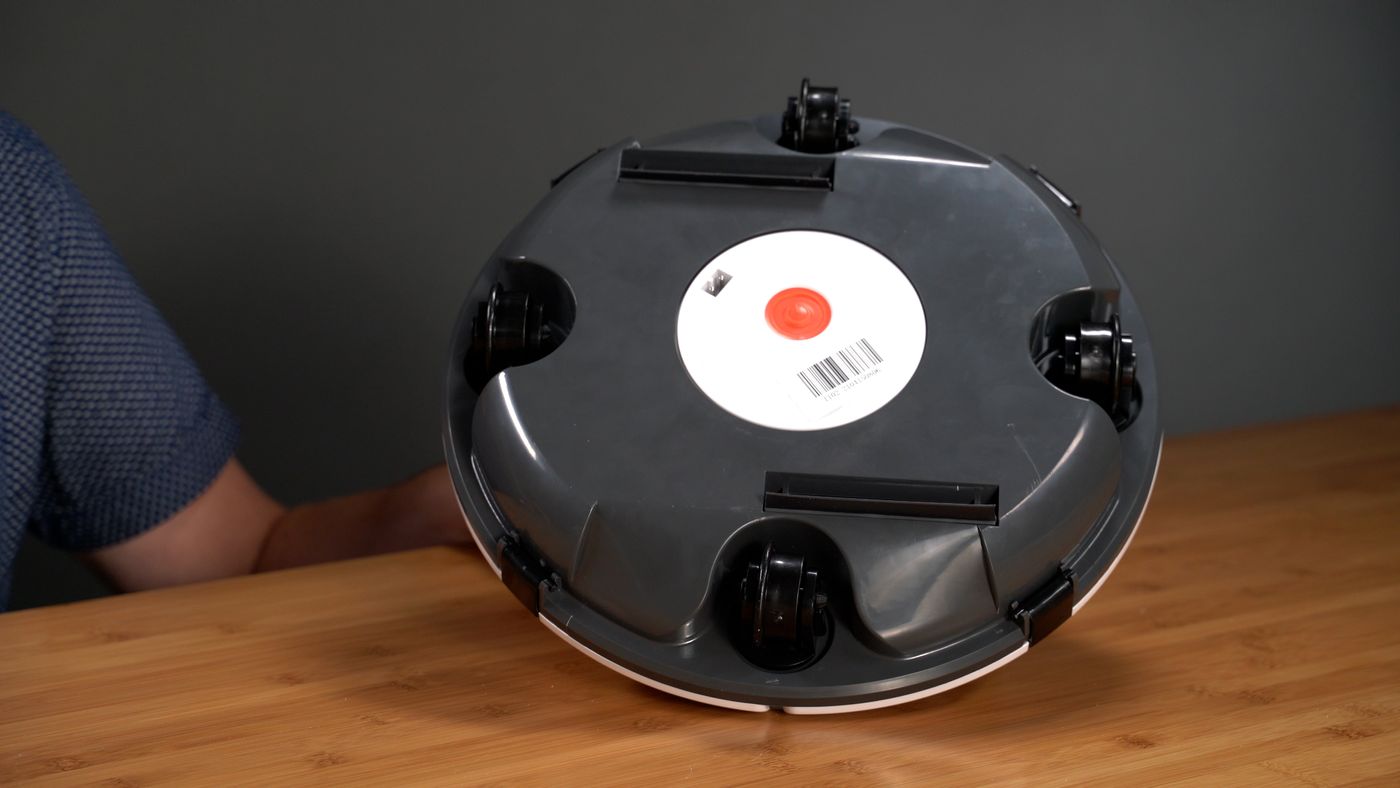
- Switch it off before plugging in. Aiper's instruction is to power the 600 off before charging. If the buzzer is sounding, it is still on.
- Clean and dry the charging port. Wipe the charging pins with a paper towel or cotton swab and wait a few minutes for the moisture to go before you connect the charger. Do this after every swim, not just when it fails.
- Read the charger light. Red on the charger means it is charging and green means done. The robot itself has no charge light, so the charger is your only indicator.
- Protect the swing plate. Aiper says not to charge the 600 resting bottom-up, because the swing plate on top gets crushed. Lay it so nothing presses on that plate.
- Confirm it took a charge. The manual's own test is simple: switch it on, put it in the pool and see whether it runs normally.
Stop and call support if: the pins are visibly corroded, or the charger shows no light on a working outlet.
Seagull 600 Short Battery Life
- Runs well under 50 minutes
- Second run of the day is very short
- Runtime shrinking week by week
- Not recharged since the last partial run
- Stuck and idling, burning charge
- Clogged filter tray
- Battery wear
- Start from a green charger light. The 600 has roughly 55 minutes in the battery at best and normally stops at about 50. If the last run used 30 minutes and you did not recharge, you only have about 20 left.
- Watch for idling. A robot pinned in one place keeps drawing power without cleaning. Watch a cycle and free it if it parks.
- Rinse the tray. Unclip the cover, lift out the filter tray and wash the tray and chassis after every run.
- Store it part-charged. For long storage, keep it cool and out of the sun and charge it every three months to somewhere around half.
Stop and call support if: a clean, fully charged robot that is not stuck still runs far short of 50 minutes while you are inside the 12-month warranty.
Seagull 600 Stops Mid-Cycle
- Sitting still on the floor before the pool is done
- Stopped in the middle of the pool rather than at a wall
- Battery ran out (the cycle is only about 50 minutes)
- Inlet flap stuck
- Something jammed underneath
- Uneven or pebbled floor
- Time it. If it has been in for close to 50 minutes, it has simply finished. The 600 does not navigate to a wall; where it stops is where the battery ran out.
- Check the inlet flap. Turn it over and make sure the flap over the water inlet moves freely and is not held by a leaf or twig.
- Look underneath. Clear anything caught around the scrapers, wheels and inlet.
- Look at the floor. Aiper notes the 600 cannot climb over obstacles. A bumpy floor or a pebble finish is enough to stop it.
Stop and call support if: it stops within minutes on open, flat floor with a full charge and nothing jammed.
Seagull 600 Won’t Reverse or Only Goes One Way
- Reaches a wall and stays there
- Only ever travels in one direction
- Buzzes in the water but does not run
- Swing plate or outlet flap stuck
- Swing plate not installed
- Low battery
- Sensor or drive unit fault
- Check the swing plate. The swing plate on top is what tells the 600 to change direction when it hits a wall. Make sure it is fitted, stands up freely and is not jammed by debris.
- Free the outlet flap. Aiper's first check for a 600 that will not reverse is whether the flap on the water outlet is stuck or blocked. Move it by hand and clear anything holding it.
- Recharge and restart. If it buzzes but will not run once submerged, check the charger light, recharge fully and restart it.
- Run with the pool pump off. Aiper says not to run the cleaner while the pool filter is running. Return jets and drain suction push a robot this light around.
Stop and call support if: the flaps and swing plate are free, the battery is full and it still runs one way only. Aiper treats that as a sensor or drive unit fault.
Seagull 600 Gets Stuck
- Sits on the main drain cover
- Wedges in a corner
- Stops on a liner wrinkle or rough patch
- Drain cover or drain suction
- No ability to cross obstacles
- Bumpy or pebble floor
- Debris caught underneath
- Turn the pump off. Run the 600 with the circulation off so the main drain is not pulling it down.
- Try Aiper's drain fix. For a 600 that works normally but hangs on a drain pipe or drain cover, the manual's answer is to take off the flap on the water inlet. Test a cycle without it.
- Clear the underside. Check for anything jammed under the robot and make sure both scrapers are seated flat.
- Accept the floor it needs. This robot is for flat, smooth floors only. Slopes, wrinkles and pebble finishes will keep stopping it. Never modify or remove a drain cover to suit a cleaner.
Stop and call support if: it stalls on flat, clear floor away from any drain.
Seagull 600 Misses Spots
- Runs the same lane back and forth
- Never reaches one side of the pool
- Walls untouched
- Wheel positions do not suit the pool shape
- Pool bigger than 538 sq ft
- Pool pump running
- No navigation; floor only
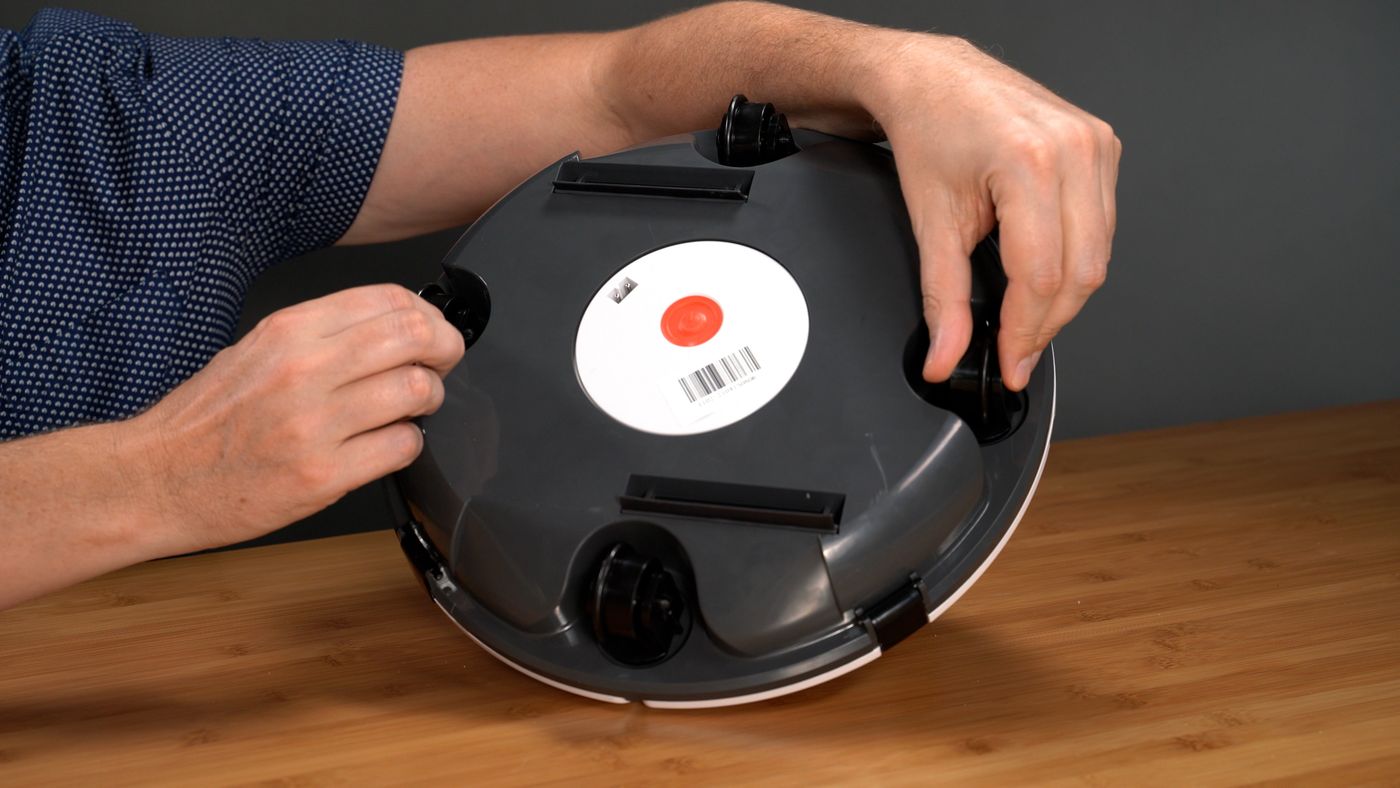
- Change the wheel positions. The front and back wheels sit in grooves marked A, B and C. Push the wheel buckle, pull the wheel down and out, and refit it in another position. B and A gives the widest rebound (the factory setting, best for round pools); C and C gives the straightest path for rectangular or long pools.
- Shut the circulation off. Water movement from the pump steers a jet-driven robot off its line.
- Check pool size. One 50-minute charge is rated for 538 sq ft at most. Bigger pools need a second run from a different starting point.
- Brush the walls down first. The 600 never leaves the floor, so anything on the walls has to be brushed down to where it can reach.
Stop and call support if: not a support issue unless it has also stopped reversing.
Seagull 600 Not Picking Up Debris
- Filter tray almost empty after a run
- Slower than it used to be
- Leaves left behind
- Clogged filter tray
- Scrapers not installed
- Top cover not seated
- Pool too dirty for it
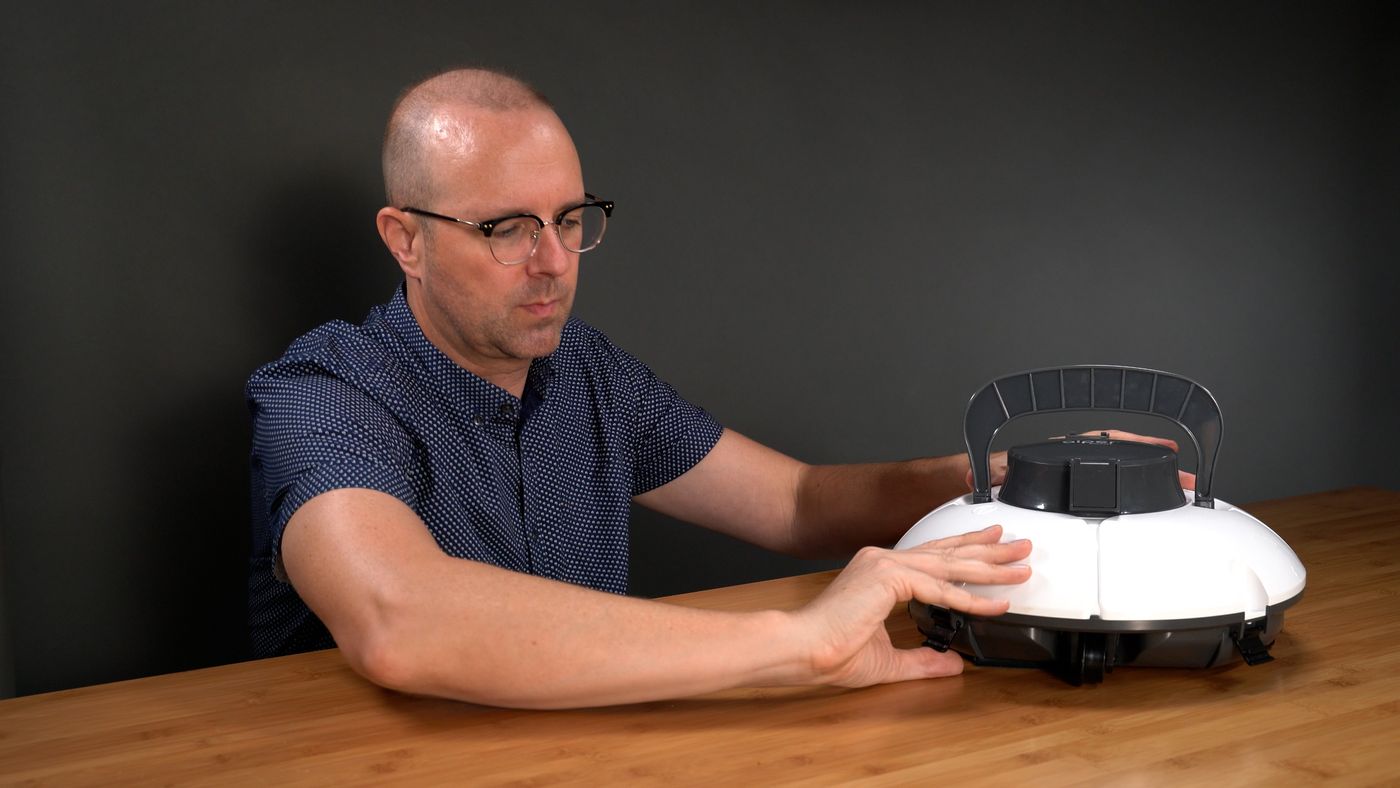
- Wash the tray and chassis. Release the clips, lift the cover, take out the tray and rinse it and the chassis. A robot that has slowed down and lost suction nearly always has a clogged tray.
- Fit the scrapers. The two scrapers that clip into the underside are there to improve suction at the floor. Check both are in place.
- Close the cover the right way round. Line the arrow near the cover buckle up with the hole near the chassis buckle and make sure the pins drop into their holes before you clip it. Forcing it misaligned can break the buckles and leaves a gap.
- Clean a dirty pool by hand first. Aiper's own advice is to clean a very dirty pool manually first and use the 600 for upkeep afterwards.
Stop and call support if: suction is weak with a clean tray, scrapers fitted and a full charge.
Seagull 600 Floats or Won’t Sink
- Bobs at the surface
- Buzzer keeps sounding in the water
- One side lifts off the floor
- Air trapped inside the shell
- Top cover not clipped down
- Let the air out before you let go. Lower it in and hold it under, tilting it until the bubbles stop. The manual has you empty the air first and then switch it on.
- Use the buzzer as your gauge. The buzzer sounds while the robot is on and not fully immersed, and stops once it is. If it is still buzzing, there is still air in it.
- Check the cover clips. Make sure every clip on the top cover is closed. A cover that is not seated traps air and leaks suction.
Stop and call support if: it keeps beeping and will not run once it is fully under water, even after a recharge and restart.
Seagull 600 Hard to Retrieve
- Stopped in the middle of the pool
- Cannot reach the handle
- Heavy and dripping when lifted
- It stops wherever the battery runs out
- Hook not on the pole
- Lifted before it drained
- Hook the floating handle. Attach the included hook to your pool pole and catch the handle, which floats up above the robot.
- Drain at the surface. Hold it at the waterline for 10 to 15 seconds so the water empties out before you take the weight.
- Keep the underside toward the wall. Bring it out with the bottom facing the pool wall so the shell does not scrape the surface.
- Switch it off. It buzzes once it is out of the water. Press the power button to shut it down and clean the tray straight away.
Stop and call support if: not a support issue. Stopping mid-pool is how this model behaves when the battery ends.
Seagull 600 Corroded Charging Pins
- Green or black deposits on the charging pins
- Charging has become unreliable
- Charging with a wet port
- Pool water left on the pins
- Stop charging it. Do not keep connecting the charger to pins that are visibly corroded.
- Dry the pins after every use. Wipe them with a paper towel or cotton swab and give it a few minutes before you plug in. This is the prevention Aiper prescribes.
- Contact Aiper. Aiper's fix for pins corroded by electrolysis is a replacement drive unit, not a clean-up.
Stop and call support if: you can see corrosion on the pins.
Seagull 600 Lights and What They Mean
These are the indicator states listed in the official Aiper material for the Aiper Seagull 600. If what you see is not here, check the manual for your exact production run before acting on it.
Leave it connected. A full charge takes 3 to 4 hours.
Unplug the charger and close up the charging port before the next run.
Lower it in and let the air out until it is completely submerged. The buzzing stops once it is.
Press the power button to switch it off, then clean the filter tray.
What We Saw Testing the Seagull 600
We ran the Aiper Seagull 600 in our own test pool for our Aiper Seagull 600 review. These are the things we ran into ourselves, so you can tell a quirk of the model from a real fault.
- Wheel adjustment made no difference: Repositioning the wheels to suit the pool shape did not improve coverage for us.
- Fast but weak: It moves quickly, which looks impressive, but the speed did not translate into pickup.
- No modes or scheduling: There is one cycle and nothing to program.
- Almost nothing in the filter: When we pulled it out after a run there was hardly anything in the filter. It picked up very little and the flat tray could not hold much anyway.
- Flat filter: The filter is a flat tray with almost no capacity.
- Aimless coverage: It wandered with no pattern and ran hard into the walls.
- Battery fading: Within a short time of owning it we saw it holding less charge and taking longer to fill.
- Stopped in the middle of the pool: It is meant to finish against a wall, but in our testing it frequently died in the middle of the pool, out of easy reach.
When to Call Aiper Support
Stop troubleshooting and get the Seagull 600 looked at if any of these are true:
- The same fault comes back right after a full clean and a restart
- You see water inside a sealed compartment, or the robot has become noticeably heavier
- There is a burning smell, a melted connector, or visible corrosion on the electrical contacts
- The battery will not take a charge, or the runtime has dropped to a fraction of what it was
- A motor is silent or grinding with nothing blocking it
Before you call, write down the serial number, find your proof of purchase, and record a 20 to 30 second video of the problem. A clip of the robot failing, plus a clear shot of any light on the robot or charger, gets a warranty claim moving faster than any description.
- Support: Aiper support
- Phone: +1 866 850 0666 (Mon-Fri, 9 AM-6 PM ET)
- Email: service@aiper.com
- Manual: Aiper Seagull 600 user manual
- Warranty: 12 months, battery and motor only
12-month warranty on battery and motor only. The Seagull 600 is no longer listed in Aiper's support center or on its current warranty table, so have your order number or receipt ready and ask whether parts are still available. Claims start at aiper.com/us/process-a-warranty.
Aiper Seagull 600 Troubleshooting FAQ
Why does my Aiper Seagull 600 keep beeping?
The buzzer sounds whenever the robot is switched on and not fully under water. It should stop once the 600 is completely submerged with the air let out, and it starts again when you lift it out. Press the power button to silence it.
How long does the Aiper Seagull 600 run and how long does it take to charge?
Aiper rates it at around 50 minutes of cleaning from a 3 to 4 hour charge. The charger shows red while charging and green when full; the robot has no charge light of its own.
Why won't my Aiper Seagull 600 reverse when it hits the wall?
Check that the swing plate on top is fitted and moves freely, and that the flap on the water outlet is not stuck. If both are free and the battery is full, Aiper treats it as a sensor or drive unit fault.
How do I change the cleaning path on the Aiper Seagull 600?
Move the front and back wheels between the A, B and C positions on the chassis. B and A gives the widest turn for round pools and C and C the straightest path for rectangular ones.
Can the Aiper Seagull 600 climb walls or handle a sloped pool?
No. It is a floor-only cleaner for flat-bottomed pools up to 538 sq ft, and it cannot cross obstacles or slopes.
How do I clean the Aiper Seagull 600 filter?
Release the clips, lift the top cover off, take out the flat filter tray and rinse the tray and the chassis. When you close it, line up the cover arrow with the chassis hole so the buckle pins seat properly.
Still stuck after every check?
Go back to our review for how the Seagull 600 is supposed to behave, or contact Aiper with your serial number and a short video of the problem.