
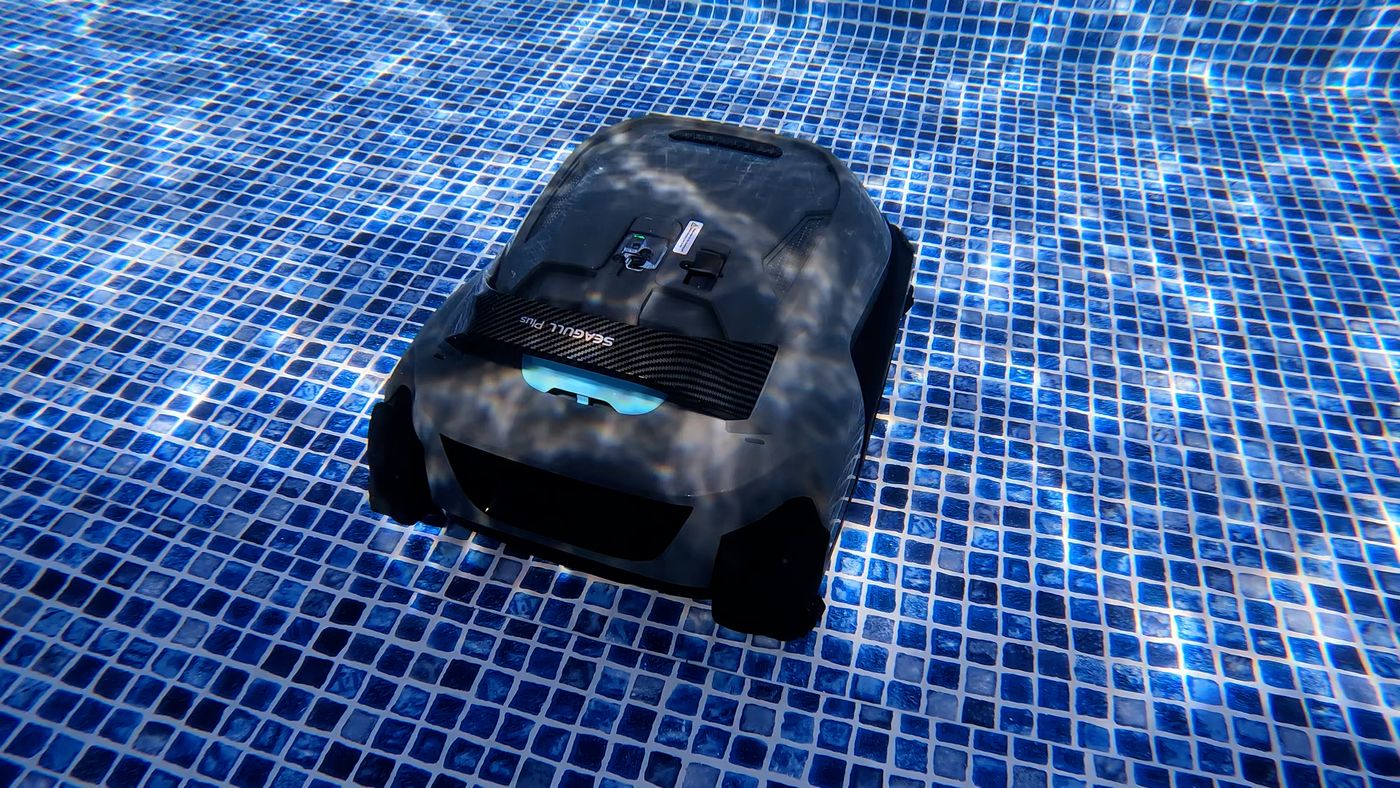
The short answer
Most Aiper Seagull Plus problems trace back to three things: a filter sealed with fine debris, a battery that is not fully charged, or air trapped in the body. Rinse the filter until the water runs clear, charge until the light shows full, and let the air out before the next run.
This is the troubleshooting home for the Aiper Seagull Plus. It is a cordless, battery-powered robot that cleans the floor only. Below are the 11 problems owners run into most, each with the checks we would make first and the point where it stops being a do-it-yourself fix.
Safety first: take the Seagull Plus out of the water and switch it off before you open the filter, touch the brushes, or reach near the impeller. Never charge it while it is wet at the charging contacts, and never open the sealed battery or motor housing.
Seagull Plus Quick Checks First
Run through these before you chase a specific symptom. Between them they clear up most of what goes wrong with a Aiper Seagull Plus.
- Charge it all the way. Leave the Seagull Plus on charge until the light shows full, not just until it turns on. A partial charge causes short runs, weak climbing, and robots that stop in the middle of the pool.
- Rinse the filter until the water runs clear. A filter that looks clean can still be sealed with fine dust. Most pickup, climbing, and early-shutoff complaints end here.
- Let the air out. Hold the robot under the surface and rock it until the bubbles stop before you let go. Trapped air makes it float, tip, and lose grip.
- Rinse it and seat it squarely on the charger. Rinse the Seagull Plus with fresh water after every run, dry the charging area, and make sure it sits fully in place on the charger. A robot that is a little off will look docked and never fill.
- Check the water. Algae, very cold water, and chemistry far out of range all make a robot slip. Fix the water before you blame the machine.
Aiper Seagull Plus at a glance
- Type
- Cordless, battery powered
- Cleans
- Floor only
- Filter
- One flat filter screen that sits on the bottom shell under the top shell
- Battery
- Rated 110 minutes per charge
- App
- No app
- Built for
- Flat-floored pools with no slopes, up to 1,300 sq ft
- Weight
- Not listed in Aiper's manual
- Warranty
- 12 months, battery and motor
Seagull Plus Won’t Turn On
- No beep or light when you press ON
- Lights up, then dings and shuts off
- Flat battery
- Not placed in the water within 30 seconds
- Battery damaged by long storage
- Internal fault
- Press ON and wait for the beep. A healthy Seagull Plus beeps and the ON button lights solid in a color that shows the charge.
- Get it in the pool within 30 seconds. If it is not in the water within about 30 seconds of switching on, the light goes out, it dings and it shuts down. That is by design. Press ON again and lower it in; it starts roughly 10 seconds after it reaches the floor.
- Charge it fully. Switch off, pull the rubber plug from the charging port on top, dry the port and charge for 2.5 hours until the pulsing light turns green.
- Push the rubber plug back in. The port plug has to be seated firmly before the robot goes under water. Aiper warns that an open port can short the electronics.
Stop and call support if: there is no light at all after a full charging attempt on a working outlet.
Seagull Plus Won’t Charge
- Rapid alarm when the charger is plugged in
- No pulsing light on charge
- Light never reaches green
- Robot left switched on
- Wet or dirty charging port
- Charger not connected or outlet dead
- Port corroded after the plug came out in the pool
- Worn battery
- Switch it off. A Seagull Plus that is powered on will not charge and sounds a continuous rapid alarm with its light off. Turn it off, then plug in.
- Dry the charging port. The port is on top under the rubber plug. Wipe out any moisture before you insert the charger.
- Check the charger and outlet. Make sure the charger is fully pushed in and that the outlet is live. Aiper suggests a power strip or surge protector between the charger and the wall.
- Look for the pulsing light. The light should pulse through red, yellow and blue as it fills and turn green when full, about 2.5 hours from empty.
- Charge indoors and cool. Aiper says to charge it indoors in a cool, ventilated spot, out of direct sun and uncovered.
Stop and call support if: it is switched off, the port is dry, the outlet works and there is still no charging light.
Seagull Plus Short Battery Life
- Finishes well short of 110 minutes
- Light turns red early
- Runtime dropping over the season
- Taken off the charger before the light went green
- Blocked filter screen
- Battery wear
- Charged or stored somewhere hot
- Charge to green. Wait for the pulsing light to go green before you unplug.
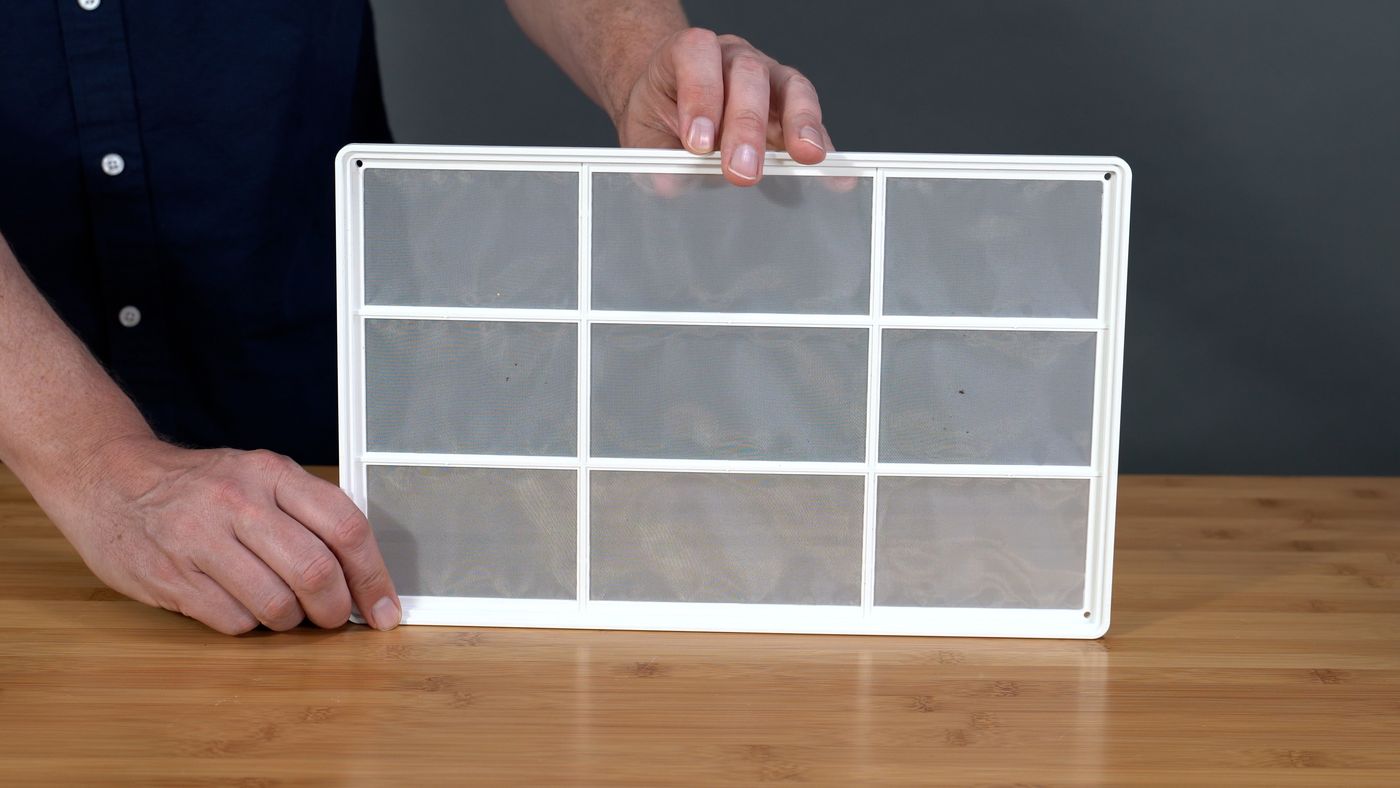
- Hose out the shell. Press the side buckles, lift the top shell off, take out the screen and rinse the screen and the bottom of the shell after each run.
- Note the color at the start. The ON button shows the charge when it starts: green over 90%, blue 50 to 90%, yellow 10 to 50%, red under 10%. If a robot fresh off the charger starts on yellow, the battery is not holding its charge.
- Keep it cool. Charge and store it indoors, away from sun and heat.
Stop and call support if: a fully charged robot with a clean screen runs for a fraction of the rated time inside the 12-month warranty.
Seagull Plus Stops Mid-Cycle
- Parked with a red light
- Stopped with a blinking red light and an alarm
- Light off, sitting on the floor
- Battery under 10% (normal end of run)
- Filter screen or motor blocked
- Battery exhausted
- Solid red is the end of the run. When the light turns solid red the Plus stops cleaning and makes for the pool edge. Recharge it.
- Blinking red with an alarm is a blockage. Take it out, switch off, wash the filter screen and the bottom of the shell, and check the rotor.
- Run it with the pool pump off. Aiper says not to operate the cleaner and the pool filter at the same time.
Stop and call support if: the blinking red fault returns straight away with a clean screen and a clear rotor.
Seagull Plus Only Moves One Way or Won’t Reverse
- Reaches a wall and stays there
- Only travels in one direction
- Light on, no movement
- Rotor blocked by debris
- Rotor damaged
- Filter screen blocked
- Take out the rotor. Switch off. Undo the single screw on top and lift the rotor out. Aiper names a debris-blocked rotor as the reason a Plus runs one way or fails to reverse at the wall.
- Clean and refit it. Remove sand, twigs, leaves and hair from the rotor and its housing, then refit it and tighten the screw.
- Inspect it for damage. If the rotor was not blocked, look for cracked or missing blades. A damaged rotor needs replacing.
- Wash the screen and shell. Open the shell and rinse the filter screen and the debris out of the bottom.
Stop and call support if: the rotor is clean and undamaged and the robot still will not reverse, or you need a replacement rotor.
Seagull Plus Misses Spots
- Keeps hitting the same few places
- Only covers part of a larger pool
- Walls untouched
- Range lever not set for the pool size
- No navigation; floor only
- Pool pump running
- Pool larger than one charge covers
- Set the range lever. Inside the body there is a lever that changes how the Plus tracks across the pool. Pools of about 540 sq ft (50 m2) or less need no adjustment. For bigger pools, move the lever left or right to stretch its passes.
- Turn the circulation off. Water movement from the pump pushes it off line.
- Vary the start point. Start it from a different place each run.
- Brush the walls down. The Plus does not clean walls at all, so brush them first and let the dirt settle to the floor.
Stop and call support if: not a support issue unless it has also stopped reversing.
Seagull Plus Not Picking Up Debris
- Leaves left on the floor
- Weak suction
- Shell full of dirt
- Filter screen blocked
- Shell not rinsed out
- Brush not fitted
- Top shell not buckled
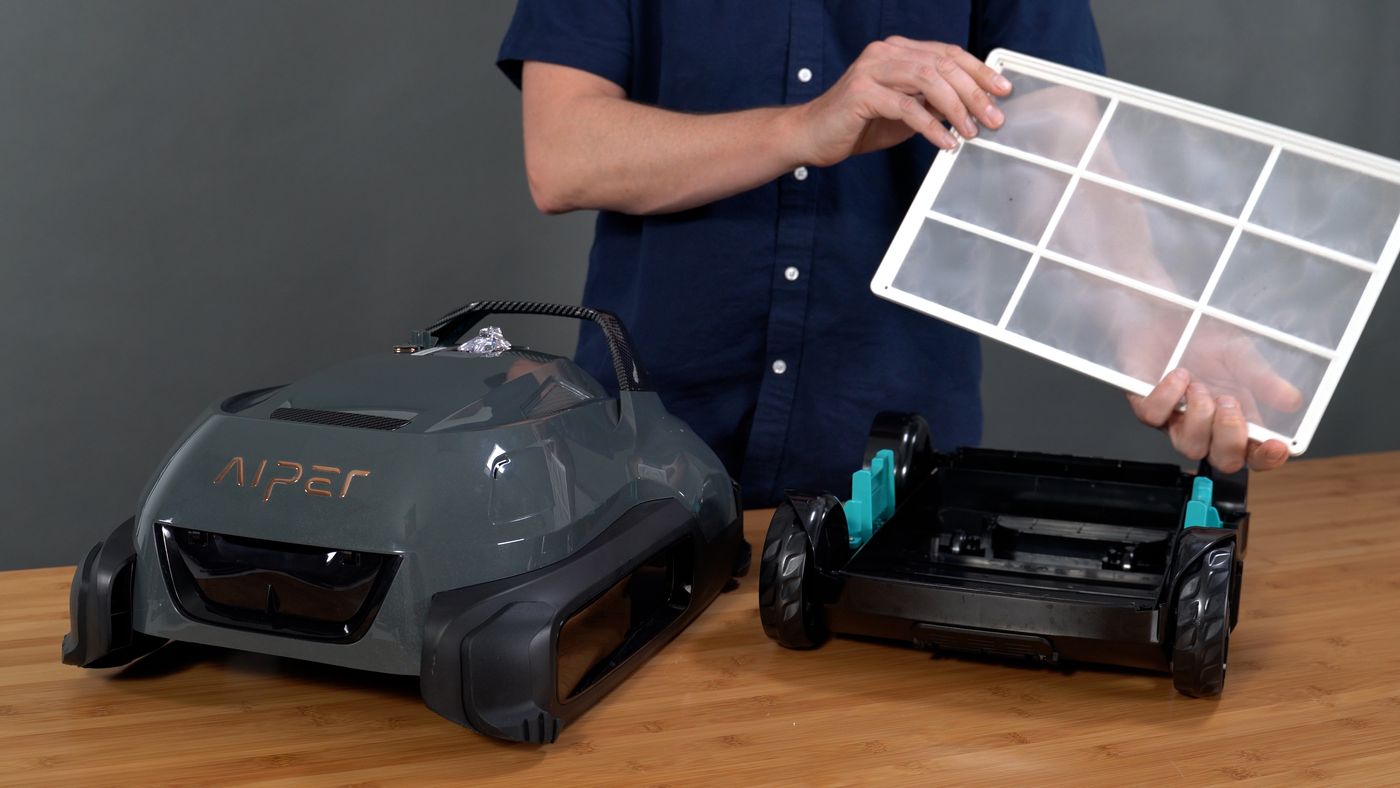
- Rinse the screen and the shell. Hold the left and right buckles, lift the top shell away, take out the screen and hose both the screen and the bottom shell.
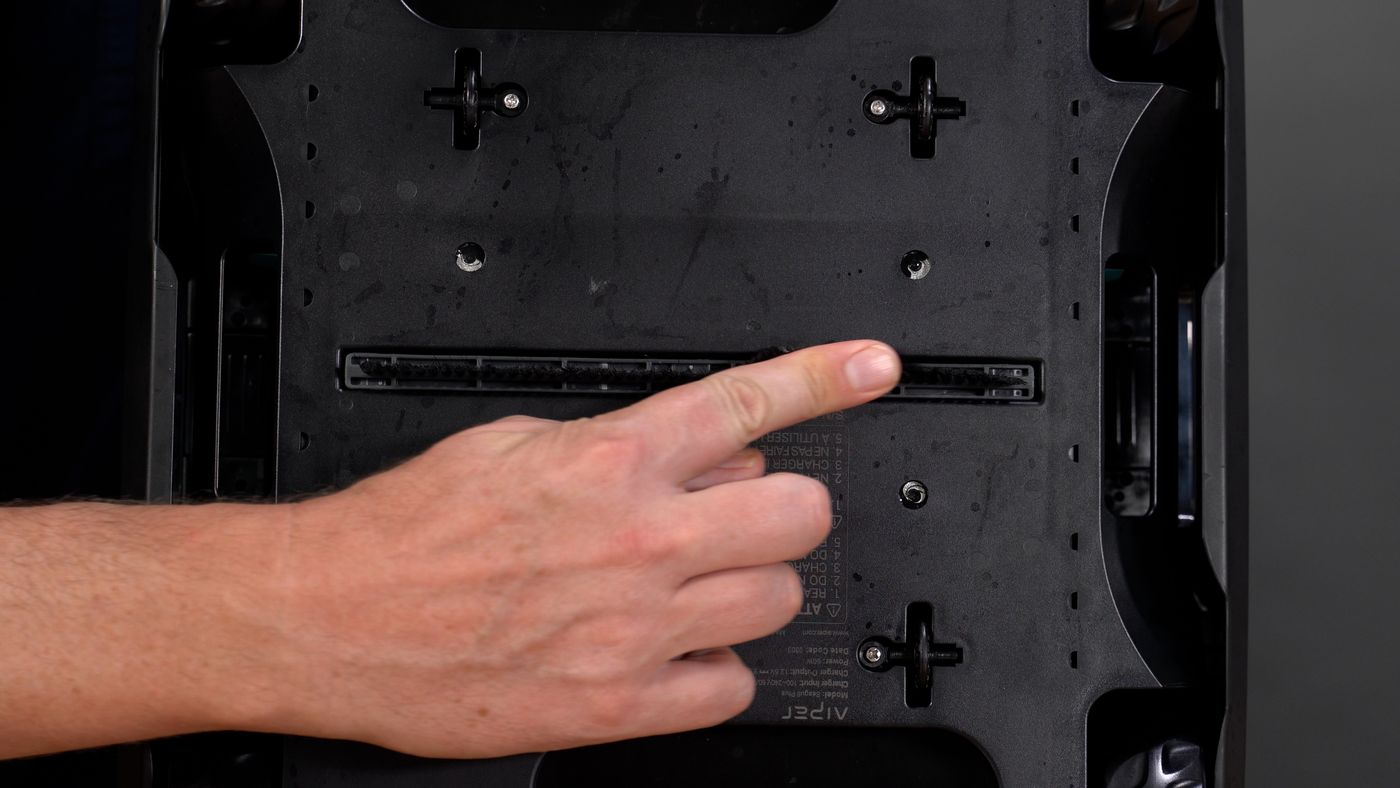
- Fit the brush. The brush presses into its slots on the underside. Check it is seated along its whole length.
- Close it squarely. Seat the screen on the bottom shell, line the top shell up with the chassis and press down until both sides buckle.
- Net large leaves first. Clear big debris by hand so it does not block the intake.
Stop and call support if: suction is still weak with a clean screen, a clear rotor and a full battery.
Seagull Plus Gets Stuck
- Stalls where the floor begins to slope
- Hangs on steps or a ledge
- Pinned in a corner
- Pool floor is not flat
- Steps and ledges
- Drain suction with the pump on
- Check the pool suits it. Aiper designed the Seagull Plus for flat floors with no slopes. Stepped or sloped floors are shown as unsuitable in the manual.
- Run with the pump off. That takes drain suction out of the picture.
- Restart from open floor. Hook it out, switch it on again and put it down in the middle of the pool within 30 seconds.
Stop and call support if: it stalls on flat, open floor.
Seagull Plus Blinking Red Light and Alarm
- Blinking red light with a constant rapid alarm in use
- Rapid alarm with no light on the charger
- Filter screen blocked
- Motor or rotor blocked
- Charger connected while the robot is on
- Work out which alarm it is. A blinking red light with the alarm while running is the fault alarm for a blocked screen or motor. An alarm with the light off while on the charger just means the robot is switched on.
- Clear the blockage. Switch off, open the shell, rinse the screen and shell, then undo the top screw and clean the rotor.
- For the charging alarm, switch off. Turn the robot off and reconnect the charger. The light should start pulsing.
Stop and call support if: the fault alarm keeps returning with everything clean.
Seagull Plus Water in the Charging Port or Inside
- Rubber plug came out of the charging port during a run
- Water marks inside the body on a new robot
- Plug not pushed fully home
- Residual moisture from factory testing
- If the plug came out, pull the robot out now. Remove it from the pool straight away and dry the charging port. Do not drop it back in until the port is dry and the plug is firmly seated.
- Do not charge a wet port. Check for moisture in the port every time before you insert the charger.
- Water marks on a new unit are normal. Aiper says each robot is water-tested before it leaves the factory, so some moisture or staining inside does not indicate a fault.
- Rinse after salt water. After running in a saltwater pool, or one with high pH, rinse the robot with fresh water to slow corrosion.
Stop and call support if: the port shows corrosion, or the robot stopped working after running with the plug out.
Seagull Plus Hard to Retrieve
- Did not make it to the edge
- Hard to hook from the deck
- Battery ran out before it reached a wall
- Hook not fitted to the pole
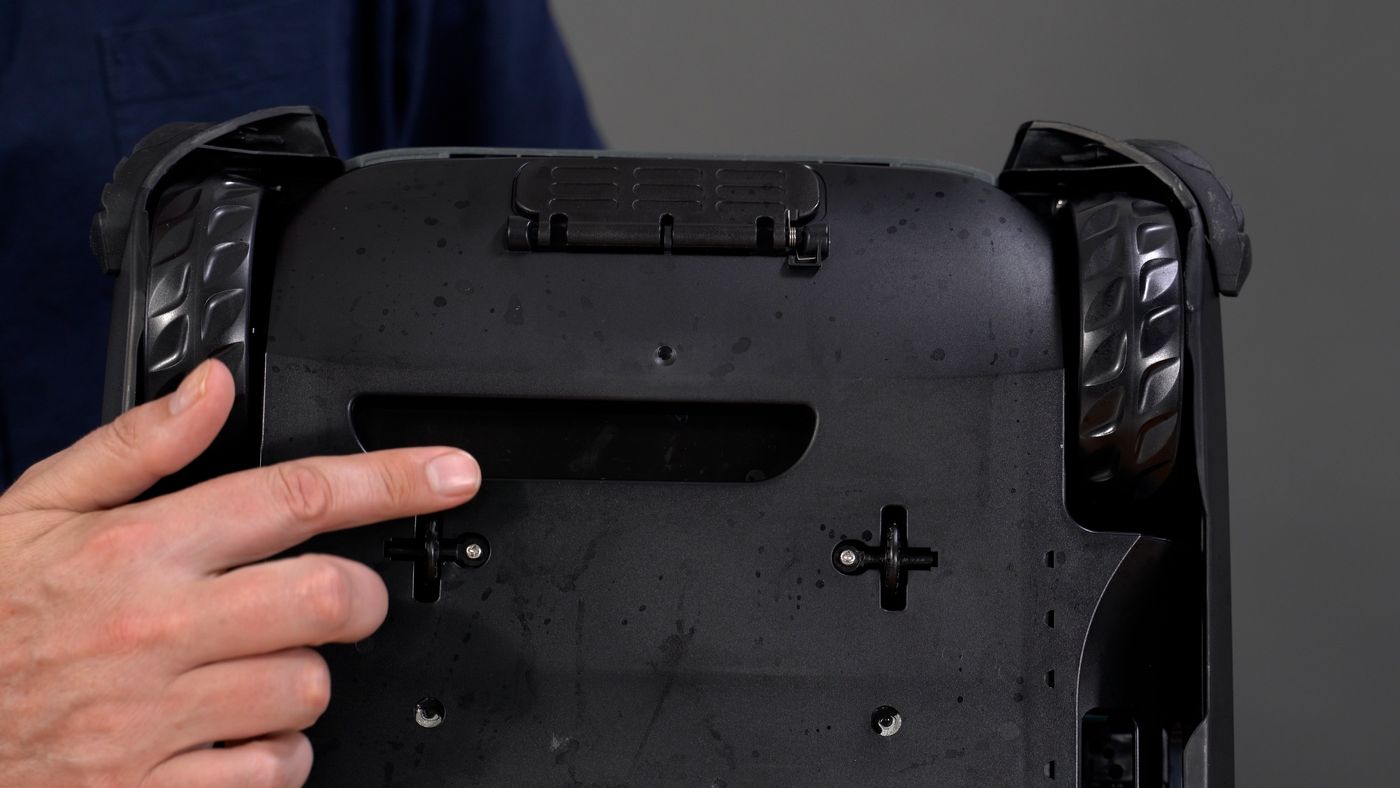
- Use the hook on a pole. Fit the included hook to your pool pole and catch the handle.
- Let it drain. A spring plate underneath opens as you lift so the water runs out. Pause at the surface while it empties.
- Catch it on red. When the light turns red the Plus heads for the edge. Getting to it then is easier than fishing for it after it has shut down.
Stop and call support if: not a support issue.
Seagull Plus Lights and What They Mean
These are the indicator states listed in the official Aiper material for the Aiper Seagull Plus. If what you see is not here, check the manual for your exact production run before acting on it.
Nothing to do.
Nothing to do.
Nothing to do yet; expect it to finish soon.
Hook it out, rinse the filter and shell, dry the charging port and recharge.
Leave it on the charger until the light is green, which means fully charged.
Switch it off, then reconnect the charger.
Take it out, switch off, wash the filter screen and shell, and clear the rotor under the top screw. Retest.
Press ON again and get it into the pool within 30 seconds.
What We Saw Testing the Seagull Plus
We ran the Aiper Seagull Plus in our own test pool for our Aiper Seagull Plus review. These are the things we ran into ourselves, so you can tell a quirk of the model from a real fault.
- Floor only, no navigation: It only covers the floor and has no navigation system.
- Bounces wall to wall: It crossed the pool quickly, bouncing between walls, and did not cope with odd shapes or steep inclines.
- Repeats the same spots: Much of the run was wasted hitting the same few places while other areas were never touched.
- Charge and run times: In daily use it needed about two and a half hours on the charger for roughly an hour and a half in the pool.
- Charging after every run: It had to go back on the charger after each clean, which became a chore.
- Hook retrieval: Our routine ended with fishing it out using the small hook fitted to a pool pole.
- About half the pool per charge: By our estimate it gets to roughly half of the pool before the battery needs charging.
- Left larger debris and cloudy water: Suction was better than the Seagull SE, but bigger leaves and fine cloudiness stayed in the pool.
When to Call Aiper Support
Stop troubleshooting and get the Seagull Plus looked at if any of these are true:
- The same fault comes back right after a full clean and a restart
- You see water inside a sealed compartment, or the robot has become noticeably heavier
- There is a burning smell, a melted connector, or visible corrosion on the electrical contacts
- The battery will not take a charge, or the runtime has dropped to a fraction of what it was
- A motor is silent or grinding with nothing blocking it
Before you call, write down the serial number, find your proof of purchase, and record a 20 to 30 second video of the problem. A clip of the robot failing, plus a clear shot of any light on the robot or charger, gets a warranty claim moving faster than any description.
- Support: Aiper support
- Phone: +1 866 850 0666 (Mon-Fri, 9 AM-6 PM ET)
- Email: service@aiper.com
- Manual: Aiper Seagull Plus user manual
- Warranty: 12 months, battery and motor
12-month warranty covering battery and motor; accessories such as the hook and charger are covered for 6 months. The Seagull Plus is discontinued but still has a page in Aiper's support center. Claims start at aiper.com/us/process-a-warranty and need an order number or dated receipt from an authorized seller.
Aiper Seagull Plus Troubleshooting FAQ
What do the light colors mean on the Aiper Seagull Plus?
The ON button shows the battery: green above 90%, blue 50 to 90%, yellow 10 to 50% and red below 10%. On the charger the light pulses in those colors and turns green when full. A blinking red light with an alarm means the filter screen or motor is blocked.
Why is my Aiper Seagull Plus beeping on the charger?
It is switched on. The Plus cannot charge while powered on and sounds a rapid alarm with the light off. Switch it off and plug the charger back in.
Why does my Aiper Seagull Plus only go in one direction?
Aiper's answer is a blocked rotor. Undo the screw on top, lift the rotor out, clean it and refit it. If it was not blocked, check it for damage because it may need replacing.
Can the Aiper Seagull Plus clean pool walls?
No. Aiper states that it does not support wall cleaning, and it is only meant for flat floors without slopes.
How long does the Aiper Seagull Plus take to charge?
About 2.5 hours for a rated 110 minutes of cleaning. In our testing a charge gave us closer to an hour and a half.
Why did my Aiper Seagull Plus turn off right after I turned it on?
It has to be in the water within about 30 seconds of pressing ON. If it is not, the light goes out, it dings and it shuts down. Press ON again and put it straight in.
Still stuck after every check?
Go back to our review for how the Seagull Plus is supposed to behave, or contact Aiper with your serial number and a short video of the problem.