
The short answer
Most Aiper Seagull Pro problems trace back to three things: a filter sealed with fine debris, a battery that is not fully charged, or air trapped in the body. Rinse the filter until the water runs clear, charge until the light shows full, and let the air out before the next run.
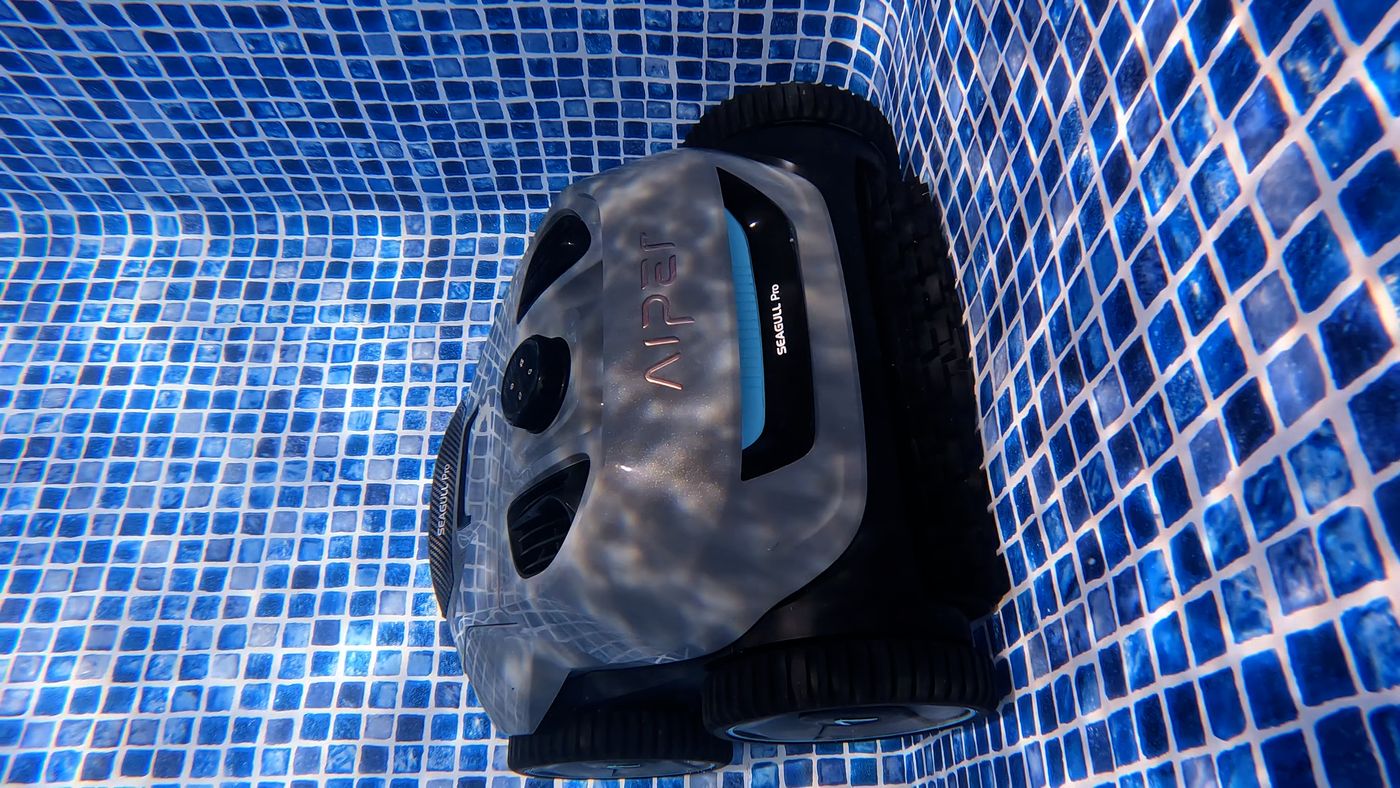
This is the troubleshooting home for the Aiper Seagull Pro. It is a cordless, battery-powered robot that cleans the floor, walls and waterline. Below are the 12 problems owners run into most, each with the checks we would make first and the point where it stops being a do-it-yourself fix.
Safety first: take the Seagull Pro out of the water and switch it off before you open the filter, touch the brushes, or reach near the impeller. Never charge it while it is wet at the charging contacts, and never open the sealed battery or motor housing.
Seagull Pro Quick Checks First
Run through these before you chase a specific symptom. Between them they clear up most of what goes wrong with a Aiper Seagull Pro.
- Charge it all the way. Leave the Seagull Pro on charge until the light shows full, not just until it turns on. A partial charge causes short runs, weak climbing, and robots that stop in the middle of the pool.
- Rinse the filter until the water runs clear. A filter that looks clean can still be sealed with fine dust. Most pickup, climbing, and early-shutoff complaints end here.
- Let the air out. Hold the robot under the surface and rock it until the bubbles stop before you let go. Trapped air makes it float, tip, and lose grip.
- Rinse it and seat it squarely on the charger. Rinse the Seagull Pro with fresh water after every run, dry the charging area, and make sure it sits fully in place on the charger. A robot that is a little off will look docked and never fill.
- Check the water. Algae, very cold water, and chemistry far out of range all make a robot slip. Fix the water before you blame the machine.
Aiper Seagull Pro at a glance
- Type
- Cordless, battery powered
- Cleans
- Floor, walls and waterline
- Filter
- One top-loading filter basket
- Battery
- Rated up to 180 minutes per charge
- App
- No app
- Built for
- In-ground and above-ground pools up to 300 m2 per the ZT6001 manual
- Weight
- About 21 lb dry
- Warranty
- 24 months per Aiper's warranty table
Seagull Pro Recall: Stop Charging and Check Your Serial Number
- Robot or charger gets hot, smells, smokes or melts while charging
- You own a Seagull Pro bought between March 2023 and May 2024
- The battery can overheat when charged with the high-current adapter supplied with model ZT6001
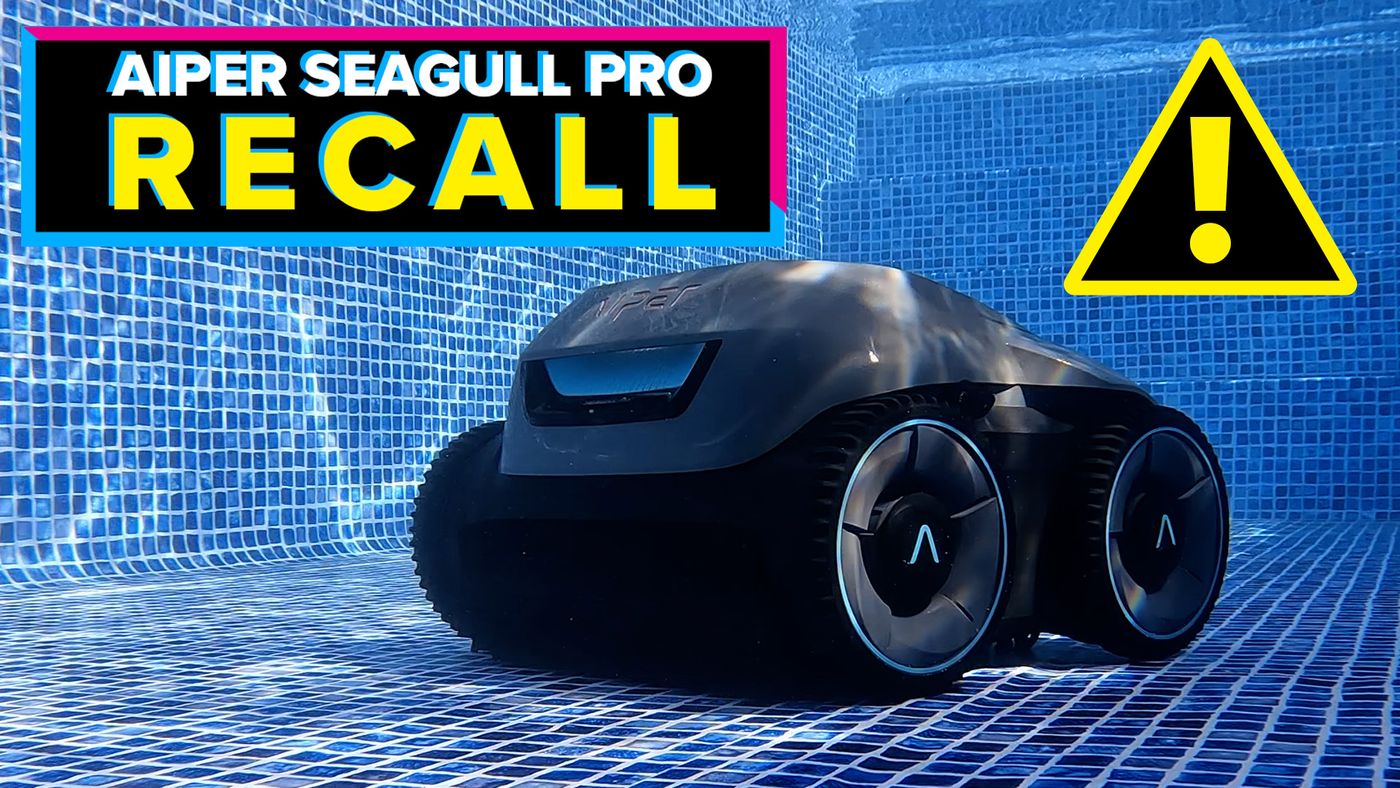
- Find the model and serial number. Turn the robot over. The recall covers the Seagull Pro, model ZT6001, with a serial (batch) number on the underside that begins with 61.
- Stop using it and unplug it. If yours is affected, do not charge it again. Unplug the charger and keep the robot somewhere safe, away from anything that burns. Do not throw it in the trash; it contains a lithium battery.
- Register for the remedy. Aiper's remedy is a free replacement Aiper Scuba S1 with a prepaid return label for the recalled unit. Register on Aiper's Seagull Pro recall page, by phone on (888) 968-0666 (9 AM to 9 PM ET, Monday to Friday), or by email to recall@aiper.com with Seagull Pro ZT6001 in the subject line.
- Ship it back. Use the label Aiper sends. Aiper says it aims to send the replacement within 15 days of receiving and verifying the returned robot.
- Do not troubleshoot a recalled unit. None of the fixes on this page apply to a robot covered by the recall. They are for units that are confirmed not to be affected.
Recall details and registration: Aiper recall page.
Stop and call support if: your unit is a ZT6001 with a serial number starting 61, or you cannot read the label. Treat any heat, smoke or melting while charging as an emergency: unplug at the wall if it is safe to do so and move away.
Seagull Pro Won’t Charge
- Rapid alarm as soon as the charger is plugged in
- Ring stays dark on the charger
- Ring never turns green
- Dial left on a cleaning mode
- Silicone plug still in, or debris in the port
- Wet charging port
- Charger not seated
- Unit affected by the recall

- Check the recall first. Before charging any Seagull Pro, confirm it is not a recalled ZT6001 (serial starting 61). If it is, stop here.
- Turn the dial to off. The Pro only charges with the dial at the power icon. On any cleaning mode the ring stays off and it sounds a constant rapid alarm.
- Open and dry the port. The charging port is on the side of the body between the wheels. Pull out the silicone plug, clear any grit and wipe the port completely dry before inserting the charger.
- Watch the ring. The ring should flash slowly in a color that matches the charge level and go solid green when full. Aiper rates a full charge at 90 minutes.
- Charge it in the open. Charge indoors on a hard surface in a cool place, uncovered, using only the Aiper charger supplied with this model. Aiper suggests a power strip or surge protector rather than plugging straight into the wall.
- Refit the silicone plug. Push the plug back in before the robot goes anywhere near the pool.
Stop and call support if: the ring stays off with the dial at the power icon and a dry, clear port. Aiper does not sell the battery separately; a defective battery under warranty means a replacement unit.
Seagull Pro Won’t Turn On or the Dial Won’t Turn
- No ding and no light when the dial is turned
- Dial is stiff or jammed
- Lights on but it does not start in the water
- Flat battery
- Grit lodged under the mode dial
- Still on the charger
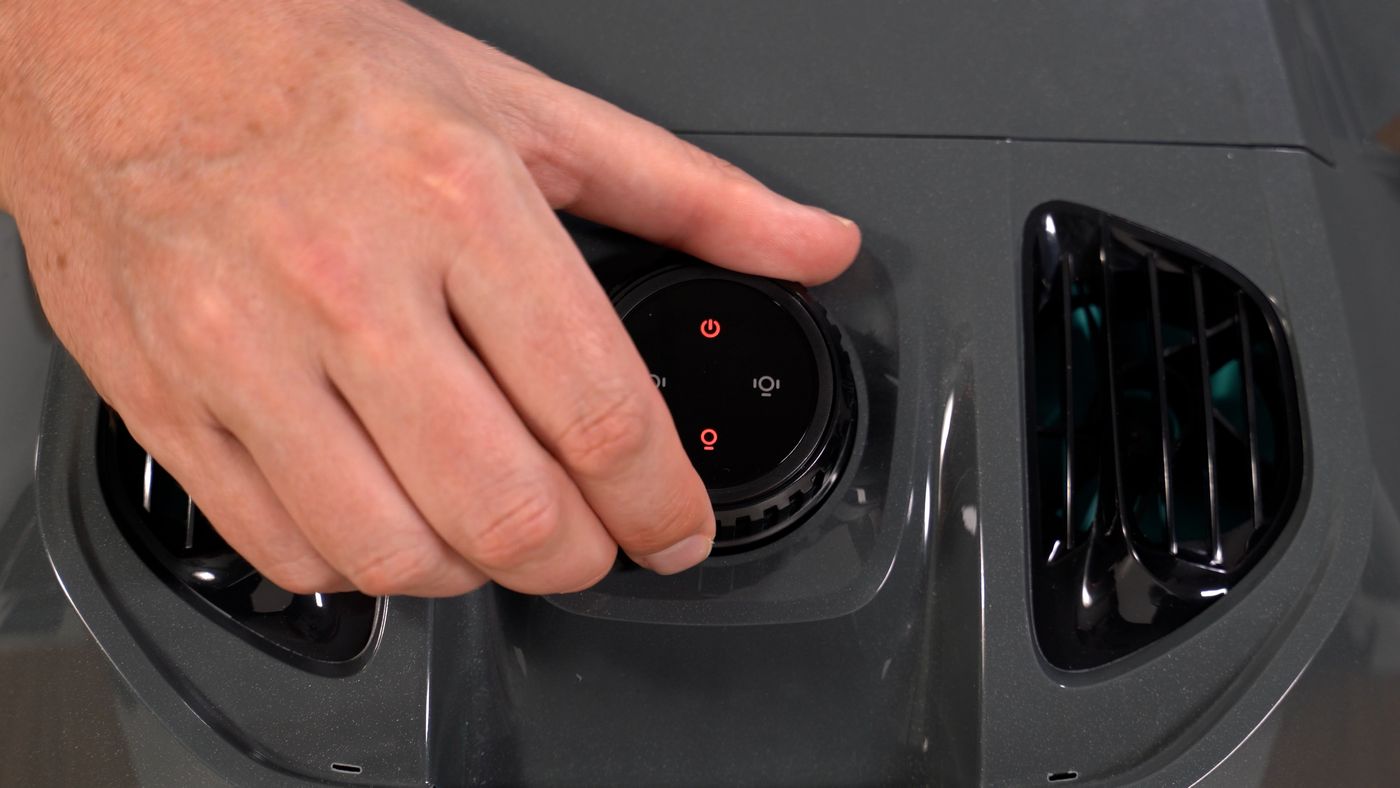
- Turn the dial clockwise one click. Each position gives a ding and lights a mode icon plus the ring. No ding and no light means no power: charge it.
- Flush a stuck dial. If the dial will not turn, small debris is usually trapped beneath it. Aiper's fix is to wash around the knob with a hose or a strong jet of water until it frees up. Do not force it.
- Put it in the pool. Lower it in with the front of the robot facing up. It begins cleaning within about 10 seconds of reaching the floor, not before.
- Never throw it in or put it in upside down. Aiper warns against both.
Stop and call support if: the dial is free and the battery is charged but nothing lights, or the dial stays jammed after flushing.
Seagull Pro Won’t Climb Walls
- Stays on the floor
- Starts up the wall and slides back
- Reaches the waterline only now and then
- Dial set to Floor mode
- Dirty filter basket
- Worn roller brush
- Wheel gear loose or missing
- Low battery
- Curved wall-to-floor transition
- Check the mode. Floor mode never climbs. Use Auto, which does the floor first and then the walls, or Wall mode, which only does walls.
- Clean the filter basket. Lift the tail of the top shell, pull the basket and wash it before every run. Aiper notes that debris hardened in the basket stops the robot working at full strength.
- Inspect the roller brush. Look along the front brush for flattened or missing sections. A badly worn brush belt cannot grip the wall; the belt peels off its silicone buckles and a new one presses on.
- Check the wheel gears. Make sure the gear on each wheel is present and secure. Aiper supplies replacements if one has come off.
- Start on a full battery. Climbing takes the most power. Begin with a green ring.
- Know the limits. Aiper says curved walls reduce its ability to climb, and it is not built for stairs, benches or tanning ledges.
Stop and call support if: it will not climb a straight wall on a full charge with a clean basket and a good brush, or it needs a new roller brush or wheel gear.
Seagull Pro Gets Stuck or Circles in One Area
- Sits on the main drain cover with the wheels turning
- Keeps working the same patch
- Stalls at steps or a ledge
- Raised main drain cover
- Drain suction with the pump running
- Obstacles or uneven surfaces
- Debris around a wheel
- Run it with the pool pump off. Aiper says not to operate the cleaner and the pool filter together. With the pump off, the drain is not pulling on it.
- Clear the pool. For a Pro that circles in one area, Aiper points first to obstructions and uneven surfaces. Remove toys, hoses and ladders.
- Check the wheels and brush. Turn it over (dial off) and clear hair or string from the wheels and the front roller. One dragging wheel will make it turn in circles.
- Free it from the deck. If it is parked on the drain, nudge it off with a pool brush, as we had to. Never remove or modify a drain cover to suit a cleaner.
- Use Floor or Wall mode to work around it. If one feature on the floor keeps catching it, run Wall mode on its own, then brush the floor area by hand.
Stop and call support if: it circles in open water with clean wheels, or one side does not drive.
Seagull Pro Stops Mid-Cycle
- Parked at the wall with a red ring
- Stopped with a flashing red ring and an alarm
- Stopped before it got to the walls
- Battery under 10%
- Fault alarm
- Basket packed with debris
- Read the ring. A steady red ring is a low battery: in Auto mode it stops and parks by the wall once it drops under 10%. A flashing red ring with a rapid alarm is a fault.
- Remember the order in Auto. Auto cleans the floor first and the walls second. If the battery runs out during the floor pass, the walls never get done. Run Wall mode from a full charge instead.
- Empty the basket. A full basket makes it work harder and shortens the run.
Stop and call support if: it stops with the flashing red ring and alarm.
Seagull Pro Not Picking Up Debris
- Leaves behind fine dust or algae
- Basket nearly empty
- Water still cloudy
- Basket clogged or not seated
- Top shell not closed
- Debris finer than the 180 micron basket
- Wash the basket. Lift the tail of the top shell, release the fasteners, pull the basket, open the tab on its lid, tip it out and rinse it with a hose.
- Reseat it and close the shell. Drop the basket back into its slot and press down on the tail of the top shell until it latches.
- Check the roller brush. The front brush should spin freely and have its full belt.
- Expect its limits on fine debris. The supplied basket is 180 micron. Very fine dust and algae pass through it, which matches what we saw.
Stop and call support if: the basket mesh is torn or the latch is broken. Aiper's support blog says replacement Seagull Pro baskets are ordered through a support ticket rather than the web store.
Seagull Pro Debris Falls Out When You Lift It
- Dirt streams back into the pool as it comes out
- Lid of the debris bin pops up
- Inlet flap at the bottom of the basket held open
- Basket overfull
- Top cover not latched
- Check the inlet flap. Look at the cover over the inlet at the bottom of the basket. If a twig or leaf is holding it open, debris drops straight back out when you lift.
- Empty it after every run. Aiper's advice is to clean the basket after each use so it never overflows.
- Press the cover shut. Push firmly on the upper cover until you hear it close, then press again to make sure it does not spring back.
Stop and call support if: the flap or the cover latch is broken.
Seagull Pro Flashing Red Ring and Alarm
- Ring flashing red with a constant rapid alarm in the pool
- Rapid alarm with the ring off on the charger
- Blocked rotor
- Water in the motor (flooded) or electrical leakage
- Dial on a cleaning mode while charging
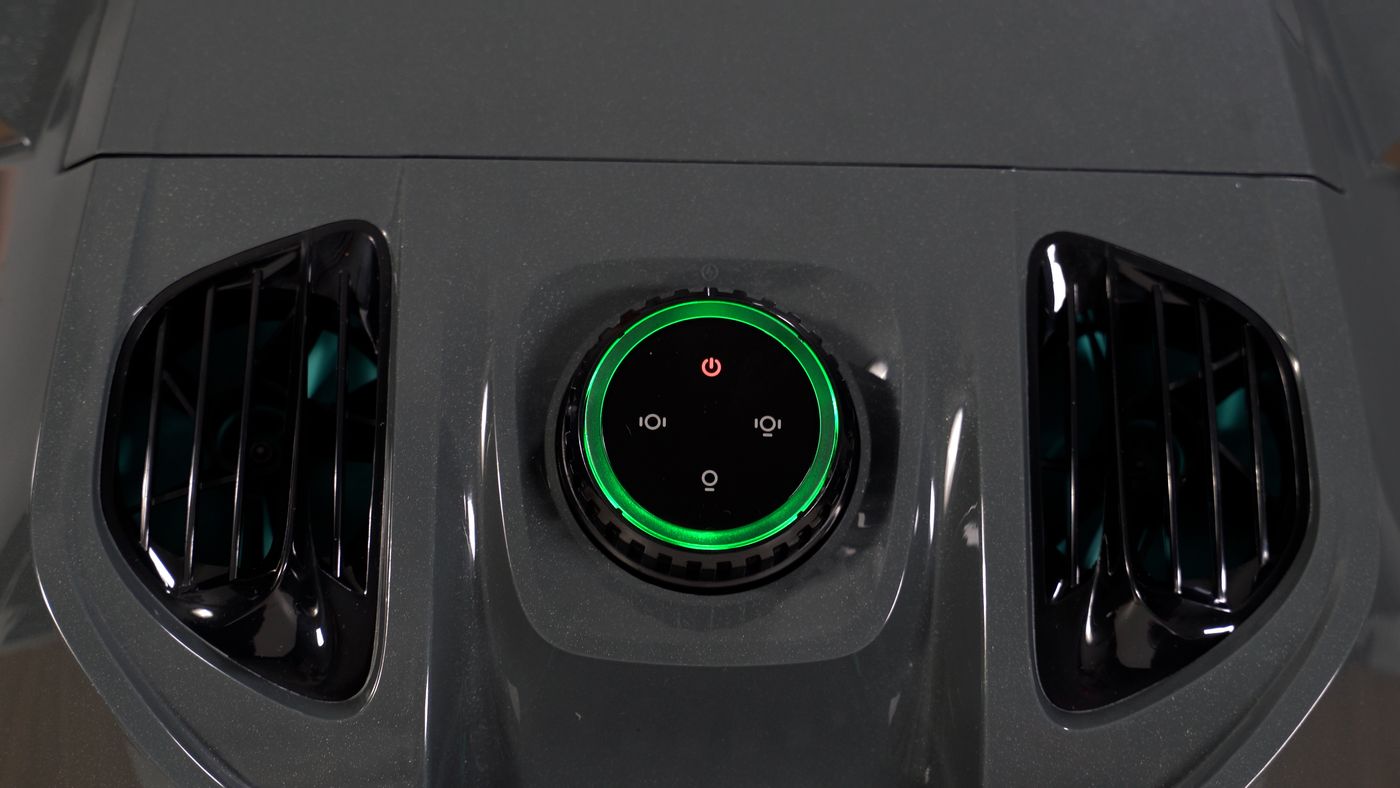
- Tell the two alarms apart. On the charger with the ring off, the alarm only means the dial is not at the power icon. In the pool with the ring flashing red, it is a real fault.
- Get it out and switch it off. Hook it out, turn the dial counter-clockwise to off and let it drain.
- Do not charge it. Aiper describes the flashing red ring as a blocked rotor or a flooded motor and directs owners to support for repair or replacement. With a lithium battery involved, do not put a possibly flooded robot on the charger.
- Record it. Take a short video of the ring and the alarm and note the serial number from the underside before you contact Aiper.
Stop and call support if: always, for a flashing red ring with the alarm in use.
Seagull Pro Hard to Retrieve
- Too heavy to pull up the wall comfortably
- Parked away from where you can reach it
- About 21 lb dry plus the water inside it
- Battery ran out before it reached the wall
- Hook the handle and bring it to the wall. Fit the included hook to your pool pole, catch the handle and draw the robot to the edge before you lift.
- Let it drain at the surface. The Pro is built to shed its water as it comes up. Hold it at the waterline until the flow slows, then lift with both hands and bent knees.
- Pick the easiest place to lift. If lifting it up the wall is a strain, walk the pole along and bring it out where the deck is lowest.
- Catch it when it parks. When the cycle ends or the battery gets low it moves to the pool edge. Retrieve it then.
Stop and call support if: not a support issue.
Seagull Pro Short Battery Life
- Runs far short of the rated 180 minutes
- Ring is yellow or red soon after a full charge
- Unplugged before the ring went green
- Wall climbing uses more power than floor work
- Battery wear
- Stored fully flat or in heat
- Charge to a solid green ring. Charging stops by itself when the ring goes green.
- Compare like with like. A Wall or Auto run drains the battery faster than a Floor run. Time a Floor-only run for a fair check.
- Keep the basket and brush clean. A clogged basket and a brush wound with hair both add load.
- Store it cool. Keep it indoors, out of the sun, when it is not in use.
Stop and call support if: runtime has dropped sharply inside the warranty. Aiper asks for the serial number, purchase date and a description of the drop, and replaces the whole unit rather than the battery.
Seagull Pro Worn Roller Brush or Wheels
- Brush belt flattened, torn or slipping
- A wheel wobbles or its tread is worn smooth
- Climbing has got worse over time
- Normal wear
- Rough pool surfaces
- Replace the brush belt. Turn the dial off. On the back of the roller brush belt, peel each silicone buckle out of its mounting slot and take the belt off. Line the new belt's buckles up with the slots and press each one in.
- Replace a wheel. Lift the wheel cover marked A, remove the screws holding the wheel, then pull the shaft and sleeve cover to take the wheel off. Refit in reverse.
- Get the right parts. Ask Aiper for a roller brush or wheel gear for the Seagull Pro specifically, and quote the serial number.
Stop and call support if: you need a brush belt, wheel or wheel gear.
Seagull Pro Lights and What They Mean
These are the indicator states listed in the official Aiper material for the Aiper Seagull Pro. If what you see is not here, check the manual for your exact production run before acting on it.
Nothing to do.
Nothing to do.
Fine for a floor run; wall climbing will suffer on a low battery.
Retrieve it and recharge.
Leave it until the ring turns solid green; charging then stops by itself.
Unplug the charger and push the silicone plug back into the port.
Turn the dial back to the power icon. The alarm stops and the ring starts flashing.
Take it out of the pool, turn the dial to off and do not charge it. Contact Aiper for repair or replacement.
None.
Turn the dial clockwise to choose a mode.
What We Saw Testing the Seagull Pro
We ran the Aiper Seagull Pro in our own test pool for our Aiper Seagull Pro review. These are the things we ran into ourselves, so you can tell a quirk of the model from a real fault.
- Stuck on the main drain: It hung up on our main drain more than once and we had to push it off with a pool brush.
- Heavy to lift out: At over 21 pounds dry, and more once it has taken on water, it was hard work to get out of the pool.
- Waterline only occasionally: It reached the waterline now and then but did not stay long enough to clean it properly.
- Inconsistent wall climbing: It could not reliably haul its own weight up to the tile line.
- Single filter level: It ships with one grade of filter basket and did not clear fine debris, algae or cloudy water for us.
- Recalled: After our review went up, the Seagull Pro was recalled over burn and fire hazards.
- Hook retrieval: Retrieval meant catching it with the small plastic hook and dragging it up the wall.
- LED ring: The light ring around the dial made it easy to see when it was charged and ready.
When to Call Aiper Support
Stop troubleshooting and get the Seagull Pro looked at if any of these are true:
- The same fault comes back right after a full clean and a restart
- You see water inside a sealed compartment, or the robot has become noticeably heavier
- There is a burning smell, a melted connector, or visible corrosion on the electrical contacts
- The battery will not take a charge, or the runtime has dropped to a fraction of what it was
- A motor is silent or grinding with nothing blocking it
Before you call, write down the serial number, find your proof of purchase, and record a 20 to 30 second video of the problem. A clip of the robot failing, plus a clear shot of any light on the robot or charger, gets a warranty claim moving faster than any description.
- Support: Aiper support
- Phone: +1 866 850 0666 (Mon-Fri, 9 AM-6 PM ET)
- Email: service@aiper.com
- Manual: Aiper Seagull Pro user manual
- Warranty: 24 months per Aiper's warranty table
Recall line for the Seagull Pro ZT6001: (888) 968-0666, 9 AM-9 PM ET Monday to Friday, or recall@aiper.com; remedy is a free Scuba S1. Outside the recall, the Seagull Pro carries a 24-month warranty on Aiper's warranty table. Claims start at aiper.com/us/process-a-warranty with an order number or dated receipt. Aiper….
Aiper Seagull Pro Troubleshooting FAQ
Is my Aiper Seagull Pro part of the recall?
The recall covers the Seagull Pro model ZT6001 with a serial (batch) number starting with 61 on the underside, sold from March 2023 to May 2024. If yours matches, stop using and charging it and register with Aiper for a free replacement Scuba S1.
What do the light ring colors mean on the Aiper Seagull Pro?
The ring shows the battery: green above 90%, blue 50 to 89%, yellow 10 to 49% and red below about 9%. It flashes slowly while charging and turns solid green when full. A flashing red ring with a constant alarm in use is a fault.
Why is my Aiper Seagull Pro beeping when I plug it in?
The dial is on a cleaning mode. The Pro only charges with the dial turned back to the power icon; otherwise the ring stays off and it sounds a rapid alarm.
Why won't my Aiper Seagull Pro climb the walls?
Check that it is not in Floor mode, then clean the filter basket, look for wear on the front roller brush and make sure the wheel gears are in place. Curved walls and a low battery also stop it climbing.
Can the Aiper Seagull Pro be used in a saltwater pool?
Aiper's help center says no and points saltwater owners to its Scuba range. The manual lists 5,000 ppm as the maximum salt level, so if you do run it in salt water, rinse it with fresh water afterwards.
Does the Aiper Seagull Pro clean steps?
No. Aiper says it is designed for floors and walls and is not programmed for stairs, benches or tanning ledges.
Still stuck after every check?
Go back to our review for how the Seagull Pro is supposed to behave, or contact Aiper with your serial number and a short video of the problem.