
The short answer
Most Beatbot Sora 10 problems trace back to three things: a filter sealed with fine debris, a battery that is not fully charged, or air trapped in the body. Rinse the filter until the water runs clear, charge until the light shows full, and let the air out before the next run.
This is the troubleshooting home for the Beatbot Sora 10. It is a cordless, battery-powered robot that cleans the floor, walls and waterline. Below are the 10 problems owners run into most, each with the checks we would make first and the point where it stops being a do-it-yourself fix.
Safety first: take the Sora 10 out of the water and switch it off before you open the filter, touch the brushes, or reach near the impeller. Never charge it while it is wet at the charging contacts, and never open the sealed battery or motor housing.
Sora 10 Quick Checks First
Run through these before you chase a specific symptom. Between them they clear up most of what goes wrong with a Beatbot Sora 10.
- Charge it all the way. Leave the Sora 10 on charge until the light shows full, not just until it turns on. A partial charge causes short runs, weak climbing, and robots that stop in the middle of the pool.
- Rinse the filter until the water runs clear. A filter that looks clean can still be sealed with fine dust. Most pickup, climbing, and early-shutoff complaints end here.
- Let the air out. Hold the robot under the surface and rock it until the bubbles stop before you let go. Trapped air makes it float, tip, and lose grip.
- Rinse it and seat it squarely on the charger. Rinse the Sora 10 with fresh water after every run, dry the charging area, and make sure it sits fully in place on the charger. A robot that is a little off will look docked and never fill.
- Check the water. Algae, very cold water, and chemistry far out of range all make a robot slip. Fix the water before you blame the machine.
Beatbot Sora 10 at a glance
- Type
- Cordless, battery powered
- Cleans
- Floor, walls and waterline
- Filter
- One top-loading filter basket, 150-micron mesh, 5 L
- Battery
- 7,800 mAh. Rated for 5 hours of run time and 4.5 hours to charge. It charges from a plug-in charger that connects to the…
- App
- Beatbot app over Wi-Fi and Bluetooth
- Built for
- Above-ground and in-ground pools
- Weight
- Not confirmed. Our review notes it is lighter than the 20…
- Warranty
- 2 years
Sora 10 Won’t Turn On or Shuts Itself Off
- No light when you push the mode switch
- It powered on, then went dark before you got it in the pool
- Faint pump noise on the deck
- Switch held too long (a long hold is the power-off action)
- Robot left out of the water for more than 10 minutes
- Flat battery
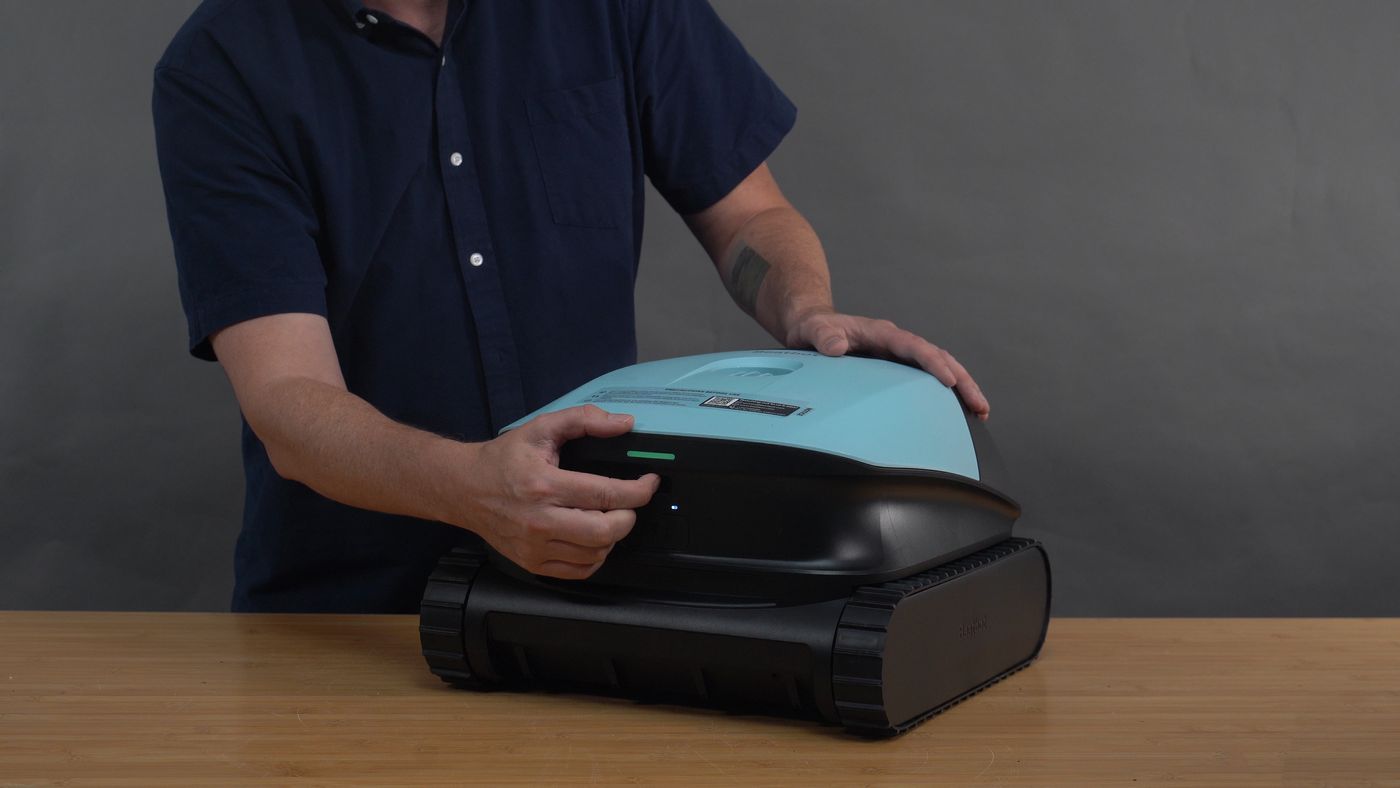
- Push and release within a second. Push the mode switch to either side and let go straight away. The side you push picks the mode, and that mode's light turns solid white. Holding the switch for about 3 seconds is how you turn it off.
- Get it in the water quickly. The Sora 10 powers itself off after 10 minutes out of the water to save the battery. Turn it on at the pool edge, not in the garage.
- Ignore the pump pulses. A short pump noise every so often while it sits on the deck is normal. The robot is checking whether it is in water yet.
- Charge it. If there is still no light, connect the charger. The robot powers on by itself when it is charging and the status light should start a breathing pulse. A new robot ships partly charged, so charge it fully before the first run.
Stop and call support if: there is no status light at all with the charger connected to a working outlet.
Sora 10 Won’t Charge
- No breathing light with the charger connected
- Light never reaches solid green
- White crust on the charging port
- Charger plug not pushed fully into the charging port
- Wet, dirty or scaled charging contacts
- Dead outlet
- Faulty charger
- Test the outlet. Plug in another device to confirm the outlet is live.
- Dry and clean the port. Unplug the charger. Make sure the contacts on the charger plug and in the robot's charging port are dry. Beatbot says to wipe the port with a damp towel and to dissolve white crystal deposits with citric acid or white vinegar, then dry it.
- Seat the plug firmly. Line the charger plug up with the charging port and push until it is fully home. A half-seated plug is the most common reason for no breathing light.
- Read the breathing color. Orange breathing means 15% or less, yellow 15 to 30%, green above 30%. A full charge takes about 4.5 hours and ends with a solid green light. Charge indoors, somewhere dry and between 32 and 104 F.
- Measure the charger. With a multimeter on DC volts, measure across the two metal terminals of the charger plug. Beatbot's guide says a healthy charger reads between 26.6 V and 30 V. Outside that range the charger needs replacing; inside it, the robot is the problem.
Stop and call support if: the charger reads 26.6 to 30 V and the robot still will not charge, or the charger reads out of range. Use only Beatbot's charger for this robot.
Sora 10 Sits on the Pool Floor and Doesn’t Move
- Robot motionless on the floor
- Status light flashing orange when you pull it up
- It cleaned earlier and has been parked on the floor since
- ECO Mode is on (it rests on the floor between cleans)
- It waited at the wall for 10 minutes and went back down
- Trapped near a drain or obstacle
- Filter basket clogged
- Debris jammed in the pump impeller
- Battery ran out
- Check for ECO Mode. In ECO Mode the Sora 10 settles on the floor after cleaning and stays there, starting another clean every other day. If you did not want that, lift it out and choose a different mode in the app.
- Free it with the hook. The robot tries to work itself loose from a drain or obstacle. If it is still stuck after several minutes and the status light is flashing orange, use the supplied hook on a pool pole to pull it clear.
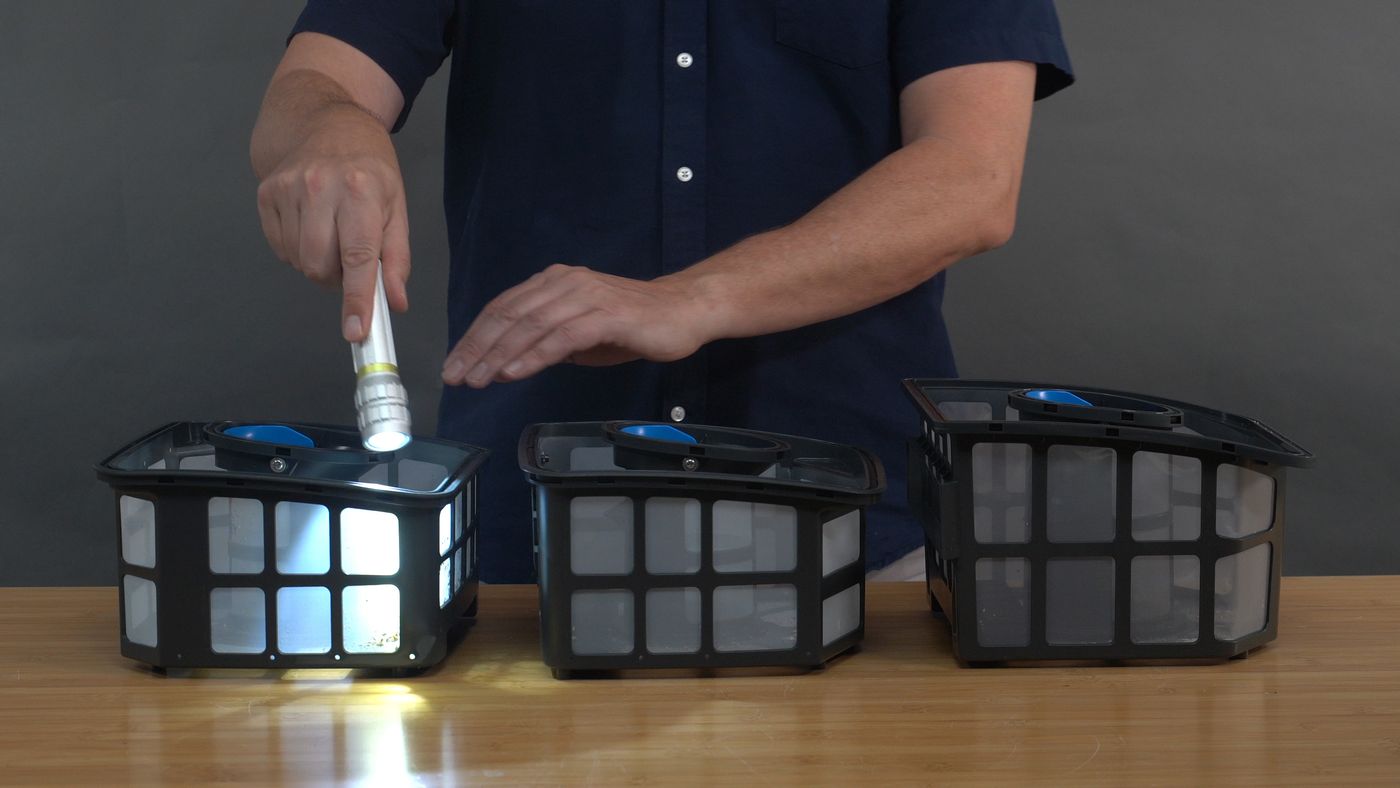
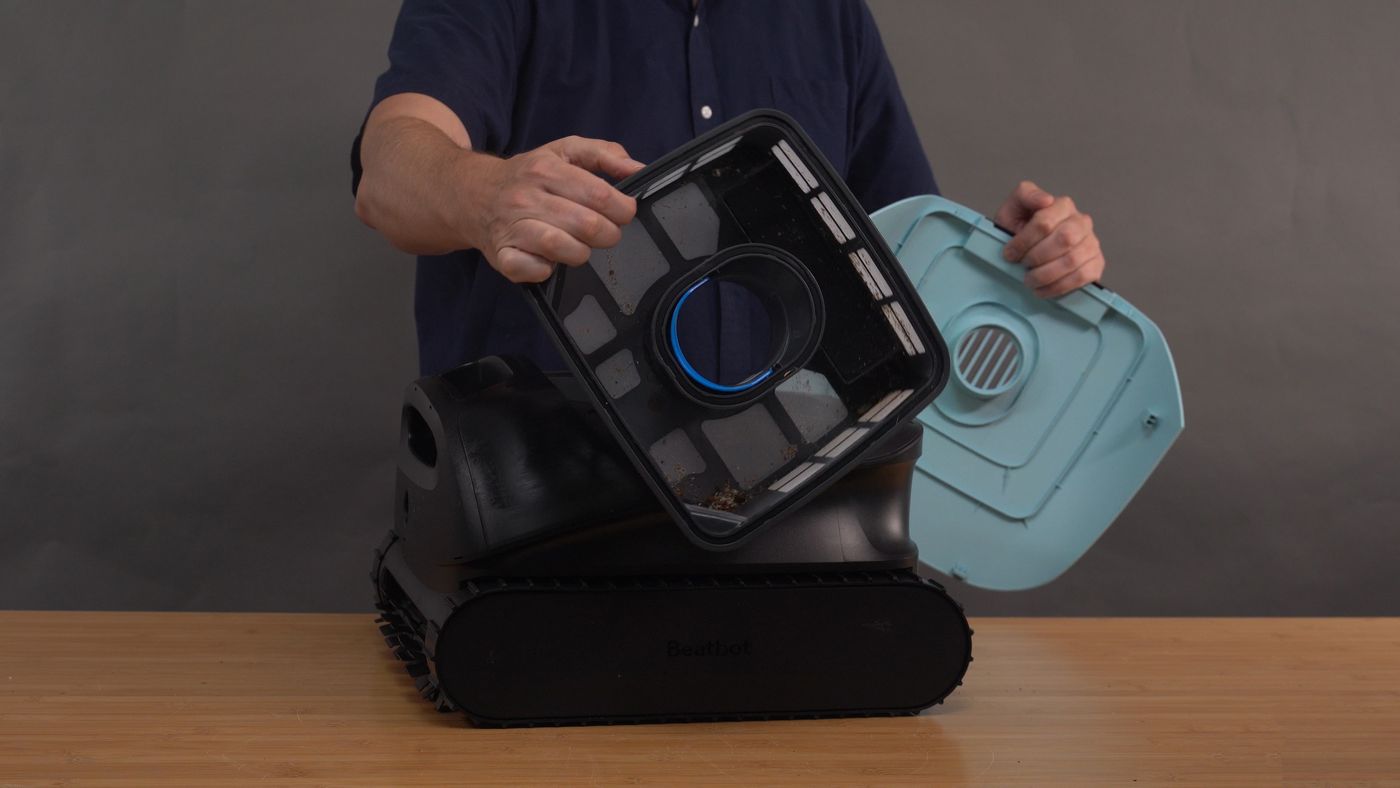
- Empty the basket. Lift the robot out, press the switch, remove the cover and pull the basket. In a very dirty pool the basket clogs fast and the robot cannot get back to the wall.
- Check the pump impeller. Power the robot off and take out the basket so you can see the impeller. Nudge it with a thin stiff stick: it should spin freely both ways. If debris is caught, remove the impeller guard, clear it and refit the guard securely.
- Run with the pool pump off. Beatbot recommends running the robot with the circulation system off so drain suction does not hold it down.
Stop and call support if: the impeller will not turn freely with nothing in it, or the robot stays dead on the floor with a full charge and a clean basket.
Sora 10 Tilts Nose-Up or Won’t Sit Flat
- One end lifts off the floor while it drives
- It tips up right after going under
- Does wheelies instead of cleaning
- Clogged filter basket (Beatbot's top cause)
- Air trapped inside right after it submerges
- Sun shelf, steep ramp or unusual pool shape
- Out-of-date firmware
- Clean the basket. A clogged basket changes the water flow that holds the robot down. Empty and rinse it. For a very dirty pool Beatbot suggests Floor Mode in several short cycles, emptying the basket between them.
- Shake the air out. If it tilts as soon as it goes under, hold it fully under water by the handle and rock it up and down until the bubbles stop, then let it go.
- Start in the deep end. Beatbot's general advice is to start each cycle from the deep end of the pool.
- Update the firmware. For tilting on sun shelves, steep slopes or odd shapes, pair the robot with the Beatbot app out of the water and install any firmware update.
- Prep a neglected pool first. Beatbot says to net out large floating debris, treat algae and run the pump and skimmer for at least 24 hours before sending the robot into a pool that has not been cleaned in a long time.
Stop and call support if: it still tilts with a clean basket, current firmware and a deep-end start.
Sora 10 Won’t Climb Walls or Reach the Waterline
- Stays on the floor all cycle
- Touches the wall, turns and drives away
- Climbs but barely scrubs the waterline
- Preset Mode selected (floor only by default)
- Clogged filter basket reducing climbing power
- Worn or dirty brush strips and tracks
- Water chemistry outside the manual's range
- Use Standard Mode. Push the mode switch to the Standard Mode side so that light is white. Preset Mode is floor only unless you have changed it in the app. The app also has a Wall Mode.
- Clean the basket. Beatbot explains that a full or clogged basket cuts climbing power and the robot wastes battery retrying. Rinse the basket before each wall run.
- Clean the brush and tracks. Release the tabs on the roller brush, pull the rubber brush strips off, rinse out grit and refit them through each slot. Clear anything caught in the tracks.
- Check the water. The manual calls for chlorine at 4 ppm or less, pH 7.0 to 7.8 and water between 43 and 95 F. Brush slick algae off the walls before the cycle.
- Set expectations. In our testing the Sora 10 did reach the waterline but felt underpowered on walls. For a waterline scum line, run Wall Mode with the run time set to Max in the app.
Stop and call support if: it never leaves the floor in Standard Mode with a clean basket and good brush strips.
Sora 10 Not Picking Up Debris or Fine Dirt
- Basket nearly empty after a cycle
- Silt, dust or pollen left on the floor
- Leaves pushed around instead of picked up
- Particles smaller than the 150-micron mesh pass through
- Basket mesh coated with fine dirt
- Brush strips packed with debris
- Impeller partly blocked
- Know the limit of the mesh. The Sora 10's basket is 150-micron mesh. It stops leaves, twigs and bugs but silt, dust and pollen go through. Beatbot sells a 3-micron basket for the Sora 30 and Sora 70 only, not for this model.
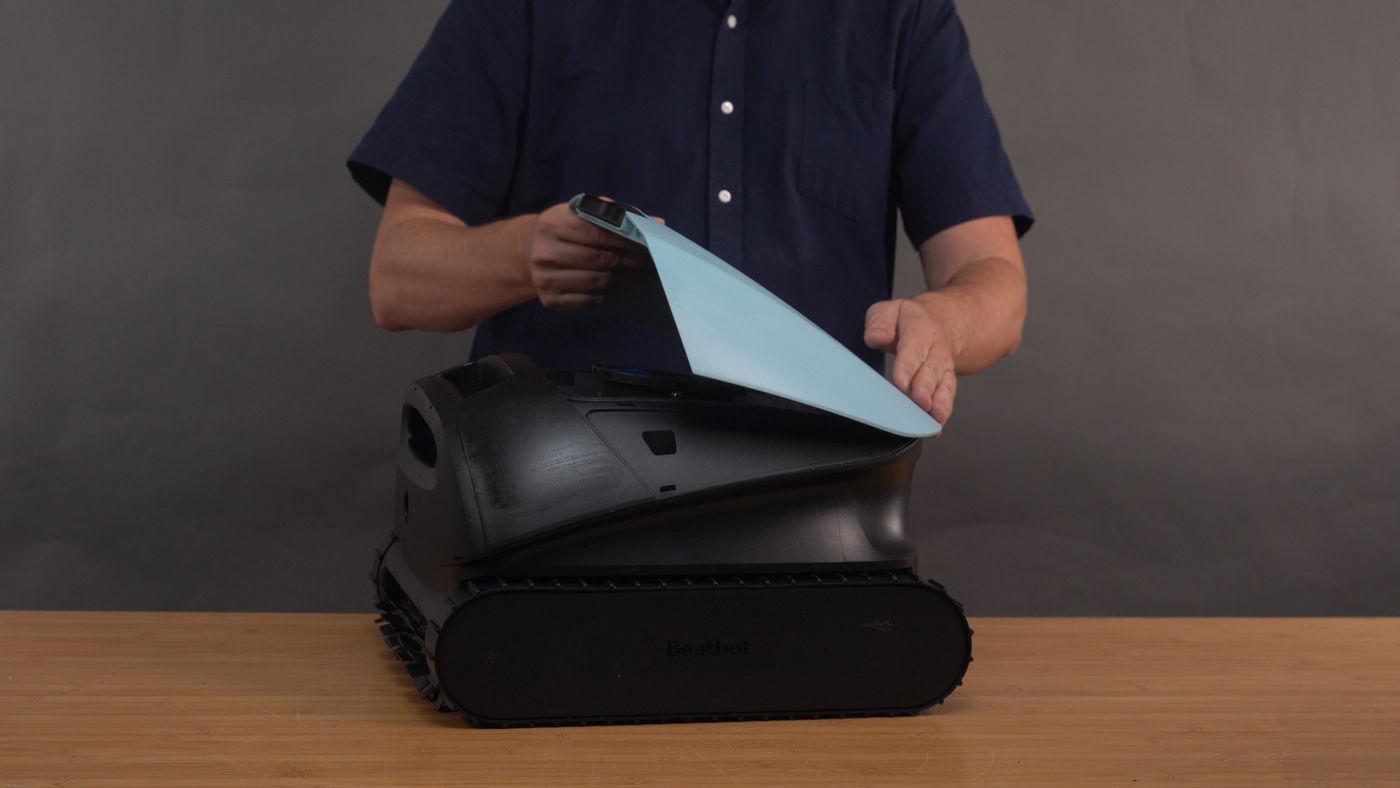
- Rinse the basket properly. Press the switch, remove the cover and lift the basket. Dump it and hose the mesh until water runs through freely. Seat it back and close the cover.
- Clean the roller brush. Release the roller brush tabs, remove the rubber brush strips and rinse them. Thread the tabs back through every slot so the strips sit flat.
- Check the impeller. With the robot off and the basket out, look down at the pump impeller and remove anything wound around it. It should spin freely with a nudge.
- Run with the pool pump off. Return jets stir fine debris back up. Shut the circulation off while the robot runs, then let the pool filter catch what the mesh cannot.
Stop and call support if: there is no water flow from the outlet on top with a clean basket and a free impeller.
Sora 10 Misses Spots or Repeats the Same Area
- Keeps going back to one corner
- Parts of the floor look untouched
- Spends the whole cycle on a shallow shelf
- Standard Mode spreads the cycle across floor, walls and waterline
- Irregular edges, steps or fixtures cause overlapping passes
- Dirty ultrasonic sensor
- Out-of-date firmware
- Wipe the sensor. Check the ultrasonic sensor after each use and wipe it with a soft dry cloth. Anything stuck over it throws off wall detection.
- Use Floor Mode at Max for the floor. Beatbot says Floor Mode drives S-shaped lanes over the open floor and then makes a second sweep for missed spots and corners. Set the run time to Max in the app when corners are the complaint, or when the robot lingers on a sun shelf.
- Use Wall Mode for walls. Run Wall Mode with the run time at Max as a separate cycle rather than expecting one Standard cycle to do everything well.
- Expect some overlap. Beatbot describes retracing near steps, curved edges and fittings as normal behavior that the robot corrects on its own. We saw repeated passes over one corner in our own pool.
- Update the firmware. Pair the robot with the app out of the water and install any update, since navigation changes arrive that way.
Stop and call support if: the robot circles in place or one track does not drive.
Sora 10 Not Waiting at the Waterline
- Cycle finished and the robot is on the floor
- No notification that it finished
- It never made it back to the wall
- The 10-minute parking window passed
- Clogged basket stopped it climbing back
- Battery ran out before the end
- ECO Mode is on
- Know the 10-minute window. After a full cycle the Sora 10 climbs the wall and holds at the waterline for 10 minutes. If nobody lifts it out, it goes back to the floor and waits in standby.
- Set a timer. The app cannot tell you it has finished, because Wi-Fi does not reach the robot under water. The notice only arrives once it is out of the pool. Set a phone timer for the end of the cycle instead.
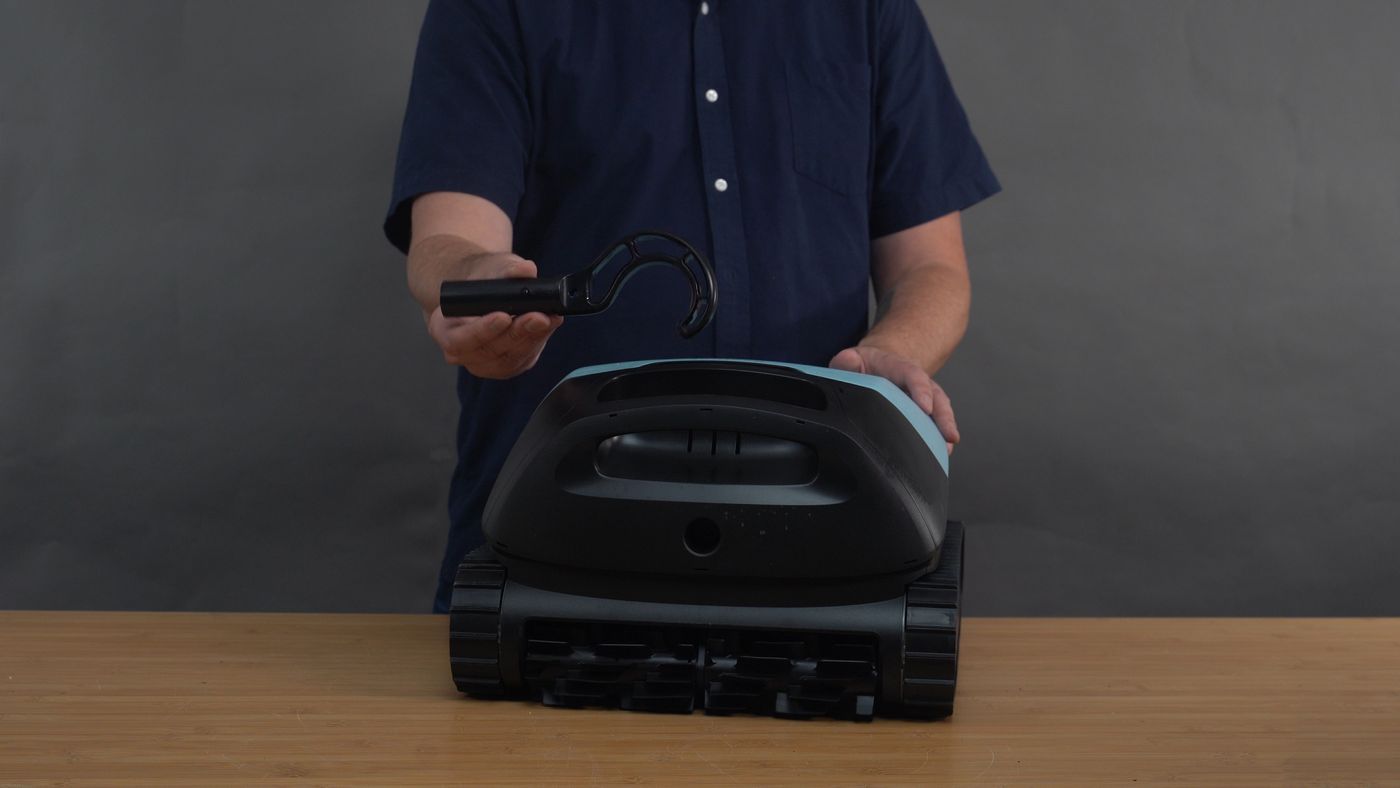
- Use the hook. Screw the supplied hook onto a pool pole, catch the handle and bring the robot to the surface before lifting it by hand.
- Clean the basket. A basket clogged in a dirty pool can stop the robot getting back to the wall at all. Empty it and try again.
- Check the mode. If ECO Mode is active the robot is meant to stay on the floor between cleans. Switch modes in the app if you want it to park at the wall.
Stop and call support if: it never returns to the wall with a clean basket and a full battery.
Sora 10 Battery Runs Out Early
- Cycle ends well short of the rated 5 hours
- Robot found dead on the floor
- ECO Mode stops after a few days
- Clogged basket making the robot retry wall climbs
- Robot getting stuck
- Very dirty pool
- Partial charge
- ECO Mode slowly draining the pack in the pool
- Start with a clean basket. Beatbot explains that a full basket reduces climbing power, so the robot keeps attempting the wall and uses more battery. Rinse the basket before each run.
- Charge to solid green. Leave the charger connected until the breathing light becomes solid green, about 4.5 hours from empty.
- Fix what traps it. Stalls against a drain or an overloaded motor drain the pack quickly. Work through the not-moving steps first.
- Treat ECO Mode as light maintenance. ECO Mode runs a clean every other day from the same 7,800 mAh charge. In our testing the battery ran down quickly and the robot then had to be hooked out and charged.
- Store it half charged. For winter the manual says to power it off, store it indoors and top the battery up to about 50% at least every 6 months.
Stop and call support if: run time stays far below the rating on a full charge with a clean basket. The battery is covered under the 2-year main-body warranty.
Sora 10 App Won’t Connect or Shows Offline
- Pairing fails in the Beatbot app
- Robot shows offline
- No Beatbot-Sora 10 network in the Wi-Fi list
- Robot is under water (Wi-Fi does not pass through water)
- 6 GHz or combined-band Wi-Fi network
- Wrong Wi-Fi password
- Robot bound to another account
- Robot shut itself off after 10 minutes on the deck
- Pair it on dry land. Offline during cleaning is normal and the app catches up when the robot is out of the water. For setup, power the robot on next to your phone. It enters network setup by itself when first switched on.
- Turn on the hotspot by hand. If the first attempt failed or the robot belongs to another account, push and hold the mode switch for about 5 seconds, as shown in the manual's hotspot step, until the status light flashes blue. A network named Beatbot-Sora 10 followed by four characters should appear in your phone's Wi-Fi list.
- Use the 2.4 GHz band. Beatbot says the robot supports 2.4 and 5 GHz but not 6 GHz, and that you should pick the separate 2.4 GHz network if your router merges bands.
- Check the password. The Wi-Fi password must be 8 to 32 characters. Tap the eye icon in the app to read back what you typed.
- Switch pairing method. If Wi-Fi pairing keeps failing, tap Add Robot and use Bluetooth, scan the QR code on the robot, or choose Add Manually and pick the Sora 10 from the list.
- Move quickly. The robot powers off after 10 minutes out of the water, which can end a slow pairing attempt. If the lights go out, push the mode switch again and restart setup.
Stop and call support if: the status light will not flash blue or the Beatbot-Sora 10 network never appears. Beatbot treats that as a replacement case.
Sora 10 Lights and What They Mean
These are the indicator states listed in the official Beatbot material for the Beatbot Sora 10. If what you see is not here, check the manual for your exact production run before acting on it.
Nothing to fix. Unplug the charger and start a cycle.
Charge it fully before the first run or the next cycle.
Plug in the charger now.
Use the hook to free the robot or lift it out, then clear the basket, brush and tracks before restarting.
Finish setup in the Beatbot app, or leave the robot alone until the update completes.
Leave the charger connected until the light turns solid green.
Check it is the mode you want before the robot goes in. Preset Mode is floor only unless you changed it in the app.
Get ready to lift it out. It only waits at the waterline for 10 minutes.
What We Saw Testing the Sora 10
We ran the Beatbot Sora 10 in our own test pool for our Beatbot Sora 10 review. These are the things we ran into ourselves, so you can tell a quirk of the model from a real fault.
- Slow, drifting pace: The Sora 10 moved through the water slowly, more of a steady drift than a deliberate mapped pace.
- Weak on walls and waterline: It did climb and reach the waterline, but it felt underpowered on vertical surfaces and did not scrub the waterline as thoroughly as corded robots we have tested.
- Fine debris gets through: The 150-micron mesh caught leaves, twigs and bugs but struggled with silt, dust and pollen.
- Hook retrieval every cycle: Because it only waits at the wall for 10 minutes before sinking, we ended up fishing it out with the hook as a matter of routine.
- Keeps returning to the same corner: Its path looked fairly random. It came back to one corner again and again while other parts of the floor got less attention.
- Bump-and-pivot at walls: On reaching a wall it often just touched it, turned and headed back the other way.
- Light basket after a cycle: The filter basket regularly came out holding less debris than we expect after a full cycle.
- App is offline during cleaning: The app was useful for setup, mode selection and checking the battery afterwards, but it disconnected as soon as the robot submerged.
When to Call Beatbot Support
Stop troubleshooting and get the Sora 10 looked at if any of these are true:
- The same fault comes back right after a full clean and a restart
- You see water inside a sealed compartment, or the robot has become noticeably heavier
- There is a burning smell, a melted connector, or visible corrosion on the electrical contacts
- The battery will not take a charge, or the runtime has dropped to a fraction of what it was
- A motor is silent or grinding with nothing blocking it
Before you call, write down the serial number, find your proof of purchase, and record a 20 to 30 second video of the problem. A clip of the robot failing, plus a clear shot of any light on the robot or charger, gets a warranty claim moving faster than any description.
- Support: Beatbot support
- Phone: (833) 702-4399 (9:00 AM to 6:00 PM Central, seven days a week)
- Email: service@beatbot.com
- Manual: Beatbot Sora 10 user manual
- Warranty: 2 years
24-month warranty on the main body including the battery and charger; 3 months on filter baskets and roller brushes. Valid for purchases from Beatbot or an authorized dealer in the US or Canada. Have proof of purchase and the serial number ready; Beatbot may ask for a firmware update first.
Beatbot Sora 10 Troubleshooting FAQ
Why does my Beatbot Sora 10 turn itself off?
It powers off after 10 minutes out of the water if nothing is happening, to save the battery. Turn it on at the pool edge and put it straight in. It also shuts down by itself when the battery is empty.
Why is my Beatbot Sora 10 sitting on the bottom of the pool?
Usually it finished, waited 10 minutes at the waterline and went back down, or ECO Mode is on and it is resting between cleans. If the status light is flashing orange it is stuck: free it with the hook and clean the basket.
What does a flashing orange light mean on the Beatbot Sora 10?
The manual lists flashing orange as an error (it also shows during a factory reset). In the pool it typically means the robot is trapped. Solid orange is different and only means the battery is very low.
How long does the Beatbot Sora 10 take to charge?
About 4.5 hours from empty with the supplied plug-in charger, for a rated 5 hours of run time. The light pulses while charging and turns solid green when full.
Why does the Beatbot Sora 10 go offline in the app?
Wi-Fi does not travel through water, so the robot disconnects as soon as it submerges. It reconnects once it is out of the pool and syncs the cleaning record then.
Can the Beatbot Sora 10 pick up fine dirt and algae dust?
Not well. Its basket is 150-micron mesh, so silt, dust and pollen pass through, which is what we saw in testing. Beatbot's 3-micron basket is sold for the Sora 30 and Sora 70, not the Sora 10.
Still stuck after every check?
Go back to our review for how the Sora 10 is supposed to behave, or contact Beatbot with your serial number and a short video of the problem.