
The short answer
Most Dolphin Nautilus CC problems trace back to three things: a filter sealed with fine debris, something caught in the impeller, or a cable and power supply problem. Rinse the filter until the water runs clear, check the impeller, and reseat the cable before you assume a part has failed.
This is the troubleshooting home for the Dolphin Nautilus CC. It is a corded robot with a 50-foot floating cable and no swivel, a top-load filter basket, and no app. Below are the 14 problems owners run into most, each with the checks we would make first and the point where it stops being a do-it-yourself fix.
Safety first: unplug the power supply from the outlet before you lift, open, or reach into the Nautilus CC. Keep the power supply dry and well back from the pool edge, and never run the robot out of the water.
Nautilus CC Quick Checks First
Run through these before you chase a specific symptom. Between them they clear up most of what goes wrong with a Dolphin Nautilus CC.
- Clean the filter until the water runs clear. A filter that looks clean can still be sealed with fine dust. Most pickup, climbing, and steering complaints end here.
- Restart the power supply. Unplug it from the wall, wait 30 seconds, reseat the cable connector, and plug it back in. Start the cycle only after the Nautilus CC is on the floor.
- Check the impeller. With the power unplugged, look into the impeller opening (the fan that pulls water through the filter) for hair, string, or a twig. One small piece is enough to stall it.
- Put the right amount of cable in the water. Use about as much cable as the longest dimension of your pool. Too little holds the robot back. Too much tangles.
- Check the water. Algae, very cold water, and chemistry far out of range all make a robot slip. Fix the water before you blame the machine.
Dolphin Nautilus CC at a glance
- Type
- Corded, runs from a power supply
- Cleans
- Floor and walls
- Filter
- One top-load basket with the standard mesh filter
- Cable
- 50 ft floating cable, no anti-tangle swivel
- App
- No app
- Built for
- In-ground and above-ground pools up to 33 ft
- Weight
- 14.8 lb
- Warranty
- 1 year
Nautilus CC Power Supply Won’t Turn On
- No light on the power supply when you press the button
- The power supply turns on, then shuts off within seconds
- The GFCI outlet trips as soon as the Nautilus CC is plugged in
- A dead or tripped outlet, or an extension cord in the chain
- A cut, kinked, or corroded cord or blue cable
- A failed power supply (the unit itself is sealed and not repairable)
- Prove the outlet. Plug something else into the same outlet, reset the GFCI, then plug the power supply straight into the wall. Skip the extension cord and the surge strip for this test. They are a common reason a Dolphin power supply drops out.
- Look over both cords. Check the black power cord and the full length of the blue floating cable for cuts, crushed spots, and green or white corrosion on the connector pins. A damaged cable gets replaced, not taped.
- Run the isolation test. Unplug the blue cable from the power supply. Plug the power supply into the working outlet and switch it on with nothing attached. This one test tells you which half of the system is at fault.
- Read the result. If the power supply now turns on and stays on, it is fine and the problem is in the blue cable or the motor unit. If it stays dark or shuts off again with nothing connected, the power supply has failed and needs to be replaced.
- Give it a better home. Keep the power supply in the shade, off the ground, and well back from the pool edge. Heat and standing water are what shorten its life. Unplug it before a thunderstorm.
Stop and call support if: the power supply will not stay on by itself, or it stays on alone but shuts down the moment the blue cable is connected. The first is a power supply replacement; the second is a cable or motor repair.
Nautilus CC Won’t Start
- The power supply light is on but the Nautilus CC never moves
- It twitches once at the start and then sits still
- Nothing happens when you press the power button a second time
- The blue cable is not fully seated in the power supply
- Debris is jamming the impeller
- Something is wedged in a track or brush
- The robot was started out of the water
- Do a full restart. Unplug the power supply from the wall. Disconnect the blue cable from it and inspect the cable end. Wait 30 seconds, plug the power supply into a different outlet, reconnect the blue cable, and switch it on.
- Reseat the blue cable properly. Line up the notch on the cable connector with the socket on the power supply, push it all the way in, and turn the collar clockwise until it stops. A connector that is only half-seated lights the power supply but never powers the robot.
- Start it underwater. The Nautilus CC has to be fully submerged before you press start. Run dry, it shuts itself down to protect the motor. Let it sink to the floor first, then turn it on.
- Check the impeller. With the power supply unplugged, look down into the impeller opening on top of the robot. Hair, a twig, or a single acorn cap is enough to stall it. If you see anything, follow the impeller steps further down this page.
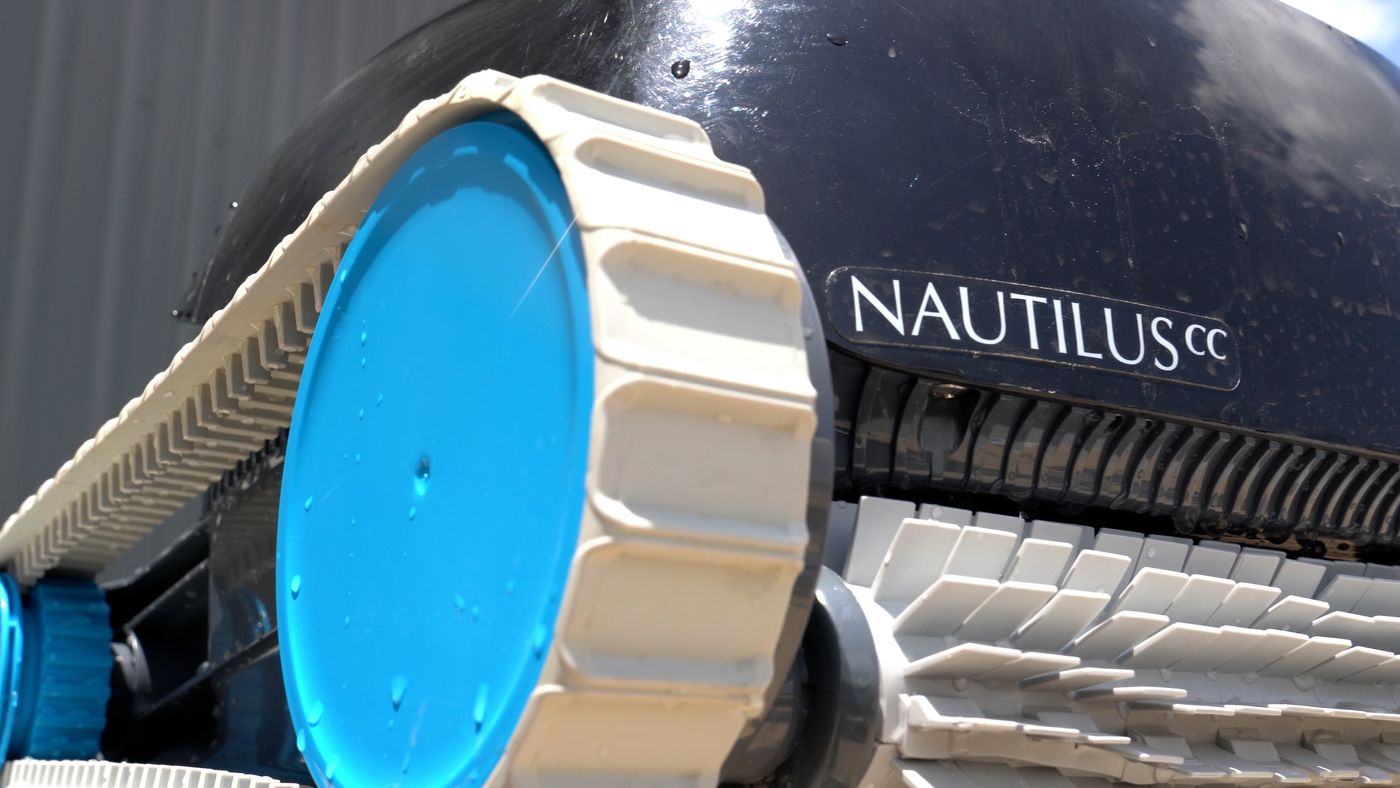
- Turn the brushes by hand. Flip the robot over and rotate each brush. You should feel light, even resistance and no grinding. If one side is locked, look for a pebble or pool toy piece wedged in the track.
Stop and call support if: the power supply stays on, the impeller and tracks are clear, and the Nautilus CC still will not move. That points at the cable or motor unit, which a service center has to test.
Nautilus CC Stops Mid-Cycle
- The Nautilus CC runs for a few minutes and stops
- It stops in a different spot each time
- A red light shows on the power supply
- A packed filter making the motor work too hard
- Debris in the impeller or the drive system
- The robot was lifted or started out of the water
- Nothing at all: the cycle simply finished (2 hours)
- Watch the power supply when it stops. If the power supply goes dark at the same moment the robot stops, treat it as a power supply problem and use the section above. If the power supply stays lit while the robot sits still, keep going here.
- Unplug it and pull the robot. Disconnect the power supply from the outlet, bring the Nautilus CC up by the cable, and lift it out by the handle.
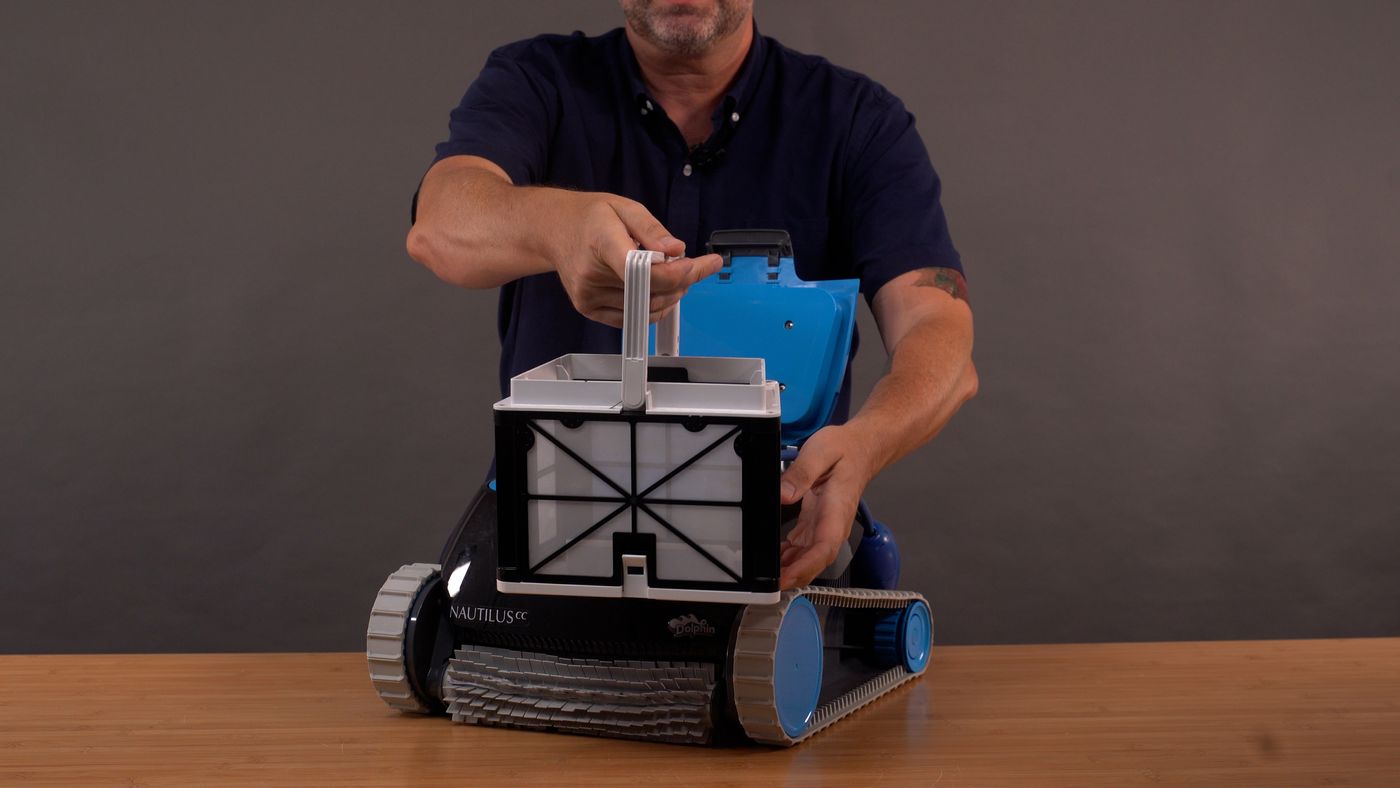
- Clean the filter basket. Open the top lid and lift out the filter basket. Rinse it with a hose until the water runs clear. A filter that looks clean can still be sealed with fine dust, so rinse both sides.
- Check the drive. With the robot on its back, turn the brushes by hand. A little resistance is normal. Look along both tracks and around the brush ends for string, hair ties, or stones.
- Clear the impeller. Remove the impeller cover with a hand screwdriver (never a drill), pull out anything wrapped around the blades, and refit the cover.
- Rule out a normal stop. The Nautilus CC runs a set cycle (2 hours) and then parks wherever it happens to be. If it ran that long, it is not a fault.
Stop and call support if: the filter, impeller, and tracks are all clear and it still quits early with the power supply lit. Take a short video of the stop and the light on the power supply before you call.
Nautilus CC Moves in Circles
- The Nautilus CC turns tight circles in one area
- It only drives forward or only backward
- One track moves while the other drags
- A clogged filter basket
- Debris in the impeller housing or cover
- Something jammed in one track
- The power supply is in a spot that keeps the cable tight
- Algae or water that is far out of balance
- Clean the filter basket first. A Dolphin steers partly with water flow. When the filter is packed, flow drops and the robot loses its ability to turn. Rinse it until the water runs clear.
- Clear the impeller housing. Unplug the power supply, open the impeller cover, and remove anything inside the housing or stuck to the underside of the cover.
- Check each track. Turn the robot over. Spin both tracks by hand and compare them. They should move with the same effort. Pull out anything wedged between the track and the body.
- Move the power supply. Set the power supply near the middle of the long side of the pool so the cable is not pulling the robot back toward one corner.
- Fix the water. Slick algae on the floor makes the tracks slip. Brush, shock, and balance the pool before you blame the robot. Maytronics’ target range is pH 7.2 to 7.6 with 1 to 3 ppm chlorine.
Stop and call support if: one track will not turn by hand, or one track stays dead in the water after everything is clean. That is a drive motor or gear problem.
Nautilus CC Won’t Climb Walls
- The Nautilus CC touches the wall and reverses
- It gets partway up and slides back down
- It climbs but never reaches the waterline
- A clogged or worn-out filter (the number one cause)
- Debris in the impeller
- Cold water, below about 59°F
- Slippery walls from algae or unbalanced water
- Worn brushes or flattened foam climbing rings
- Not enough cable in the pool
- Wash the filter basket until it rinses clear. Climbing depends on suction holding the robot to the wall. An ultra-fine filter should wash out white. If it stays brown or green after a hard rinse, it is done and needs to be replaced.
- Try the coarser filter. If your Nautilus CC has a fine (net) filter option, run one cycle with it instead of the ultra-fine. If the robot climbs again, the ultra-fine filter is clogged past saving.
- Clear the impeller. Unplug the power supply, open the impeller cover with a hand screwdriver, remove any debris, and close it back up.
- Check water temperature and chemistry. Dolphins climb poorly in water under about 59°F. Balance pH and chlorine too. A thin algae film you cannot see yet is enough to make the walls slick.
- Feed out enough cable. The robot needs slack to reach the top of the wall. Put in roughly as much cable as the longest dimension of your pool. Too little and the cable drags it back down.
- Inspect the brushes. Look for torn or rounded-off PVC fins and foam rings that have gone flat or brown. Leave the rings on. They are what grip the wall.
- Check for a slick surface. On very smooth tile, vinyl, or fiberglass, a Dolphin may need a different brush type. Call Maytronics before ordering one so you get the brush that fits your model.
Stop and call support if: the filter is new or freshly cleaned, the impeller is clear, the water is warm and balanced, and it still will not climb. Record a wall attempt on video for the service center.
Nautilus CC Not Picking Up Debris
- Debris is still on the floor after a full cycle
- The robot pushes leaves around instead of taking them in
- A cloud of fine dust follows it
- A full or clogged filter basket
- The wrong filter for the debris in your pool
- A blocked impeller
- A missing or stuck debris flap on the filter intake
- Worn brushes
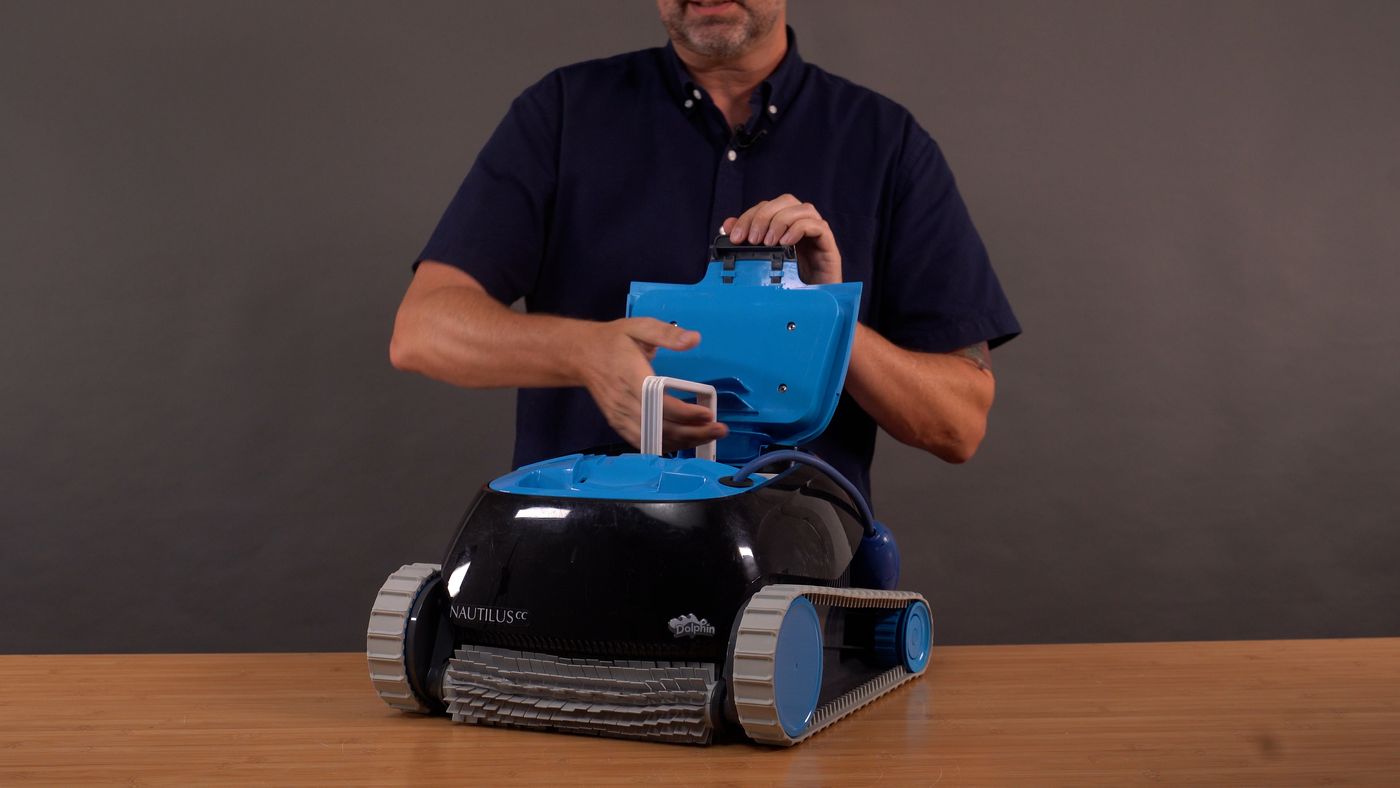
- Empty and rinse the filter basket after every cycle. Open the top lid and lift out the filter basket. Hose it from the outside in, then the inside out. You do not need to let it dry before the next run.
- Match the filter to the mess. Use the fine (net) filter for leaves, acorns, and bugs. Use the ultra-fine filter for sand, dust, and pollen. Running ultra-fine in a pool full of leaves clogs it in minutes.
- Check the intake flap. Look at the opening on the bottom of the filter basket. The small flap or pouch there is a one-way door that keeps debris in. Make sure it is present, seated, and not held open by a stick.
- Clear the impeller. No flow, no pickup. Unplug the power supply, open the impeller cover, and remove anything wrapped around the blades.
- Look at the brushes. The brushes sweep debris toward the intake. Torn, rounded, or stiff brushes miss it. Replace them when the fins are visibly worn down.
- Run back-to-back cycles for a heavy cleanup. After a storm or at pool opening, run two or three cycles in a row and rinse the filter between each one. One pass will not hold all of it.
Stop and call support if: a clean robot with a clear impeller moves normally but pulls in almost nothing. That suggests a weak pump motor.
Nautilus CC Clogged Impeller
- Little or no water pushing out of the top of the Nautilus CC
- A rattle, buzz, or grinding sound
- The robot stalls, will not climb, or will not turn
- Hair, string, or pine needles wrapped around the impeller
- A twig, stone, or acorn cap lodged in the housing
- Unplug the power supply. Pull the plug from the wall, not just the button. The impeller can start without warning if the unit has power.
- Find the impeller cover. On the Nautilus CC it sits under the grille on top of the robot, next to the filter compartment. Take the filter basket out first so you can see what you are doing.
- Remove the cover by hand. Use a Phillips screwdriver. Do not use a power drill. The screws thread into plastic and strip easily.
- Pull out the debris. Unwind anything wrapped around the blades and shake out loose grit. Spin the impeller with a finger. It should turn freely with no scraping.
- Refit and test. Put the cover back, snug the screws, reinstall the filter basket, and run a cycle. You should see a steady stream of water from the top of the robot.
Stop and call support if: the impeller is clear but will not spin under power, or a blade is chipped or missing.
Nautilus CC Floats or Won’t Sink
- The Nautilus CC floats when you set it in the pool
- It sinks, but one end keeps lifting off the floor
- Air trapped inside the body
- Dry foam climbing rings on the brushes
- Salt level above about 5,000 ppm, which makes the robot more buoyant
- Let the air out. Lower the robot into the water and rock it side to side, or roll it onto its back just under the surface, until the bubbles stop. Then let it sink on its own.
- Soak the brushes. The white foam climbing rings float until they are saturated. Squeeze them underwater a few times, or leave the robot submerged for several minutes before the first cycle.
- Check the salt level. In a saltwater pool, test the salinity. Maytronics lists 5,000 ppm as the upper limit. Above that the Nautilus CC rides light and loses traction.
- Make sure the filter basket is locked in. A filter that is not seated leaves a pocket of air. Reseat it and close the lid until it clicks.
Stop and call support if: it still floats after the air is out and the brushes are soaked. Water inside the motor unit can change the balance and needs service.
Nautilus CC Gets Stuck
- The Nautilus CC stops on the main drain with its tracks still turning
- It stays in the deep end and never comes back up the slope
- It wedges under a ladder or against a step
- A raised drain cover lifting the tracks off the floor
- Suction from the pool pump holding it on the drain
- A clogged filter leaving it too weak to climb the slope
- Ladders, toys, or other obstacles in the water
- Turn the pool pump off for the cycle. Suction from the main drain can pin a robot in place. Run the Nautilus CC with the circulation pump off and see if it crosses the drain. Leave the drain cover alone.
- Test the filter. A robot stuck in the deep end is often just underpowered. Clean the filter basket, then, in a pool with no loose debris, run it for 10 to 15 minutes with the filter removed. If it climbs out of the deep end without it, the filter needs replacing.
- Clear the pool. Pull ladders if you can, and take out toys, thermometers, and floating dispensers before the cycle.
- Consider a drain ramp. Clip-on ramps help a robot roll over some raised covers. Fit matters, and the clip must not loosen or block an anti-entrapment cover. Our guide to robots stuck on main drains covers when they make sense.
- Balance the water. Algae on the floor of the deep end takes away traction right where the robot needs it most.
Stop and call support if: it stalls on open, flat floor with nothing near it. That is a drive problem, not a pool-shape problem.
Nautilus CC Misses Spots
- One end of the pool is always dirty
- It cleans the same area over and over
- Steps, benches, or a tanning ledge never get cleaned
- Not enough cable to reach, or a twisted cable holding it back
- The power supply is at the wrong end of the pool
- A partly clogged filter or impeller
- The area is one the Nautilus CC is not built to clean
- Start it where it has been missing. Drop the Nautilus CC in the dirty area at the start of the cycle. A different starting point changes the route it takes.
- Reposition the power supply. Put it near the middle of the long side so the 50-foot cable can reach both ends evenly.
- Give it enough cable. Measure the longest run in your pool, corner to corner, and put that much cable in the water. Keep the rest coiled on the deck.
- Clean the filter, impeller, and tracks. A robot that is low on flow or dragging a track covers less ground per cycle.
- Know what it skips. A corded Dolphin has to stay fully underwater to run, so it does not clean steps, benches, or shallow ledges. Brush those onto the floor before the cycle.
Stop and call support if: it repeats one short path and ignores the rest of the pool even after a clean and a new starting point.
Nautilus CC Cable Tangles
- The blue cable looks like a phone cord after a few cycles
- The robot gets pulled sideways or stops short of the far wall
- You have to untwist the cable every time you take it out
- Too much cable in the water
- The power supply sitting at one end of the pool
- No swivel on this model, so every turn adds a twist
- A track problem making the robot spin in circles
- Cold water, which stiffens the cable
- Lay the cable out in the sun. Unplug it, stretch the full 50-foot cable out straight on the deck or lawn, and leave it in direct sun for at least three hours. Heat relaxes the memory out of the jacket.
- Use only the cable you need. Feed in about as much cable as the longest dimension of your pool. This matters even more on the Nautilus CC, because it has no swivel. Extra cable in the water is what knots.
- Center the power supply. Put it near the midpoint of the long side and a few feet back from the edge, so the cable enters the water in a straight, relaxed line.
- Untwist after every run. With no swivel, the twists have nowhere to go. After each cycle, unplug the cable from the power supply and walk the twists out toward the free end before coiling it.
- Coil it loosely. Coil the cable in large, loose loops. Never wrap it tight around the robot or your arm.
- Check the tracks. A robot that spins in place winds the cable. If the Nautilus CC is circling, fix that first using the section above.
Stop and call support if: the cable jacket is cut, the copper is showing, or the cable stays badly kinked after sunning. A damaged floating cable has to be replaced.
Nautilus CC Loose Tracks or Worn Brushes
- A track walks off its wheels during a cycle
- The tracks look faded, shiny, or stretched
- Brush fins are torn or the foam rings are flat
- Tracks shifted in shipping (common on a brand-new robot)
- Stretch and wear from age
- Water chemistry that is hard on rubber: low pH or high chlorine
- Debris packed inside the track
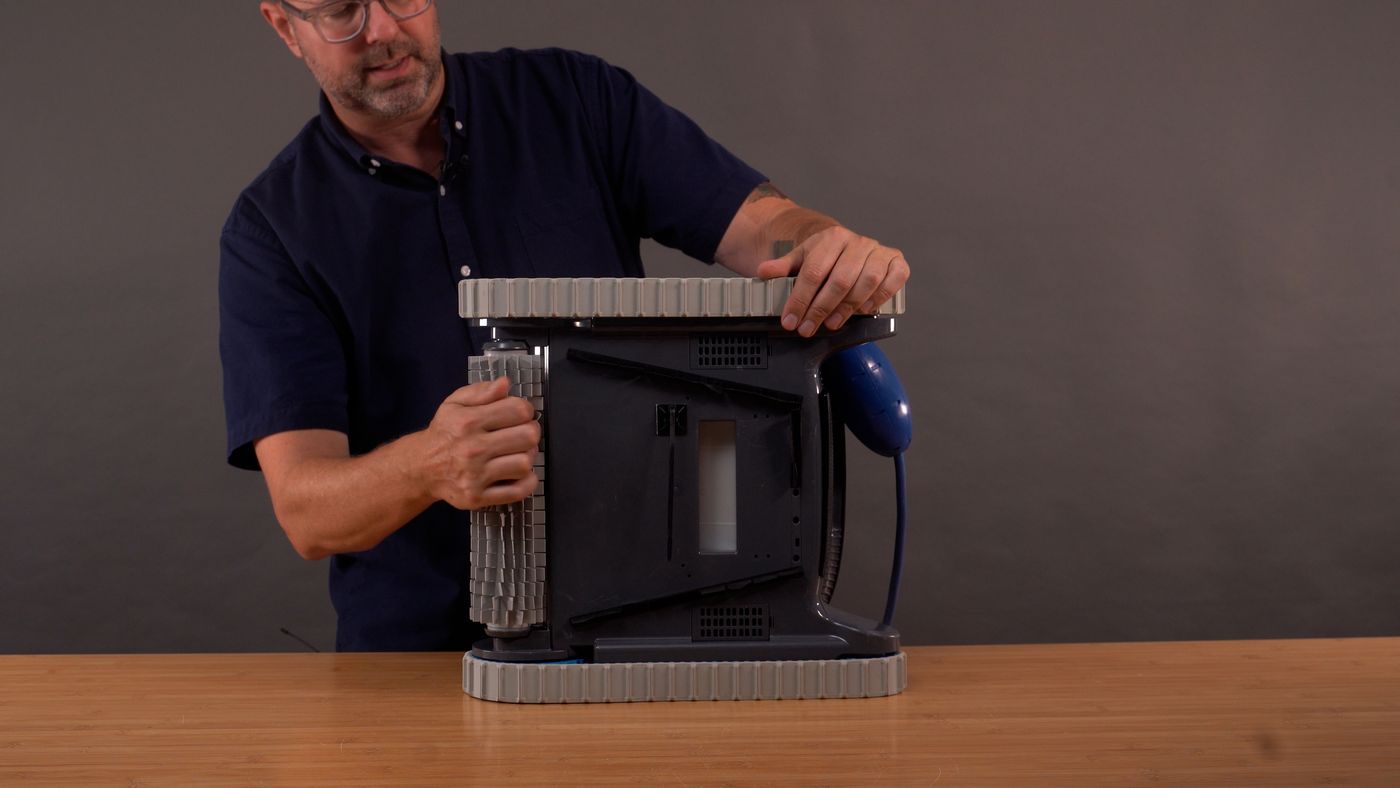
- Refit the track. Unplug the power supply and turn the robot over. Seat the track on the drive wheel first, then roll it onto the remaining wheels, making sure the ribs sit in the grooves all the way around.
- Clean inside the tracks. Pull each track off, rinse the wheels and the inner face of the track, and remove sand and grit. Packed debris pushes a track off its guides.
- Check for wear. Compare both tracks. If one is loose, faded, or slips off again after you refit it, replace both as a pair.
- Inspect the brushes. Replace brushes with torn or rounded fins. Replace the foam climbing rings when they are flattened or no longer white.
- Test your water. Rubber that fades and stretches early is usually a chemistry problem. Keep pH between 7.2 and 7.6 and take the robot out of the pool when you shock.
Stop and call support if: new tracks still come off, or a wheel or track guide is cracked.
Nautilus CC Does Wheelies
- The front of the Nautilus CC lifts while it is driving forward or backward
- It tips back and loses contact with the floor
- Air trapped in the body
- The cable pulling tight
- A clogged filter
- Water out of balance
- Know what is normal. A Dolphin lifts its nose briefly to help itself turn. That is by design. A wheelie while it is driving in a straight line is the problem.
- Bleed the air. Turn the robot over underwater before the cycle and let the bubbles escape.
- Give the cable slack. A tight cable lifts the end it is attached to. Feed in enough cable to match the longest side of the pool.
- Clean the filter basket. Restricted flow changes how the robot sits on the floor. Rinse it clear and retest.
Stop and call support if: it flips onto its back or cannot keep both tracks down with a clean filter and a slack cable.
Nautilus CC Debris Falls Out
- A cloud of dirt leaves the robot as it breaks the surface
- Leaves drop out of the bottom on the way to the deck
- Lifting it too fast or by the cable
- A debris flap that is missing or not seated
- An overfull filter
- Very fine debris passing through the fine (net) filter
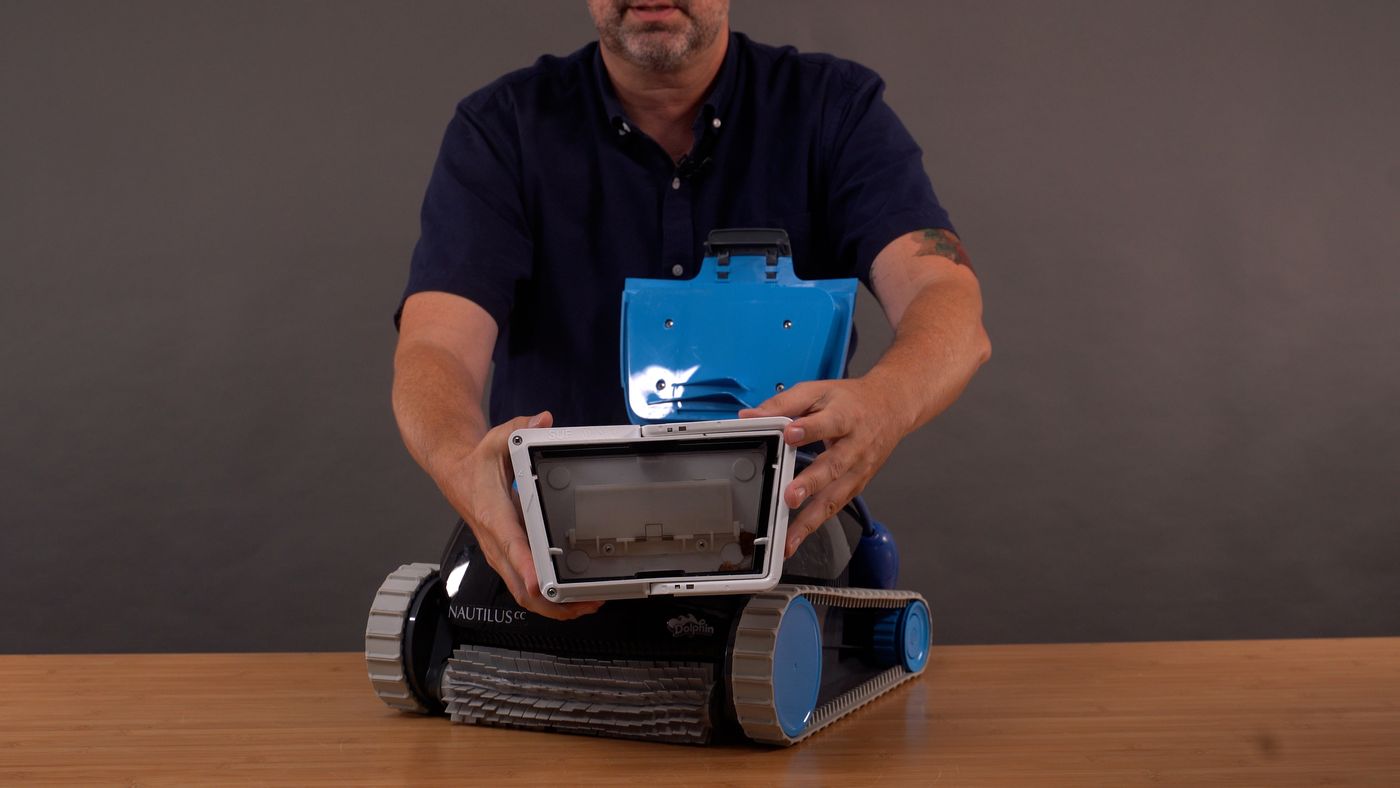
- Bring it up slowly. Pull the Nautilus CC to the wall by the cable, then lift it by the handle. Never lift it out by the cable. Pause at the surface and let the water drain before you swing it onto the deck.
- Check the flap. The one-way flap or pouch on the bottom of the filter basket has to be in place and closing fully. Clear anything holding it open.
- Empty it more often. A filter packed to the top has nowhere to hold the last load. Clean it after every cycle.
- Switch to ultra-fine for dust. If what escapes is a fine cloud rather than leaves, the fine (net) filter is letting it through. Use the ultra-fine filter if your Nautilus CC has one.
- Check under the basket. Lift out the basket and look at the springs and the opening underneath. Grit packed in there keeps the basket from sealing.
Stop and call support if: the flap is torn or missing. It is a small, inexpensive part, and the robot will keep dumping debris without it.
Nautilus CC Symptom Quick Reference
The short version, matched to the troubleshooting table in the Dolphin Nautilus CC user manual. Use it to confirm you are in the right section above.
Confirm the outlet is live, make sure the supply is plugged in and switched on, and push the power cord all the way into the supply. Then switch it off, wait 30 seconds, and switch it back on.
Reseat the floating cable connector in the power supply. Unplug the supply, open the impeller cover and remove anything caught in the impeller, then check that the tracks and wheels turn freely.
Clean the filter basket, clear the impeller housing and cover, move the power supply so the robot can reach the whole pool, and bring the water back into range.
Unplug, open the impeller cover and clear the debris.
Clean the filter basket and clear the impeller housing and cover.
Reposition the power supply so the robot can reach everywhere, give the cable enough slack to reach the far end, and clean the filter basket.
Clean the filter basket and clear the impeller. To take the kinks out, stretch the cable fully and leave it in the sun for at least a day.
Clean the filter basket, test and correct the water chemistry, scrub slippery algae off the walls, and clear the impeller.
What We Saw Testing the Nautilus CC
We ran the Dolphin Nautilus CC in our own test pool for our Dolphin Nautilus CC review. These are the things we ran into ourselves, so you can tell a quirk of the model from a real fault.
- No waterline scrubbing: It reaches the waterline and drops back instead of travelling along the tile line, so a pollen ring or scum line still needs a hand brush.
- Only the mesh basket in the box: Our unit came with the standard mesh fine-filter basket and no finer filters.
- Cable coils up over a few weeks: With no swivel, the 50-foot cable gradually winds up on itself over several weeks of use.
- How it climbs walls: It does climb. It drives up, loses its hold near the top, drops back to the floor, shifts over and goes again. That pattern is normal for this model.
- Smaller basket: The basket is smaller than the newer Max-Series bins, so it needs emptying more often when debris is heavy.
- Traction: The rubber tracks gripped plaster, vinyl and fiberglass about equally and did not slip on the floor.
- One button, one cycle: The power supply is a single on/off button. Press it and the robot runs about two hours, then shuts off. There is no schedule.
- Skipped days show: Because every cycle is a manual start, missing a few days shows up in the pool.
Nautilus CC Replacement Parts
These are the genuine Maytronics part numbers listed for the Dolphin Nautilus CC. Order by part number, not by photo. Dolphin filters, tracks, and brushes look alike across models and are not interchangeable.
Filters
- Filter basket for fine debris
9991459-R1 - Ultra-fine debris filter basket
9991460-R1 - Filter basket for fine debris
9991461-R1 - Filter springs, front and rear
9991462-R2 - Ultra-fine debris filter panels
9991466-R4 - Fine debris filter panels (4)
9991468-R4 - Super ultra-fine filter basket S1
9991482-ASSY
Tracks and wheels
- Gray tracks (2)
9983152-R2
Brushes and climbing rings
- Active brush assembly S1, gray
9995544-ASSY
Impeller and flaps
- Quick water release flap
9983024-R1 - Black impeller & screw
9995266-R1
Power, cable, and charging
- Power supply 120W, 115V, on/off
99956034US-ASSY - Power supply with weekly timer (115V)
99956035US-F1 - Cable, 15M 2-wire with float, S1
9995884-DIYF
When to Call Maytronics Support
Stop troubleshooting and get the Nautilus CC looked at if any of these are true:
- The same fault comes back right after a full clean and a restart
- You see water inside a sealed compartment, or the robot has become noticeably heavier
- There is a burning smell, a melted connector, or visible corrosion on the electrical contacts
- The floating cable is cut, crushed, or showing copper
- The power supply will not stay on with nothing plugged into it
- One track or the impeller will not turn under power with nothing blocking it
Before you call, write down the serial number, find your proof of purchase, and record a 20 to 30 second video of the problem. A clip of the robot failing, plus a clear shot of any light on the power supply, gets a warranty claim moving faster than any description.
- Support: Maytronics support
- Phone: 1-888-365-7446 / 1-855-634-8572 (Monday-Friday 8:00 am-5:00 pm EST)
- Manual: Dolphin Nautilus CC user manual
- Warranty: 1 year
1-year warranty per Maytronics. Register at https://registration.maytronics.com/ with the robot's 10-character serial number (on the box label, the warranty card, and a barcode label inside the robot's casing) and your proof of purchase. Our review advises buying from an authorized dealer so the warranty holds.
Dolphin Nautilus CC Troubleshooting FAQ
Why does my Dolphin Nautilus CC cable keep tangling?
The Nautilus CC's 50-foot cable has no anti-tangle swivel, so twists build up over a few weeks until the cable coils and the robot cannot reach the far end. Pull the robot, stretch the cable out straight and leave it in the sun for at least a day. Keep the basket and impeller clean too; the manual ties cable kinks to a clogged filter or debris at the impeller.
Why does my Dolphin Nautilus CC fall off the wall?
Some of that is normal. In our testing it climbed, lost its hold near the top, dropped back and moved over to try again. If it cannot get off the floor at all, clean the top-load basket, clear the impeller, and check for slippery algae or pH outside 7.0 to 7.8.
Does the Dolphin Nautilus CC have a weekly timer?
The current model does not. Its power supply is a single on/off button, and Maytronics lists no weekly timer and no app. Each press runs one cycle of about 2 hours, then the robot stops.
Why is my Dolphin Nautilus CC blowing dirt back into the pool?
The stock basket uses a standard mesh (fine) filter that stops leaves and larger debris but lets very fine sand, silt and dead algae through. Empty and hose the basket after every cycle so it is not overloaded, and make sure the bottom lid is latched before it goes back in. Maytronics sells ultra-fine filter panels and baskets for this model if fine debris is your main problem.
How do I clean the Dolphin Nautilus CC filter basket?
Turn off and unplug the power supply. Open the filter cover on top, lift the basket out by its handle, open the latch on the bottom lid to drop the debris, and hose the basket inside and out. About once a month, pop the filter panels off and rinse them separately.
Does the Dolphin Nautilus CC clean the waterline?
No. It climbs the walls, but Maytronics lists no waterline scrubbing, and in our testing it reached the waterline and dropped back down instead of moving along the tile line. Plan on brushing the scum line by hand.
Still stuck after every check?
Go back to our review for how the Nautilus CC is supposed to behave, or contact Maytronics with your serial number and a short video of the problem.