
The short answer
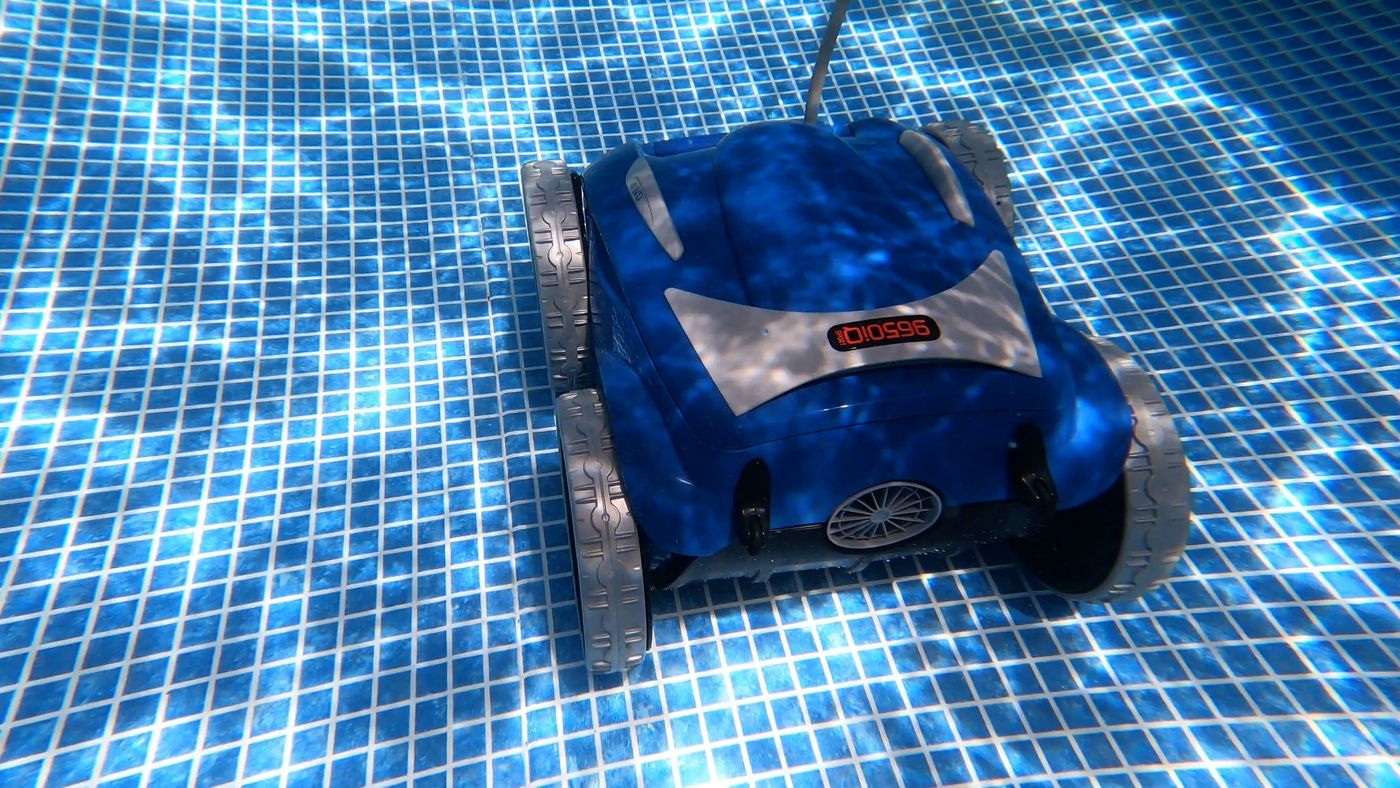
Most Polaris 9650iQ Sport problems trace back to three things: a filter sealed with fine debris, something caught in the impeller, or a cable and control unit problem. Rinse the filter until the water runs clear, check the impeller, and reseat the cable before you assume a part has failed.
This is the troubleshooting home for the Polaris 9650iQ Sport. It is a corded robot that cleans the floor, walls and waterline. Below are the 13 problems owners run into most, each with the checks we would make first and the point where it stops being a do-it-yourself fix.
Safety first: unplug the control unit from the outlet before you lift, open, or reach into the 9650iQ Sport. Keep the control unit dry and well back from the pool edge, and never run the robot out of the water.
9650iQ Sport Quick Checks First
Run through these before you chase a specific symptom. Between them they clear up most of what goes wrong with a Polaris 9650iQ Sport.
- Clean the filter until the water runs clear. A filter that looks clean can still be sealed with fine dust. Most pickup, climbing, and steering complaints end here.
- Restart the control unit. Unplug it from the wall, wait 30 seconds, reseat the cable connector, and plug it back in. Start the cycle only after the 9650iQ Sport is on the floor.
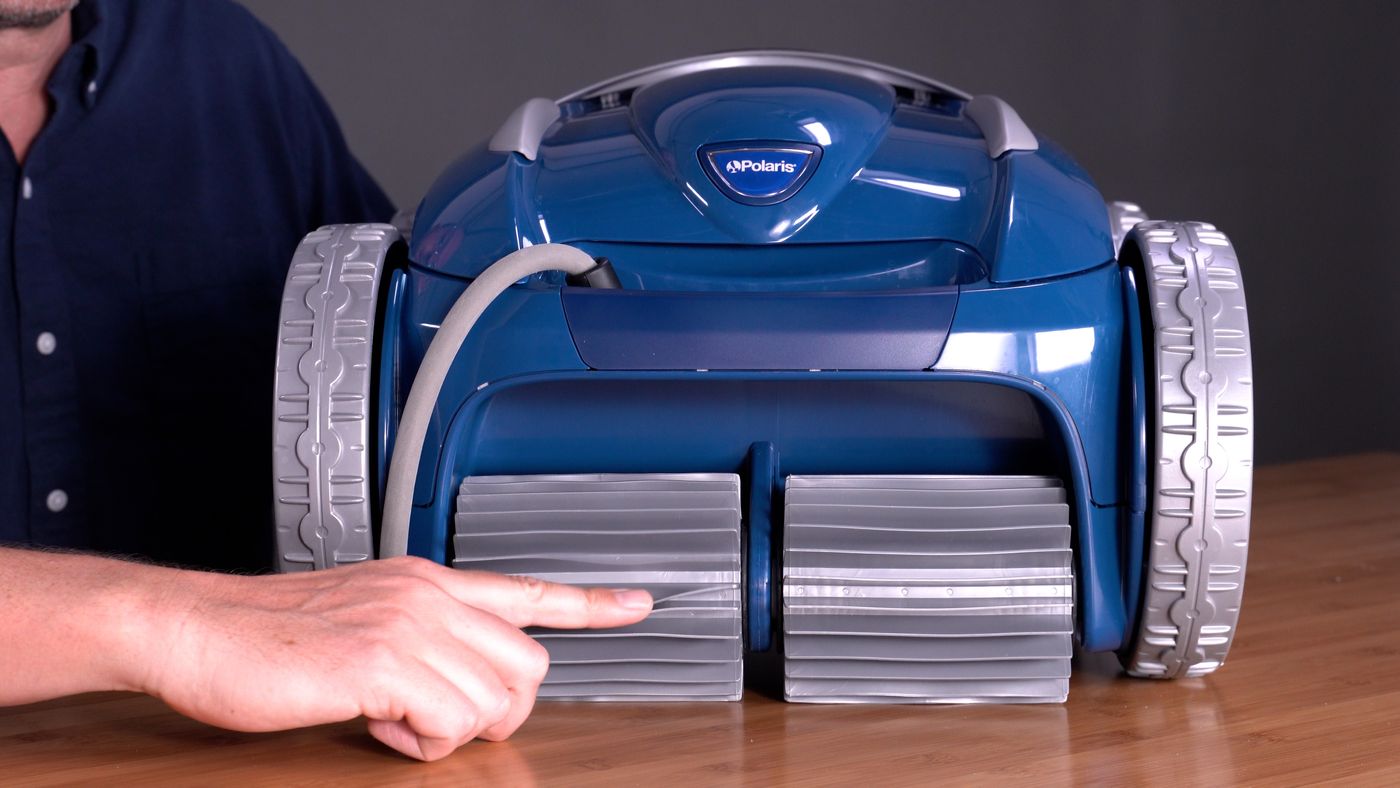
- Check the impeller. With the power unplugged, look into the impeller opening (the fan that pulls water through the filter) for hair, string, or a twig. One small piece is enough to stall it.
- Put the right amount of cable in the water. Use about as much cable as the longest dimension of your pool. Too little holds the robot back. Too much tangles.
- Check the water. Algae, very cold water, and chemistry far out of range all make a robot slip. Fix the water before you blame the machine.
Polaris 9650iQ Sport at a glance
- Type
- Corded, runs from a control unit
- Cleans
- Floor, walls and waterline
- Filter
- One all-purpose filter canister, no ultra-fine option
- Cable
- 70 ft floating cable with a tangle-reducing swivel
- App
- IAquaLink over Wi-Fi
- Built for
- In-ground pools only, not storable pools
- Weight
- 21 lb
- Warranty
- 2 years limited
9650iQ Sport Error Code on the Control Unit or in the App
- A number from 1 to 10 on the control unit display
- "Cleaning Interrupted" and a warning symbol in the iAquaLink app
- Control unit lights flashing
- Air in the cleaner or the cleaner out of the water (codes 7 and 8)
- Full filter canister or debris in the fan impeller (codes 4, 5 and 6)
- Floating cable loose, or corroded or bent pins (codes 1 to 3 and 10)
- Jammed wheel
- Motor fault that needs service
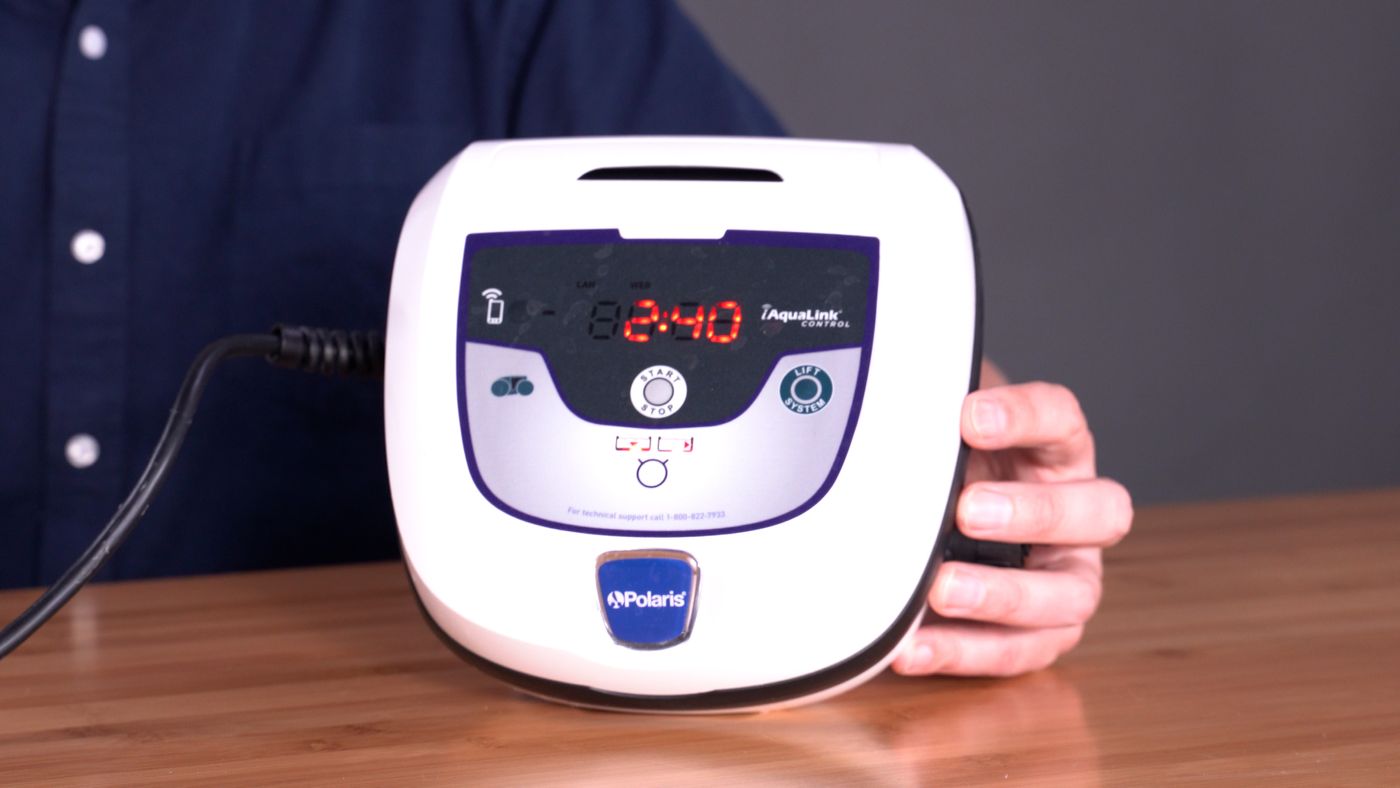
- Read the code in both places. Press Start/Stop to wake the control unit if the screen is off, and note the number. In the app, tap the warning symbol; it names the fault (Pump Motor, Traction Motor Right, Cleaner Floating and so on) and lists the fix. Code 9 only means the cycle is done.
- Unplug and check the cable connection. Unplug the control unit. Unscrew the floating cable from its side and look at the pins for corrosion or a bend. Screw it back in clockwise by the notched collar until there is no gap. This is the first check for codes 1 to 3 and for code 10.
- Clean the canister and impeller. Bring the cleaner out with the Lift System, open the top cover and wash the filter canister. Look into the fan impeller for hair or debris. This covers codes 4, 5 and 6.
- Free the wheels. Turn each wheel a quarter turn at a time in one direction until it rotates smoothly, then repeat in the other direction.
- Re-submerge and shake out the air. Lower the cleaner back in holding it vertical, shake it gently until the bubbles stop, and let it sink to the floor. Codes 7 and 8 clear this way.
- Dismiss the code. On the control unit, press any key except the phone (Wi-Fi to Phone) button. In the app, tap Clear Error. Then start a new cycle and watch the first few minutes.
Stop and call support if: codes 1, 2, 3 or 10 return after the connector and wheels check out, or any code comes straight back. Ask the dealer for a diagnostic review or call Polaris Technical Support.
9650iQ Sport Won’t Start or Control Unit Is Dark
- No lights or display on the control unit
- Lights flash as soon as you press Start/Stop
- The app shows the cleaner but Start does nothing
- Control unit in standby, or its lights washed out by sunlight
- No power at the outlet or a tripped GFCI
- Floating cable not connected
- Cleaner not fully submerged
- Cleaner needs a power reset
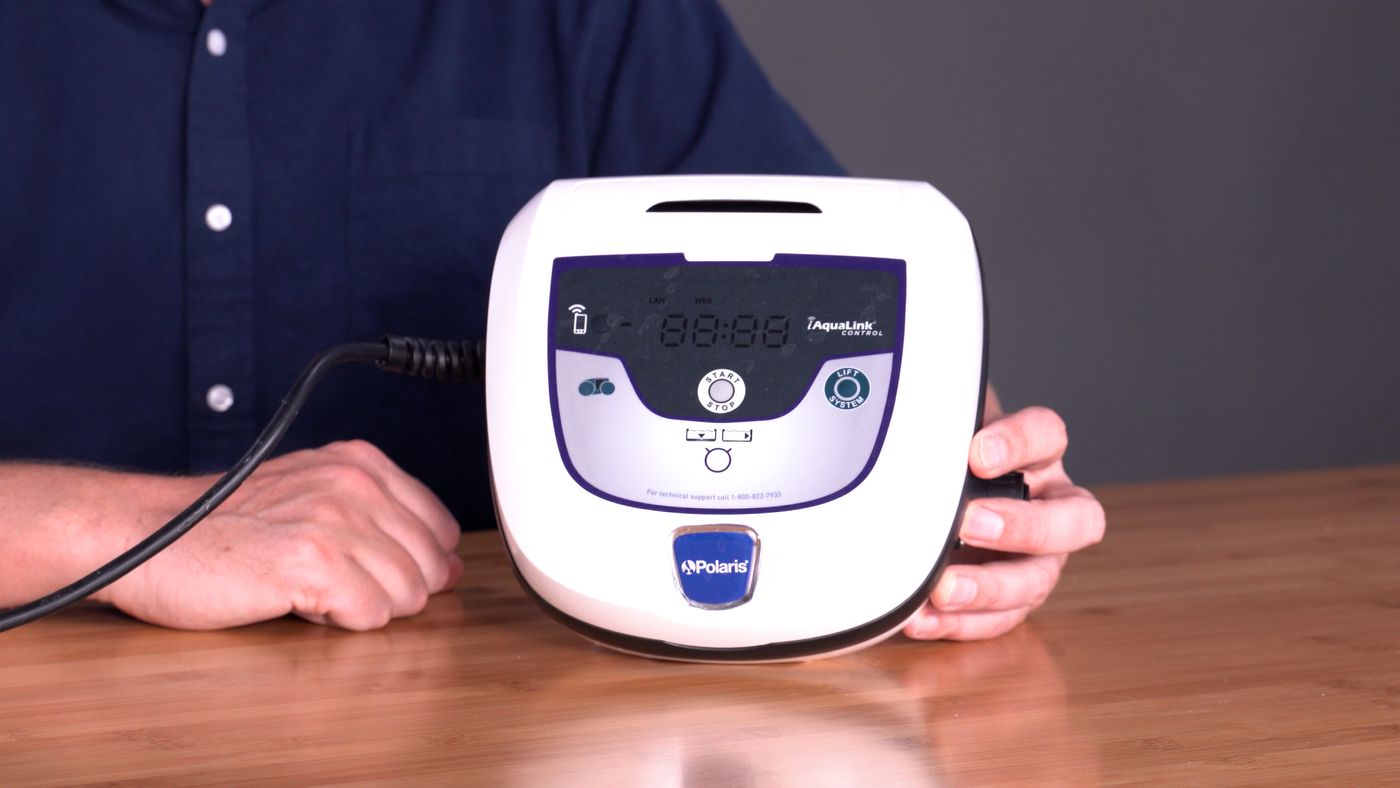
- Wake it and shade it. Press any key; the display turns off after 10 minutes. In direct sun the indicator lights are hard to see, so shade the panel with your hand before deciding it is dead.
- Check the outlet. Test the outlet with another device, reset the GFCI, and check the breaker. The control unit must plug directly into a GFCI outlet. Do not use an extension cord.
- Reconnect the floating cable. Unplug the control unit, unscrew the floating cable, check the pins, and screw it back in all the way. Flashing lights right after pressing Start often come from this connection.
- Make sure it is underwater. The cleaner has a safety that stops it if it is powered on out of the water. Submerge it vertically until it stops bubbling and is sitting on the floor.
- Reset the power. Unplug the control unit, wait 20 seconds, plug it back into the GFCI outlet and press Start/Stop to begin a new cycle.
Stop and call support if: the outlet is good and the control unit stays dark, the GFCI trips whenever it is connected, or the cord or floating cable is worn or damaged. Never open the control unit.
9650iQ Sport Stops in the Middle of a Cycle
- Cleaner quits before the countdown ends
- Lights start flashing partway through
- App shows "Cleaning Interrupted"
- Air in the body, so the cleaner is drawing air
- It drove out of the water at a shelf or beach entry
- Filter canister full
- Someone pressed Stop in the app or on the control unit
- Cycle finished (code 9)
- Check what the app says. Open iAquaLink and tap the warning symbol for the reason. If there is no warning and the control unit shows 9, the cycle simply ended.
- Re-submerge. Take the cleaner out and put it back in vertically, shaking out the air until it sinks. Flashing lights during a cycle are the manual's sign that it was not fully submerged.
- Empty the canister. Press the cover lock, lift the cover, pull the canister, open it with the quick-release button and rinse it. Polaris recommends doing this after every cycle, including scheduled ones.
- Free the wheels and impeller. With the control unit unplugged, clear the fan impeller and turn each wheel by hand until it spins smoothly both ways.
- Clear the error and restart. Tap Clear Error in the app or press any key except the phone button on the control unit, then start a new cycle.
Stop and call support if: it keeps stopping with the same code in open water with a clean canister.
9650iQ Sport Powers On but Won’t Move
- Countdown is running but the cleaner sits still
- One side drives and the other does not
- Code 2, 3, 5, 6 or 10
- No cycle actually started
- Wheel jammed with debris
- Floating cable connection loose or corroded
- Traction motor fault
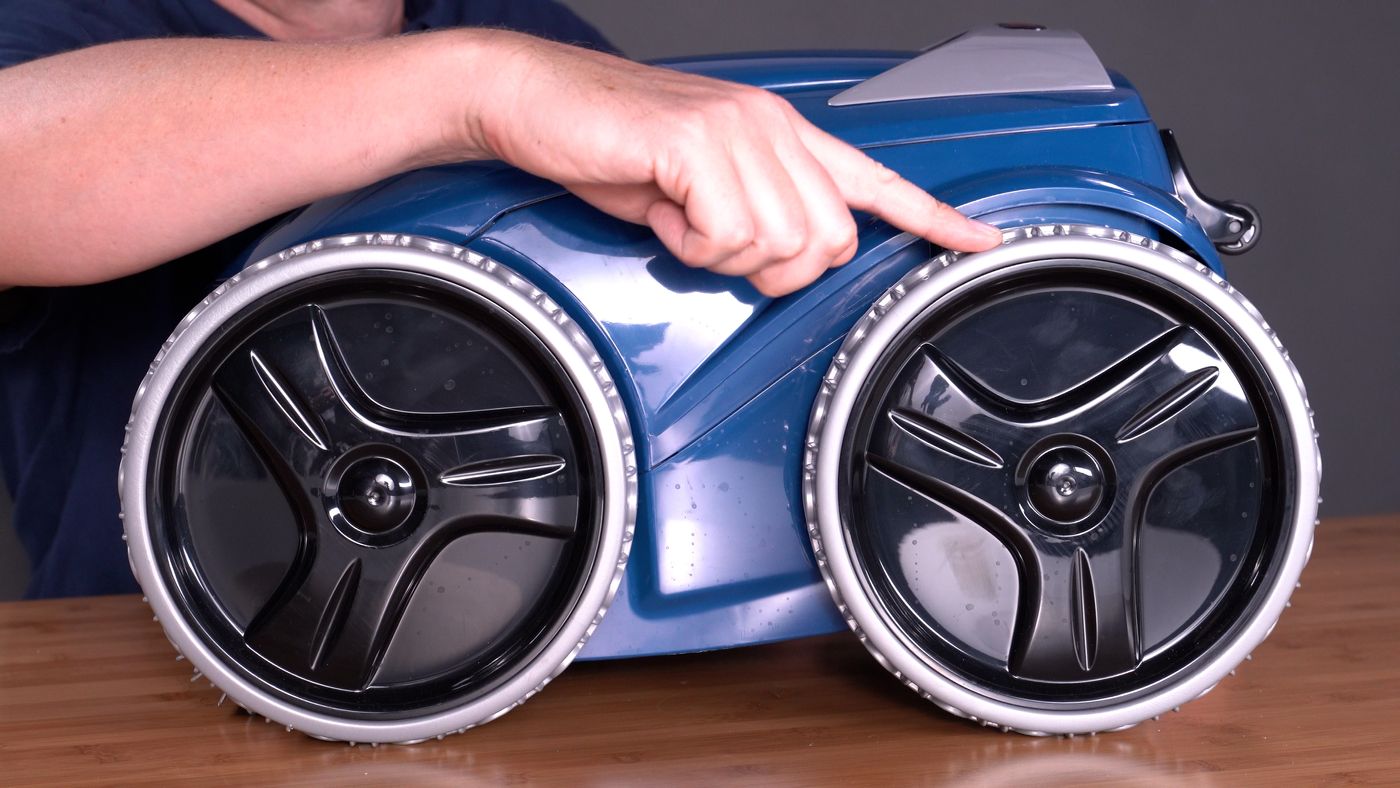
- Confirm a cycle is running. Press Start/Stop on the control unit or START in the app with the cleaner underwater. The display should show hours and minutes remaining.
- Unplug and free the wheels. Disconnect the control unit, lift the cleaner out by the handle, and turn each of the four wheels a quarter turn at a time in both directions until none of them catch.
- Clear the brush. Check both halves of the front brush for hair, string or a loop of cable wrapped around the roller.
- Check the cable connector. Unscrew the floating cable from the control unit, inspect the pins, and reconnect it firmly. Code 10 (Communication) is almost always here.
- Reset for 20 seconds. Leave the control unit unplugged for 20 seconds, plug it back in, re-submerge the cleaner and start again.
Stop and call support if: a wheel will not turn by hand, one side never drives, or code 2 or 3 returns.
9650iQ Sport Won’t Climb Walls or Reach the Waterline
- Stays on the floor
- Climbs partway and slides back
- Never reaches the tile line
- Surface set to Floor only
- Filter canister full or dirty
- Worn tire treads
- Slippery walls from poor water chemistry or algae
- Check the cleaning surface. On the control unit, toggle the cleaning surface to Floor and Wall or Waterline. In the app, open Cleaning Mode; Quick Clean, Deep Clean, Waterline Only or a Custom surface may have been saved and it stays set for future cycles.
- Wash the canister properly. Polaris's fix for a cleaner that will not climb is a thorough canister clean with mild soap and a soft brush, not only a rinse. Then re-submerge the cleaner and release the air.
- Look at the tires. Check the tread on all four tires. Worn-down treads are the other cause the manual lists; replace them with the INSIDE marking facing the body.
- Fix the water, not the robot. Test and balance the water and brush the walls. Keep the cleaner out of the pool during any chemical treatment, including shocking or adding acid.
Stop and call support if: it will not climb with the right surface selected, a clean canister, good tires and balanced water.
9650iQ Sport Floats or Won’t Stay on the Floor
- Cleaner bobs at the surface or rides nose-up
- Code 7 or 8
- App shows Cleaner Floating
- Air trapped in the housing
- Filter canister full or dirty
- Started before it was fully underwater
- Turn it off. Stop the cycle before handling the cleaner.
- Submerge at mid-pool, vertically. Walk the cleaner to the middle of the pool's length, lower it in by the handle and hold it upright underwater. Shake it gently until the bubbles stop, then let it sink to the floor.
- Clean the canister. If it still floats, empty the canister and wash it with mild soap and a soft brush before re-submerging.
- Clear the code and restart. Dismiss code 7 or 8 with any key except the phone button, or Clear Error in the app, and start a new cycle only once the cleaner is resting on the floor.
Stop and call support if: it keeps floating after a careful submerge with a clean canister.
9650iQ Sport Not Picking Up Debris
- Debris left behind after a cycle
- Dirty canister indicator on
- Fine dust stays in the water
- Code 4
- Filter canister full or dirty
- Worn brushes
- Hair or debris in the fan impeller
- Tangled cable limiting where the cleaner can go
- Particles finer than the single all-purpose filter holds
- Empty and scrub the canister. Unplug, lift the cleaner out and let it drain. Press the cover lock, raise the cover, lift out the canister assembly, press the quick-release button and separate the canister from its support. Hose it out, and every so often wash it with soapy water and a soft brush.
- Check the impeller. With the canister out, look for hair or a twig in the fan impeller. Code 4 (Pump Motor Consumption) points here.
- Check brush wear. Look at the wear indicator on each brush half. Replace both once the rubber is down to the indicator, or about every two years.
- Pick a stronger mode. In the app, use Deep Clean, or Custom with High Intensity and the surface where the debris is. You can also add time in 30-minute steps, up to 3 hours 30 minutes.
- Know the filter's limit. There is one filter grade. It does well with general debris; very fine silt can pass through, and heavy leaf fall fills the canister fast. Empty it mid-cycle after storms.
Stop and call support if: canister, impeller and brushes are fine but there is little or no water flow through the cleaner.
9650iQ Sport Misses Areas or Repeats the Same Spots
- Part of the pool is never cleaned
- Cleaner keeps working one area
- You end up finishing the job by hand
- Floating cable enters at one end instead of mid-pool
- Too much cable in the water, or coils in it
- Pool shape was set wrong during app setup
- Cycle too short for the pool
- The 9650iQ's navigation is basic
- Enter at mid-pool. Spread the cable along the deck to the middle of the pool's length and put the cleaner in there. Polaris gives this as the setup for the best pattern.
- Use only the cable you need. Feed in just enough cable to reach the farthest end from that point, with no kinks or coils, and leave the rest on the deck.
- Check the pool shape in the app. The pool shape chosen during iAquaLink setup defines the pattern and run time. If it was set wrong, look under System Settings (the gear icon) or run the Configure the System steps again and pick the right shape.
- Add time. Use the + button on the app home screen to extend the cycle in 30-minute steps (maximum 3 hours 30 minutes), or run Deep Clean.
- Drive it to the missed spot. Open Remote Control in the app and steer with the joystick icons or by tilting the phone. Stay where you can see the cleaner. If it lags, your Wi-Fi is weak; switch to Wi-Fi to Phone mode at the control unit.
Stop and call support if: it only turns one way or circles in place, which is a drive problem rather than a pattern problem.
9650iQ Sport Cable Tangles
- Floating cable coils up
- Cleaner cannot reach the far end
- Worse after several scheduled cycles in a row
- Cleaner left in after each cycle without straightening the cable
- Too much cable in the water
- Cable enters at one end of the pool
- Cable stored tightly wrapped
- Bring it out with the Lift System. Use Easy Lift, take the cleaner out by the handle, and hold it vertical to drain. Do not lift by the cable or the swivel.
- Unplug at the control unit. Disconnect the floating cable from the control unit so it can turn freely while you work on it.
- Untwist from the cleaner head. Start at the cleaner and work every coil and kink out toward the control unit end.
- Sun it. Lay the cable out straight in the sun to relax the memory in the jacket.
- Reset your setup. Next run, enter at mid-pool and put only the needed length in the water. The swivel reduces tangling but does not replace this.
- Store it loose. Coil it loosely from the cleaner end and hang it on the hook at the front of the caddy.
Stop and call support if: the swivel no longer rotates or the cable jacket is damaged. Polaris says not to use the cleaner with a worn or damaged cord.
9650iQ Sport iAquaLink App Won’t Pair
- Setup stalls on the searching screen
- "RoboticCleaner-" network never appears
- Setup fails after you enter the Wi-Fi password
- Weak router signal where the control unit sits
- Wrong Wi-Fi password
- Wi-Fi to Phone mode was not started, or it timed out after 15 minutes
- Cleaner not in the water or control unit not powered
- Get the basics in place. Before you start: cleaner submerged, control unit plugged into a GFCI outlet, your Wi-Fi password in hand, and the iAquaLink app installed and updated with an account created.
- Add the cleaner. In the app go to My Systems, tap +, choose Robotic Cleaner, then Wi-Fi to Phone (unless someone sent you an invite code).
- Press the Wi-Fi to Phone button. Press the phone-icon button on the control unit. Its light comes on to show it is broadcasting. In your phone's Wi-Fi list, join the network named RoboticCleaner followed by a code unique to your unit.
- Finish the router hand-off. Set the time zone and pool shape, tap Next, choose your home network and enter the password. The search can take a few minutes. When it works, the LAN and WEB lights turn on and the Wi-Fi to Phone light goes out.
- If it errors out. Polaris gives two causes: a weak router signal at the control unit or a mistyped password. Re-enter the password carefully and move the control unit as close to the router as is practical, or add a Wi-Fi extender. Do not use an extension cord to relocate it.
- Save it to My Systems. Name the cleaner and add it to your systems so it is there next time you log in. Choose Select to be the Primary User if you want to invite family or a service tech.
Stop and call support if: the Wi-Fi to Phone light never comes on, or the RoboticCleaner network never appears with the control unit powered and the cleaner submerged.
9650iQ Sport App Shows Connection Error or Lags
- "Connection Error" in the app after it was working
- Remote Control responds seconds late
- LAN / WEB lights off, or only one on
- Weak Wi-Fi at the control unit
- Internet outage
- New router, router reset or changed Wi-Fi password
- Firmware update in progress (lights flashing)
- Read the LAN and WEB lights. Both on means the control unit is connected. Both off means no connection. Only one on means a problem with the local Wi-Fi or the server. Flashing means the antenna firmware is updating; leave it alone for up to ten minutes.
- Power-cycle the control unit. Unplug it, wait 10 seconds, plug it back in and watch whether both lights return. Check that your home internet is up.
- Test the signal at the control unit. Stand next to the control unit with your phone on Wi-Fi and check signal strength. If it is weak there, move the control unit closer to the router or install an extender.
- Re-pair after router changes. A new router, a router reset or a new Wi-Fi password all break the link. Run the Configure the System steps again from My Systems.
- Fall back to Wi-Fi to Phone. For immediate control, press the Wi-Fi to Phone button and connect your phone straight to the control unit. It serves one user and times out after 15 minutes.
- Or skip the app. Start/Stop, cleaning surface and Easy Lift all work from the control unit with no Wi-Fi at all.
Stop and call support if: only one of the LAN / WEB lights ever comes on with good Wi-Fi and working internet. Your internet provider and Polaris are the two calls to make.
9650iQ Sport Hard to Get Out of the Pool (Easy Lift)
- Cleaner stops out of reach
- Easy Lift sends it up the wrong wall
- Heavy to lift out
- Lift System not used, or not aimed before sending it up
- Lifting before the water drains
- Pulling on the cable
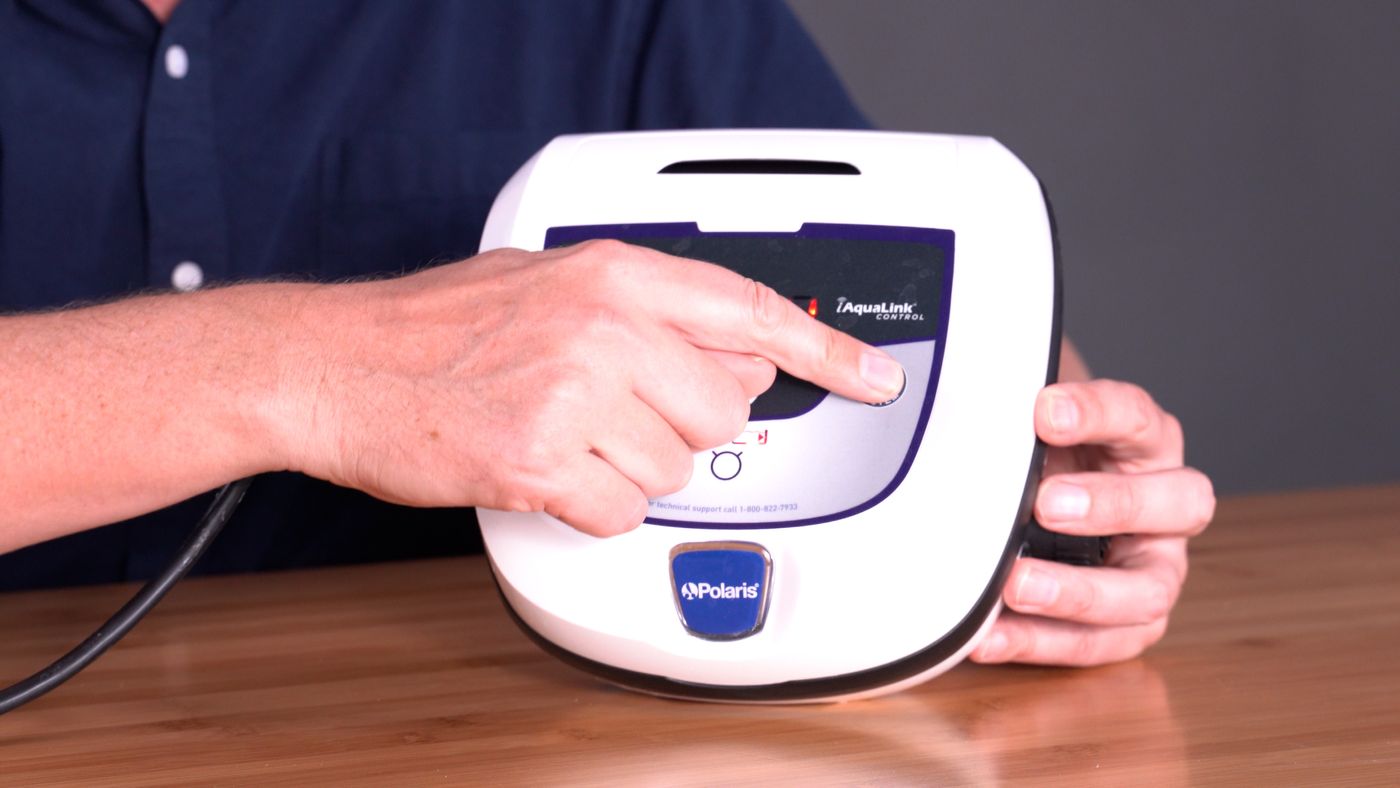
- Start Easy Lift. Press the lift button on the control unit, or Lift System on the app home screen. It works during or after a cycle.
- Aim at your wall. On the control unit, press and hold the lift button to rotate the cleaner and release when it faces the wall you want. In the app, use the left and right arrows.
- Let it climb. The cleaner drives forward, climbs that wall and waits at the waterline. Press the button again if you need to cancel. Stay where you can see it.
- Lift by the handle. Grab the handle and start pulling it out. The cleaner pushes its water out quickly to lighten the load. Never lift by the floating cable.
- Put it on the caddy. Set the rear wheels on the caddy and stand the cleaner upright on the base. Polaris says to take it out after each cycle rather than leave it in the pool.
Stop and call support if: easy Lift does nothing while normal cycles run, or the cleaner can no longer climb at all after the wall-climbing checks.
9650iQ Sport Worn Brushes or Tires
- Raised groove on a brush is partly flattened
- Wheels slip on the wall
- Cleaning has gotten gradually worse
- Normal brush wear (replace at the wear indicator or every two years)
- Worn tire treads
- Tire installed backwards or not seated
- Read the wear indicator. Unplug and stand the cleaner up with the handle at the top. The wear indicator is a raised groove on the brush; when it starts to flatten, the brush is worn. Replace both halves as soon as either reaches it.
- Take the old brush off. Separate the edges of the brush, undo the tabs and peel it from the roller.
- Fit the new one. Wrap the new brush around the roller with the cleaning blades facing out. Feed each tab through its slot until the heel comes out the far side, then cut the tabs about 3/4 inch from the heel so they sit below the blades. Do the second half the same way.
- Replace worn tires. Pull the inner lip of the old tire off the wheel and remove it. The new tire is marked INSIDE; that side faces the cleaner body.
- Seat the rib. Push one side of the tire on so its rib sits in the wheel groove, work it around, then seat the inner rib. Turn the wheel gently if it helps.
Stop and call support if: a wheel does not turn smoothly with a new tire, or the brush roller is cracked. Parts lists and exploded views are on the Polaris site.
9650iQ Sport Lights and Error Codes
These are the lights and codes listed in the official Polaris material for the Polaris 9650iQ Sport. If what you see is not here, check the manual for your exact production run before acting on it.
Unplug, check the floating-cable connector for corrosion or bent pins, and turn each wheel a quarter turn at a time in both directions until it moves smoothly. If it returns, ask the dealer for a diagnostic review or call Polaris.
Same checks as code 1: connector pins, then free each wheel by hand in both directions. A repeat needs service.
Same checks as code 1: connector pins, then free each wheel by hand in both directions. A repeat needs service.
Unplug, clear hair or small debris from the fan impeller, and thoroughly clean the filter canister.
Clean the filter canister, then turn the cleaner off, re-submerge it and shake out the air before restarting the cycle.
Clean the filter canister, then turn the cleaner off, re-submerge it and shake out the air before restarting the cycle.
Turn the power off and submerge the cleaner correctly: hold it vertical underwater until the air is out and it sinks.
Turn it off, put it fully underwater, shake out the air bubbles and restart the cycle.
No action needed.
Power the cleaner off and on to reset it. Check that the floating cable is fully connected to the control unit and that the pins are not corroded or bent.
Confirm the control unit is plugged into a live GFCI outlet and the LAN and WEB lights are on. If not, run the router setup again or press the Wi-Fi to Phone button for a direct 15-minute connection. Move the control unit closer to the router or add a Wi-Fi extender.
Tap the warning symbol for the suggested fix. Choose Clear Error once you have fixed it, or OK to leave the cleaner paused and come back to it.
Unplug and reconnect the floating cable, re-submerge the cleaner, then unplug the control unit, plug it back into the GFCI outlet and press Start.
Take the cleaner out and re-submerge it vertically until the bubbles stop.
Lift the cleaner out, open the top cover, and empty and rinse the canister.
Normal. If the app is still spotty with both lights on, the Wi-Fi signal at the control unit is weak.
Normal during setup or direct control. It turns off once the control unit joins your home router.
Check that your internet is up; the network may be down. If you changed routers or passwords, redo the router setup in the app.
Unplug the control unit, wait 10 seconds and plug it back in. Check that your internet is working.
Leave it plugged in. Flashing can continue for up to ten minutes.
Shade the panel and look again, then check the plug, the breaker and the GFCI.
Press any key to see the remaining cycle time.
What We Saw Testing the 9650iQ Sport
We ran the Polaris 9650iQ Sport in our own test pool for our Polaris 9650iQ Sport review. These are the things we ran into ourselves, so you can tell a quirk of the model from a real fault.
- Misses areas and repeats spots: Like the 9550, the 9650iQ missed areas or went over the same places repeatedly in our pool.
- Weak Wi-Fi by the pool: Home Wi-Fi often fades outdoors, and we flagged that this leads to trouble connecting to and controlling the robot.
- No remote: Unlike the 9550 Sport, the 9650iQ has no handheld remote; the app replaces it.
- Needs supervising: Because of the weak navigation, we found you may have to clean up after it or keep an eye on it while it runs.
- Single filter type: It has one fine filter and no ultra-fine or large-debris option, so fine cloudy-water particles and heavy leaf loads are both weak spots.
- Four-wheel drive gets around easily: The four-wheel drive moved around the pool with ease; the problem was where it chose to go, not traction.
- App needs Wi-Fi: Scheduling, steering and cleaning-type selection moved to the app, and the app depends on a Wi-Fi connection.
- Waterline coverage: The bright spot in our testing was coverage from the floor up to the waterline.
When to Call Polaris Support
Stop troubleshooting and get the 9650iQ Sport looked at if any of these are true:
- The same fault comes back right after a full clean and a restart
- You see water inside a sealed compartment, or the robot has become noticeably heavier
- There is a burning smell, a melted connector, or visible corrosion on the electrical contacts
- The floating cable is cut, crushed, or showing copper
- The control unit will not stay on with nothing plugged into it
- One track or the impeller will not turn under power with nothing blocking it
Before you call, write down the serial number, find your proof of purchase, and record a 20 to 30 second video of the problem. A clip of the robot failing, plus a clear shot of any light on the control unit, gets a warranty claim moving faster than any description.
- Support: Polaris support
- Phone: 1-800-822-7933
- Manual: Polaris 9650iQ Sport user manual
- Warranty: 2 years limited
2-year limited warranty. The manual says to ask your local retailer for a diagnostic review first, then call Polaris (Zodiac) Technical Support at the number above. Canada: 1-888-647-4004. Do not attempt repairs on the cleaner, control unit, power cord or floating cable.
Polaris 9650iQ Sport Troubleshooting FAQ
What do the Polaris 9650iQ Sport error codes mean?
Codes 1 to 3 are the pump motor and the right and left traction motors. Code 4 is the pump working too hard, 5 and 6 are the right and left drive motors working too hard, 7 is the cleaner floating, 8 is the cleaner out of the water, and 10 is a communication fault between control unit and cleaner. Code 9 just means the cycle finished.
How do I clear an error code on the Polaris 9650iQ Sport?
Fix the cause first, then press any key on the control unit except the phone-icon button. If the screen is off, press Start/Stop to wake it. In the iAquaLink app, tap the error icon and choose Clear Error.
Why won't my Polaris 9650iQ Sport connect to Wi-Fi?
The two causes Polaris lists are a weak router signal at the control unit and a wrong Wi-Fi password. Move the control unit closer to the router or add an extender, re-enter the password, and start again with the Wi-Fi to Phone button. You also have to re-pair after replacing or resetting your router or changing its password.
Can I use the Polaris 9650iQ Sport without the app?
Yes. The control unit starts and stops cycles, switches between Floor, Floor and Wall, and Waterline, and runs Easy Lift. The app is only needed for schedules, cleaning modes, cycle-time changes and steering.
What do the LAN and WEB lights on the Polaris 9650iQ Sport mean?
Both on means the control unit is connected to your router and the iAquaLink service. Both off means no connection, one on means a local Wi-Fi or server problem, and flashing means a firmware update that can take up to ten minutes.
Does the Polaris 9650iQ Sport come with a remote?
No. The handheld remote belongs to the 9550 Sport. On the 9650iQ you steer from the iAquaLink app with on-screen joystick buttons or by tilting your phone.
Still stuck after every check?
Go back to our review for how the 9650iQ Sport is supposed to behave, or contact Polaris with your serial number and a short video of the problem.